


GetStream alternatives for video and voice APIs include VideoSDK, LiveKit, Agora, Daily, 100ms, Twilio Video, Vonage Video API, Zoom Video SDK, Sendbird Calls, and MirrorFly. The right choice depends on media requirements, deployment control, supported clients, adjacent messaging needs, and total production cost.
Stream, often searched as GetStream, provides APIs and SDKs for chat, activity feeds, moderation, and real-time video. Its integrated product suite can simplify communication features, but not every application needs the same mix of persistent messaging and real-time media.
This guide compares 10 GetStream alternatives for video and voice using six practical criteria: media depth, client coverage, build speed, infrastructure control, economics, and adjacent capabilities. Product information and public pricing were reviewed on 20 July 2026.
The ranking uses public documentation and pricing rather than paid placements, private benchmarks, or synthetic first-hand testing, and each provider is given a clear scenario where it may be the better fit.
What Is GetStream?
GetStream, now branded as Stream, is a developer platform for adding in-app communication. Its product suite includes chat, activity feeds, moderation, and video and audio APIs, so teams can combine persistent conversation data with real-time media under one vendor.
For video and voice, Stream provides client SDKs for web, iOS, Android, React Native, Flutter, and Unity. Its managed infrastructure handles signalling and media delivery, while applications control identity, permissions, layouts, and product logic.
Stream's video pricing guide bills real-time media in participant minutes, with video rates based on the aggregated resolution received by each participant. That model can be practical for an integrated stream stack, but it should be compared against recording, transcription, egress, support, and migration costs.
Why Seek an Alternative?
Teams usually evaluate GetStream alternatives when the communication layer no longer matches their technical, operational, or commercial requirements. Common reasons include:
- Broader client coverage: Support for specialised desktop, game-engine, backend, or embedded-device SDKs.
- More infrastructure control: Self-hosting, on-premises deployment, private cloud, regional routing, or full source access.
- A different build path: Faster prebuilt UI, deeper media controls, role-based rooms, large interactive events, SIP, or AI-agent media workflows.
- A better workload cost fit: Pricing that better matches audio-only usage, participant counts, resolution, recording, streaming, data transfer, or support requirements.
- A partial migration strategy: Replacing Stream Video while keeping Stream Chat, Feeds, or Moderation in place.
The right alternative depends on which stream layers must move. Treat chat history, feeds, moderation, push notifications, recordings, and webhooks as separate migration decisions instead of assuming that a new RTC provider replaces the full stream stack.
How We Evaluated GetStream Alternatives
A useful GetStream comparison begins with workload fit, not the longest feature page. The RTC Replacement Fit Test makes the shortlist transparent and repeatable.
- Media depth: Support for one-to-one calls, group rooms, audio-only sessions, screen sharing, recording, transcription, real-time broadcasting, and interactive live streaming.
- Client surface: Maintained SDKs for browsers, iOS, Android, React Native, Flutter, desktop, game engines, backends, and embedded devices where relevant.
- Build speed: Prebuilt UI, composable components, sample applications, secure authentication guidance, device testing, and production observability.
- Infrastructure control: Managed cloud, region selection, private networking, self-hosting, on-premises deployment, or full source-code access.
- Economics: Participant-minute rules, resolution tiers, recording, egress, transcription, support, compliance add-ons, and minimum commitments.
- Adjacent capabilities: Persistent chat, activity feeds, SIP or PSTN, moderation, interactive streaming, and real-time AI agent support.
The order reflects overall fit for embedded video and voice, not a universal performance benchmark. A lower-ranked provider can be the correct choice when its deployment model, ecosystem, or media workflow better matches the application.
VideoSDK appears first because it scores strongly across these combined RTC criteria, particularly client coverage, custom and prebuilt development paths, and interactive streaming. The ranking is not universal: each entry states a trade-off and a scenario where another provider may fit better.
GetStream Alternatives Compared at a Glance
The leading GetStream alternatives divide into managed RTC, open-source infrastructure, broad CPaaS, and communication suites. Choose the category before comparing individual features.
| Platform | Best fit | Deployment | Fast UI path | Public pricing anchor checked 17 July 2026 |
|---|---|---|---|---|
| VideoSDK | Multi-platform RTC, prebuilt calls, and interactive streaming | Managed platform | Prebuilt UI Kit plus custom SDKs | Pay as you go with $20 free account credit |
| LiveKit | Open-source media infrastructure, self-hosting, and agents | Self-hosted or LiveKit Cloud | Components and starter apps | Usage-based connection minutes, transfer, and transcoding |
| Agora | Global RTC, gaming, native platforms, and media extensions | Managed platform | App Builder, extensions, and SDKs | 10,000 free minutes; $0.99 audio and $3.99 HD video per 1,000 participant minutes |
| Daily | Browser-led products, embeddable calls, and Pipecat | Managed platform | Daily Prebuilt plus client SDKs | 10,000 free minutes; $0.004 video and $0.00099 audio-only base rates |
| 100ms | Role-based rooms, classrooms, audio rooms, and live events | Managed platform | Prebuilt links, components, and SDKs | 10,000 free conferencing minutes; $0.004 afterwards |
| Twilio Video | Teams already using Twilio Voice, Messaging, or Flex | Managed CPaaS | Reference apps and SDKs | $0.004 per video participant minute |
| Vonage Video API | Enterprise media workflows, broadcasting, and OpenTok continuity | Managed platform | Reference apps and Video Playground | $0.00410 per participant minute after new-customer trial allowance |
| Zoom Video SDK | Custom sessions using Zoom media infrastructure | Managed platform | UI Toolkit or custom SDK | Prepaid credits metered by participant session minutes |
| Sendbird Calls | Persistent chat combined with direct or smaller group calls | Managed communication suite | Calls SDKs plus Chat integration | Relayed voice $0.0015 and video $0.0035 per user minute |
| MirrorFly | Full source, on-premises, white-label chat, calls, and feeds | Cloud, private cloud, or on-premises | UI Kit with sales-assisted implementation | MAU plans, included call minutes, and custom enterprise terms |
These pricing units are not directly interchangeable. Some vendors bill resolution, some bill connected users, and others add data transfer, recording, egress, compliance, or support charges.
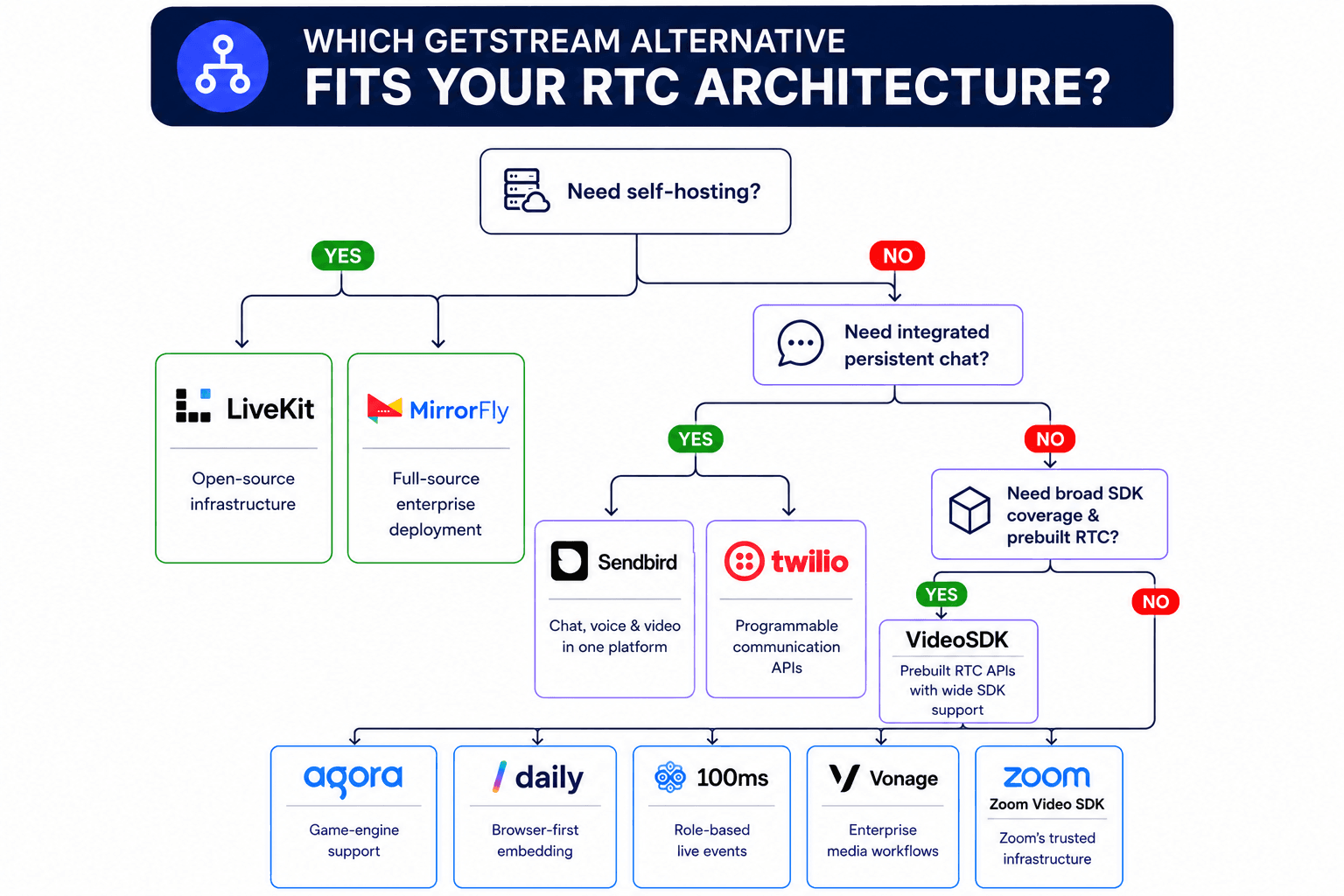
Best GetStream Alternatives for Video and Voice
VideoSDK leads this RTC-focused shortlist, while every other provider wins under a different deployment, ecosystem, scale, or workflow condition.
1. VideoSDK: Best Overall RTC Fit
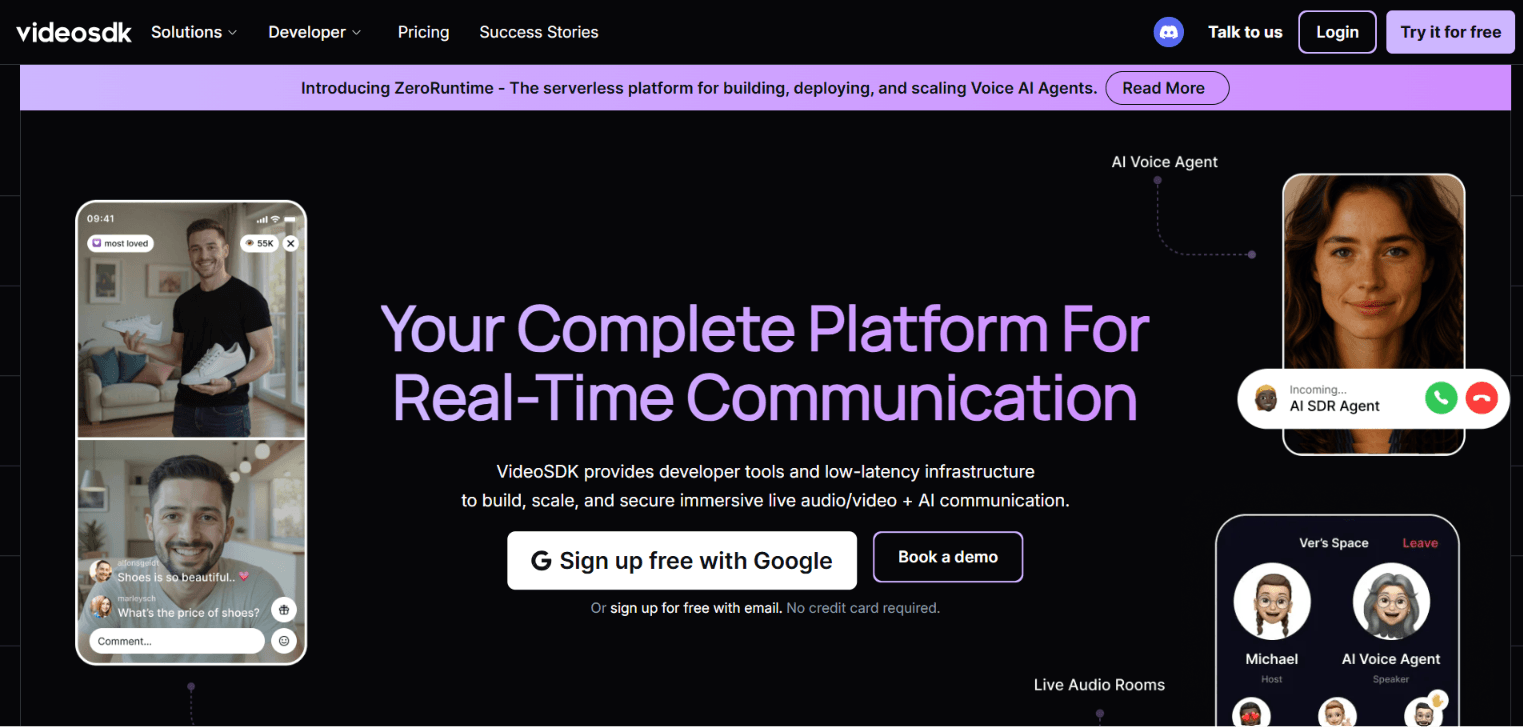
Best for: Teams needing custom video calls, audio calls, and interactive live streaming across the web, native mobile integrations, or embedded video calls on your website.
Why it ranks first: VideoSDK documentation lists JavaScript, React, React Native, Android XML and Compose, iOS UIKit and SwiftUI, Flutter, Unity, Python, C++, IoT, and the prebuilt SDK. The same documentation covers all features: recording, transcription, SIP connectivity, end-to-end encryption, geo-fencing, network-aware interfaces, custom video tracks, and collaboration features.
Teams can begin with the Prebuilt UI Kit or use custom SDK hooks and events. Separate quickstarts cover audio or video calls and interactive live streaming, which reduces the need to assemble different media vendors.
Pricing: VideoSDK's pay-as-you-go pricing is $0.001 per participant-minute for audio calls, $0.004 per participant-minute for video calls, and $0.002 per viewer-minute for live streaming. VideoSDK provides $20 in free credits.
Trade-off: VideoSDK is RTC-first, so it can replace Stream’s real-time video and audio layer, but not its persistent chat or activity feeds. A stream may be simpler when chat, messaging, identity, moderation, and stored data are already tightly integrated in production.
2. LiveKit: Best for Self-Hosting
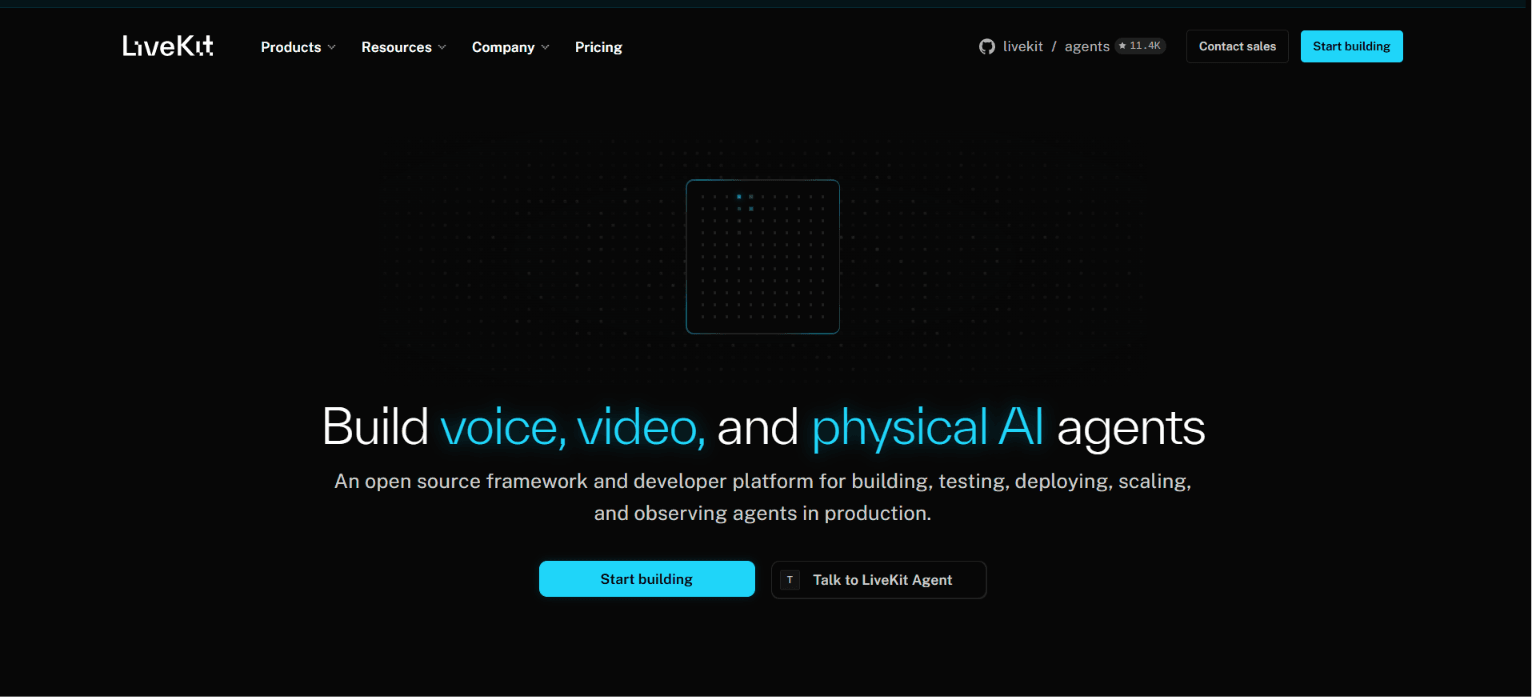
Best for: Engineering teams that value open-source media infrastructure, self-hosting, SIP, data control, and programmable voice or video agents.
Why it ranks here: LiveKit Cloud and self-hosted documentation describe an open-source WebRTC server with managed global infrastructure or self-managed deployment. The ecosystem includes ingress, egress, SIP, encryption, agents, and observability.
Self-hosting gives teams control over regions and infrastructure, but it also transfers responsibility for TURN, TLS, capacity planning, upgrades, monitoring, scaling, and incident response. LiveKit Cloud replaces those duties with a managed global mesh.
Pricing: LiveKit Cloud meters real-time media by connection time and data transfer, while ingress and egress can add transcoding or export usage. Included allowances vary by plan, so estimate bandwidth as well as participant minutes.
Trade-off: LiveKit does not replace Stream Chat or activity feeds. It fits teams prepared to assemble persistent messaging, moderation, and feed functionality as separate application services.
3. Agora: Best for Global and Game-Engine Reach
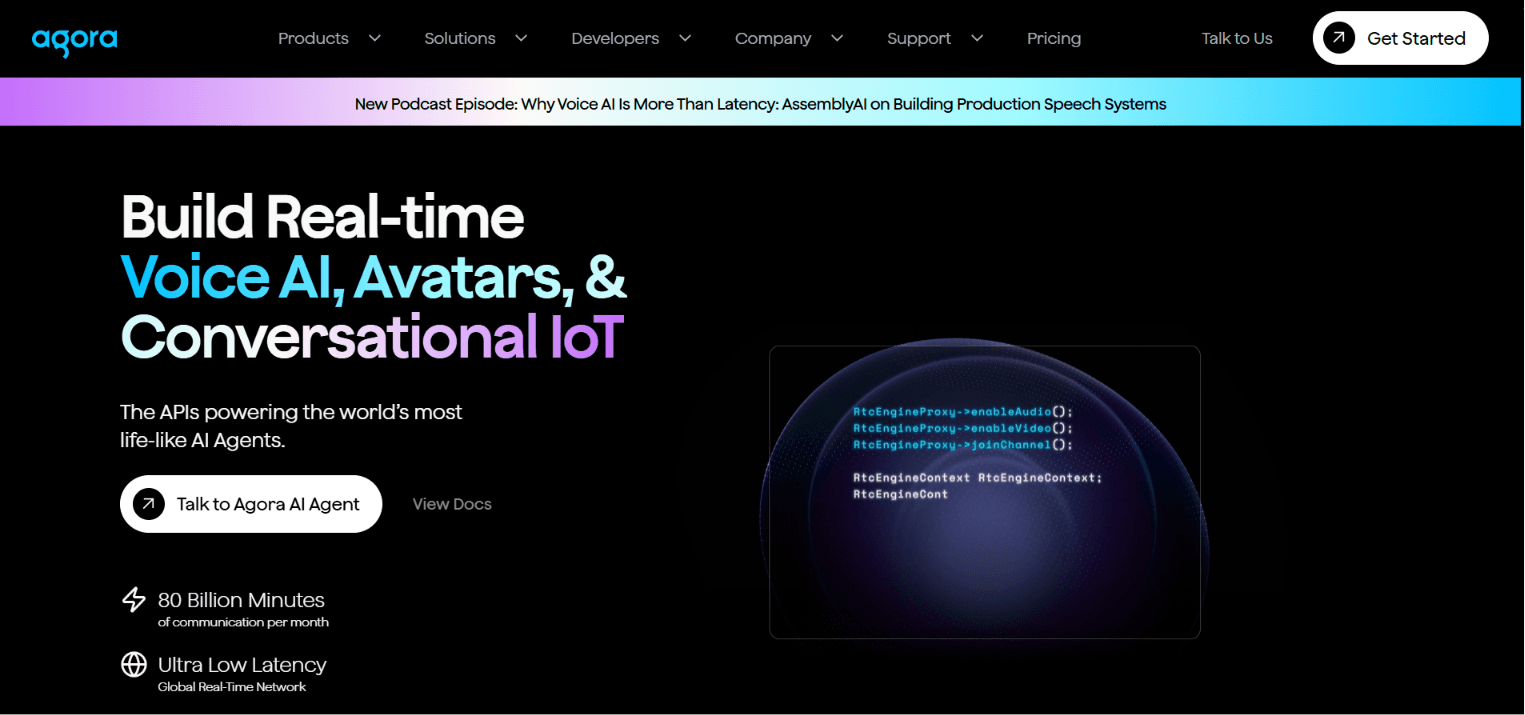
Best for: Products that need a mature global RTC network, native desktop support, Unity or Unreal Engine, media extensions, or large interactive deployments.
Why it ranks here: Agora's Video Calling product page lists Android, iOS, Web, Windows, Electron, Flutter, React Native, Unity, and Unreal Engine. It also covers recording, whiteboards, noise suppression, speech-to-text, analytics, multi-track media, and App Builder.
Agora reports 80 billion monthly real-time voice and video minutes across more than 200 countries and regions. This is a vendor-published scale statement, not an independent latency or reliability benchmark.
Pricing: Agora Video Calling pricing currently includes 10,000 free minutes, then $0.99 per 1,000 audio minutes and $3.99 per 1,000 HD video minutes before add-ons.
Trade-off: Agora's broad product, extension, analytics, and billing metrics require careful architecture review. It is strongest when specialised platform reach or media tooling justifies that complexity.
4. Daily: Best for Browser-First Products
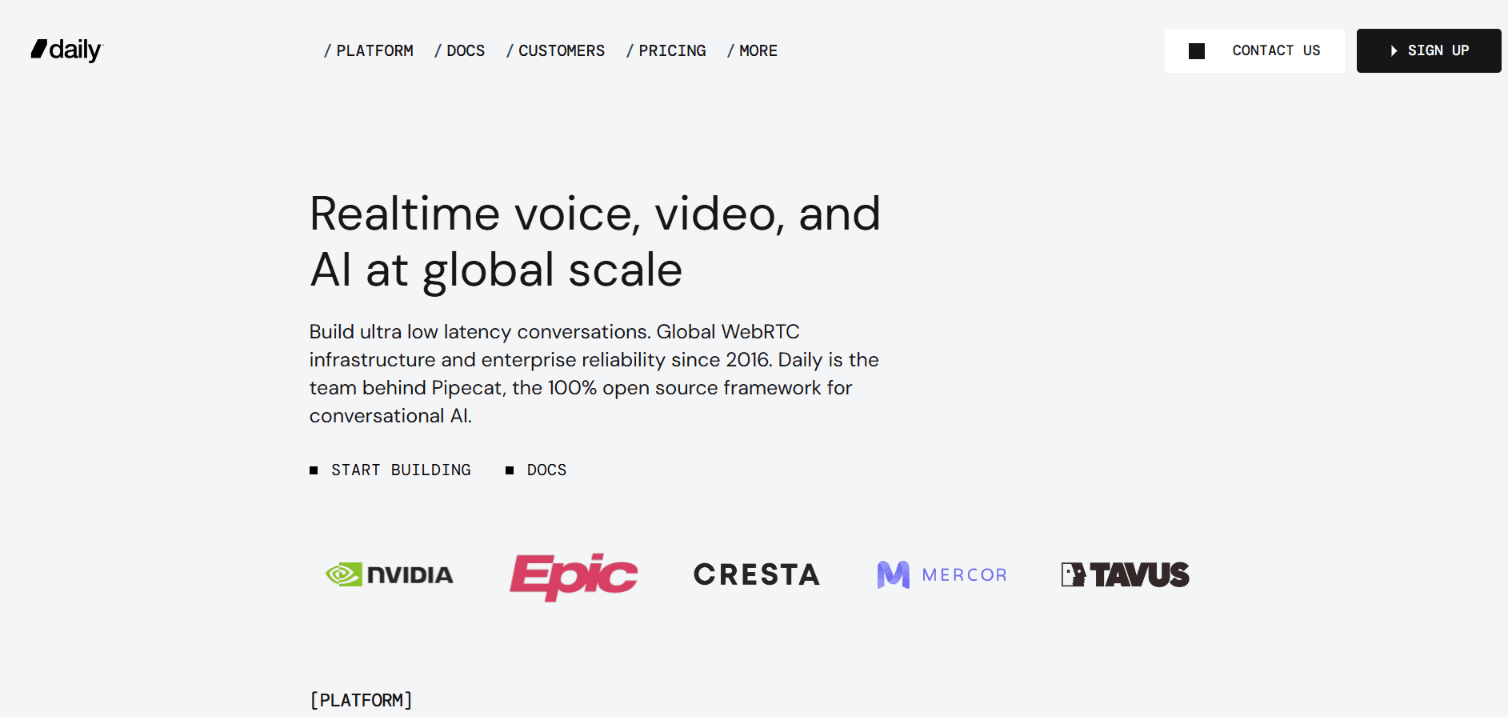
Best for: Browser-led applications that value rapid embedding, transparent participant-minute pricing, daily prebuilt, SIP, and access to the open-source Pipecat agent ecosystem.
Why it ranks here: Daily pricing and product documentation cover custom video and audio calls, pre-built, recording, RTMP, HLS, telephony, transcription, and Pipecat. Daily does not add resolution surcharges to its base call rate.
Daily Prebuilt supplies a full call component, while the client SDKs support custom layouts and track control. This makes Daily a practical choice for web collaboration, telehealth, support, and agent media projects.
Pricing: Daily includes 10,000 participant minutes monthly, then lists $0.004 for video and audio calls or $0.00099 for audio-only calls at the first paid tier. Recording, streaming, transcription, HIPAA, and advanced firewall control cost extra.
Trade-off: Daily is strongest in RTC and agent media. Teams leaving Stream Chat, Feeds, or Moderation still need another service or application data model for those persistent layers.
5. 100ms: Best for Role-Based Live Experiences
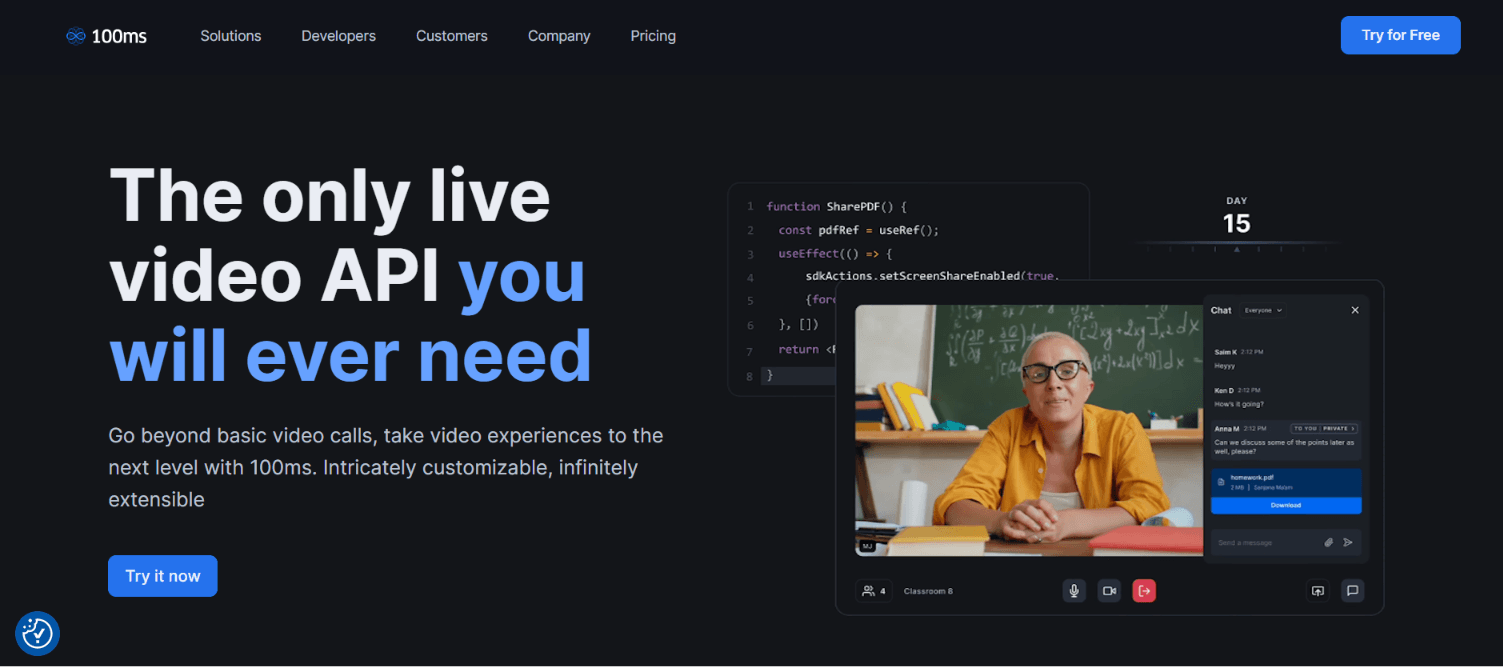
Best for: Classrooms, communities, audio rooms, webinars, and live events where teachers, students, hosts, speakers, and viewers need different permissions.
Why it ranks here: The 100ms overview combines WebRTC conferencing, HLS live streaming, rooms, roles, and client SDKs for web, Android, iOS, Flutter, and React Native. Prebuilt links and components offer a faster launch path.
Room templates define what each role can publish, subscribe to, record, or stream. That model maps cleanly to classrooms, social audio, live shopping, and stage-audience applications without hard-coding every permission branch.
Pricing: 100ms pricing includes 10,000 conferencing minutes, followed by $0.004 per participant minute. Audio-only use cases receive a published discount, while recording, transcription, encoding, and RTMP output use separate units.
Trade-off: 100ms focuses on media experiences rather than a full stream-style feed and moderation suite. Persistent community data still requires separate architecture.
6. Twilio Video: Best for Existing Twilio Stacks
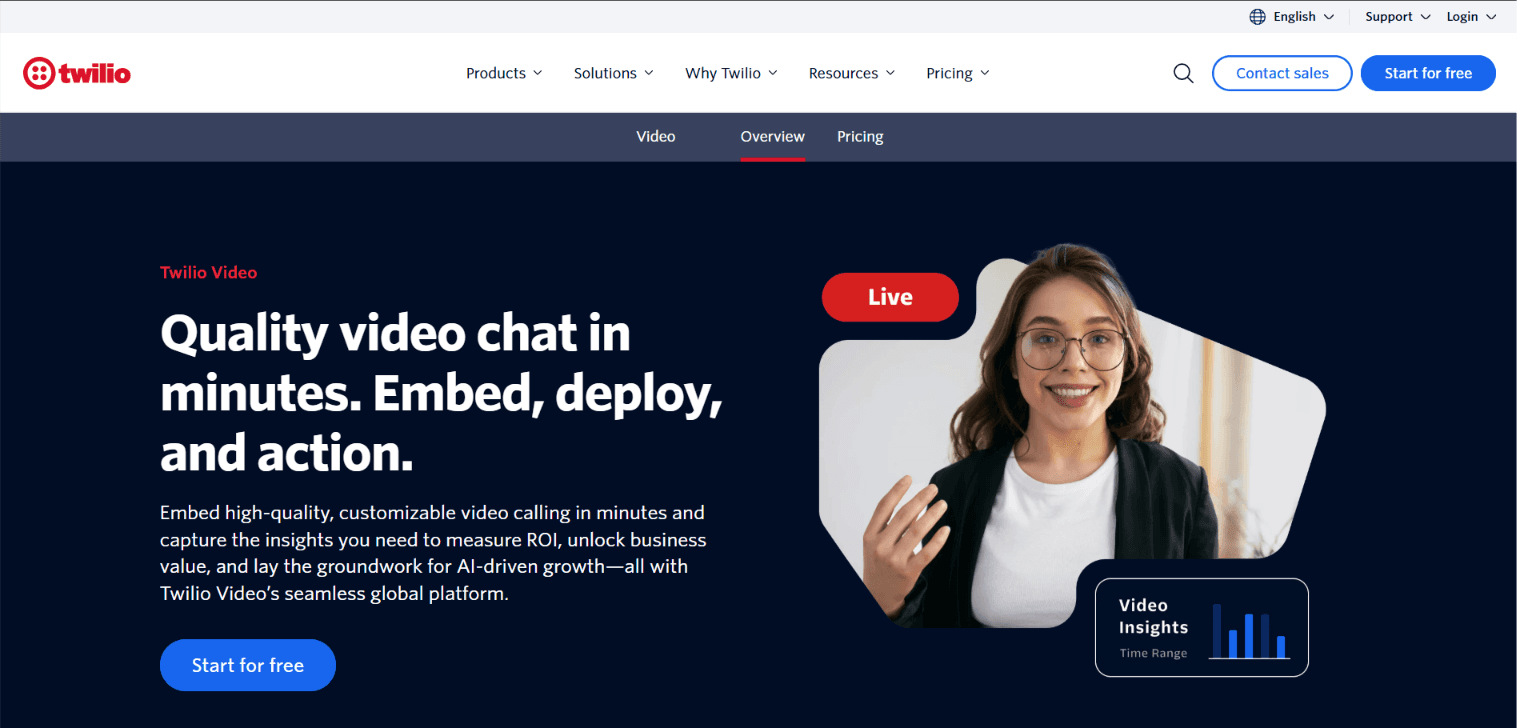
Best for: Teams already using Twilio Voice, Messaging, Conversations, or Flex and wanting video under the same commercial and operational relationship.
Why it ranks here: Twilio Video supports programmable WebRTC rooms, screen sharing, participant recordings, compositions, transcription, noise cancellation, virtual backgrounds, network quality controls, and voice interoperability.
Older comparison pages may incorrectly describe Twilio Video as retired. Twilio reversed its earlier 2026 end-of-life decision and states, "Twilio Video will remain a standalone product."
Pricing: Twilio Video pricing starts at $0.004 per participant minute and documents up to 50 participants. Recordings, compositions, transcriptions, storage, and programmable voice call legs add separate charges.
Trade-off: Twilio's video client surface is narrower than VideoSDK, Agora, or Zoom Video SDK. Choose it for CPaaS consolidation, not for the widest framework coverage.
7. Vonage Video API: Best for Media Workflows
Best for: Enterprise teams needing OpenTok continuity, broadcasting, captions, media processing, SIP interconnect, audio connector, or branded composition workflows.
Why it ranks here: Vonage Video API documentation covers real-time video, messaging, screen sharing, recording, encryption, live captions, Experience Composer, audio connector, broadcasting, and reference applications.
Experience Composer can publish a web-rendered layout into a session for recording or broadcast. Audio Connector streams raw audio to server-side processing, which suits transcription, translation, compliance, or agent pipelines.
Pricing: Vonage pricing lists $0.00410 per participant minute after its new-customer trial allowance. Advanced recording, broadcasting, AI connectors, SIP, security, and regional features use separate rates.
Trade-off: Existing TokBox users are being directed towards the newer Vonage dashboard. Test account, migration, and operational workflows early instead of treating the change as a simple SDK swap.
8. Zoom Video SDK: Best for Zoom Infrastructure
Best for: Products wanting Zoom's media infrastructure, desktop and mobile SDKs, raw media access, a prebuilt UI Toolkit, or large custom sessions.
Why it ranks here: Zoom Video SDK documentation lists iOS, Android, macOS, Windows, Web, React Native, Linux, Flutter, and Unity. It covers audio, video, screen sharing, chat, raw data, PSTN, transcription, recording, subsessions, and live streaming.
Current Video SDK documentation states that sessions are created on demand and can support up to 5,000 users, with an unlimited view-only audience available through RTMP streaming.
Pricing: Zoom's Build Platform uses prepaid credits and meters Video SDK usage by participant session minutes. Recording, storage, transcription, translation, summaries, and PSTN consume additional credits or rates.
Trade-off: Zoom Video SDK sessions cannot join ordinary Zoom meetings or webinars. Choose Meeting SDK when embedded access to standard Zoom meetings is the real requirement.
9. Sendbird Calls: Best for Chat Plus Calls
Best for: Messaging-led products where persistent chat identity is central and direct or smaller group voice and video calls are secondary features.
Why it ranks here: Sendbird Calls documentation lists iOS, Android, JavaScript, React Native, and Unity SDKs. It supports direct calls, group rooms, auto-reconnect, call history, webhooks, recording, screen share, and integrated Chat identities.
Capacity deserves a target-SDK check. Sendbird's pricing page advertises group voice calls up to 1,000 users and video calls up to 10 users, while some SDK-specific room types document lower limits.
Pricing: Sendbird Calls pricing lists server-relayed voice at $0.0015 and video at $0.0035 per minute per user, with separate peer-to-peer and recording rates.
Trade-off: Sendbird can replace Stream Chat and smaller Calls together, but its video room limits make it less suitable for large classes, events, or conferencing.
10. MirrorFly: Best for Full Source and On-Premises
Best for: Procurement-led organisations requiring full source access, white labelling, on-premises or private-cloud deployment, chat, calls, activity feeds, and data ownership.
Why it ranks here: MirrorFly's video product lists one-to-one and group calls, live streaming, recording, screen sharing, adaptive bitrate, auto-reconnect, and web or mobile SDKs. Its wider suite also covers chat, activity feeds, SIP, and VoIP.
MirrorFly offers managed cloud, private infrastructure, and on-premises paths. That scope can reduce the number of services required when a team needs to replace more than Stream Video.
Pricing: MirrorFly pricing uses MAU-led plans with included call minutes, overage rates, and custom enterprise terms. Full-source and on-premises deployments are sales-assisted.
Trade-off: MirrorFly is less self-service than cloud-first SDKs. It fits ownership and customisation requirements better than a quick developer proof of concept.
Other GetStream Alternatives Worth Considering
ZEGOCLOUD
ZEGOCLOUD offers video calling, voice calling, live streaming, in-app chat, cloud recording, transcription, effects, and more than twenty prebuilt UI Kits. Its public pricing currently starts at $0.99 per 1,000 voice participant minutes and $3.99 per 1,000 video participant minutes after 10,000 free minutes. For a closer look, see our ZEGOCLOUD vs VideoSDK comparison.
ZEGOCLOUD is worth testing for social, live, and entertainment products that benefit from UI Kits and media effects. It did not enter the top ten because this ranking gives more weight to migration scope, self-hosting, and enterprise workflow differentiation.
Whereby Embedded
Whereby Embedded provides programmatic rooms, a prebuilt web component or iframe, React hooks for custom interfaces, mobile paths, recordings, live streaming, transcription, and browser-focused collaboration features.
Its Build plan lists a $9.99 monthly fee, 2,000 included participant minutes, and $0.004 per additional participant minute. Whereby is a strong browser-first embedding option, but it covers less of Stream's wider chat and feed stack.
What Is the Best GetStream Alternative?
VideoSDK is the best GetStream alternative under this article's combined RTC criteria, but deployment and ecosystem requirements can change the result.
- Choose VideoSDK for broad client coverage, custom or prebuilt video calls, audio rooms, and interactive live streaming from one managed RTC platform.
- Choose LiveKit when open-source infrastructure, self-hosting, SIP, and agent development matter more than bundled feeds or persistent chat.
- Choose Agora for specialised native platforms, Unity or Unreal Engine, vendor-reported global scale, and a large catalogue of media extensions.
- Choose Daily for browser-first embedding, straightforward base media rates, and projects connected to the Pipecat agent ecosystem.
- Choose 100ms for role-driven classrooms, social audio, and live experiences moving between real-time rooms and HLS audiences.
- Choose Twilio when Voice, Messaging, Conversations, or Flex already defines the communication architecture and vendor consolidation reduces operational cost.
- Choose Vonage for OpenTok continuity, broadcasting, captions, Audio Connector workflows, and enterprise media composition.
- Choose Zoom Video SDK for custom sessions on Zoom infrastructure, especially when desktop support, raw media access, or very large rooms matter.
- Choose Sendbird when persistent chat is primary and group video remains within the target SDK's documented limits.
- Choose MirrorFly when full source, on-premises deployment, white labelling, and data ownership justify a sales-assisted implementation.
GetStream can still be the better option when Chat, Activity Feeds, Moderation, and Video already operate as one production application layer. Migration cost can exceed any headline media-rate saving.
How to Compare GetStream Alternative Costs
A fair GetStream cost comparison includes every production service, not only the lowest participant-minute price. Resolution, recording, support, and compliance can reverse the result.
Use this normalised formula:
Monthly RTC cost = call media + recording and composition + transcription + streaming or egress + telephony + support and compliance + migration operations.
A provider charging $0.004 per participant minute bills a 30-minute call with eight connected users as 240 participant minutes, or $0.96 before recording and transcription.
Stream differs because received video tracks are grouped into an aggregated resolution tier. LiveKit adds data transfer and transcoding. MirrorFly uses MAU and negotiated plans. Zoom uses credits. These models need a workload sheet, not a single rate comparison.
Model at least three traffic shapes: one-to-one calls, an eight-person gallery room, and a host-to-viewer live session. Include muted users, screen sharing, recording, transcription, peak concurrency, and support requirements.
How to Test a GetStream Alternative
A short proof of concept should test identity, media, network failure, and real billing before the team commits to a migration.
- Rebuild one representative room: Match the existing participant count, roles, permissions, camera layout, screen sharing, and recording behaviour.
- Generate scoped credentials: Keep provider secrets on the server. Issue short-lived room or participant tokens with only the permissions required by the client.
- Test production networks: Validate TURN fallback, TCP or TLS port 443, poor bandwidth, device permission denial, reconnect behaviour, and mobile background states.
- Measure the full bill: Capture participant minutes, resolution rules, recording, composition, transcription, data transfer, support, and compliance costs during the test.
- Score developer work: Record implementation time, documentation gaps, debugging quality, SDK parity, release cadence, and the operational effort required after launch.
GetStream Migration Checklist
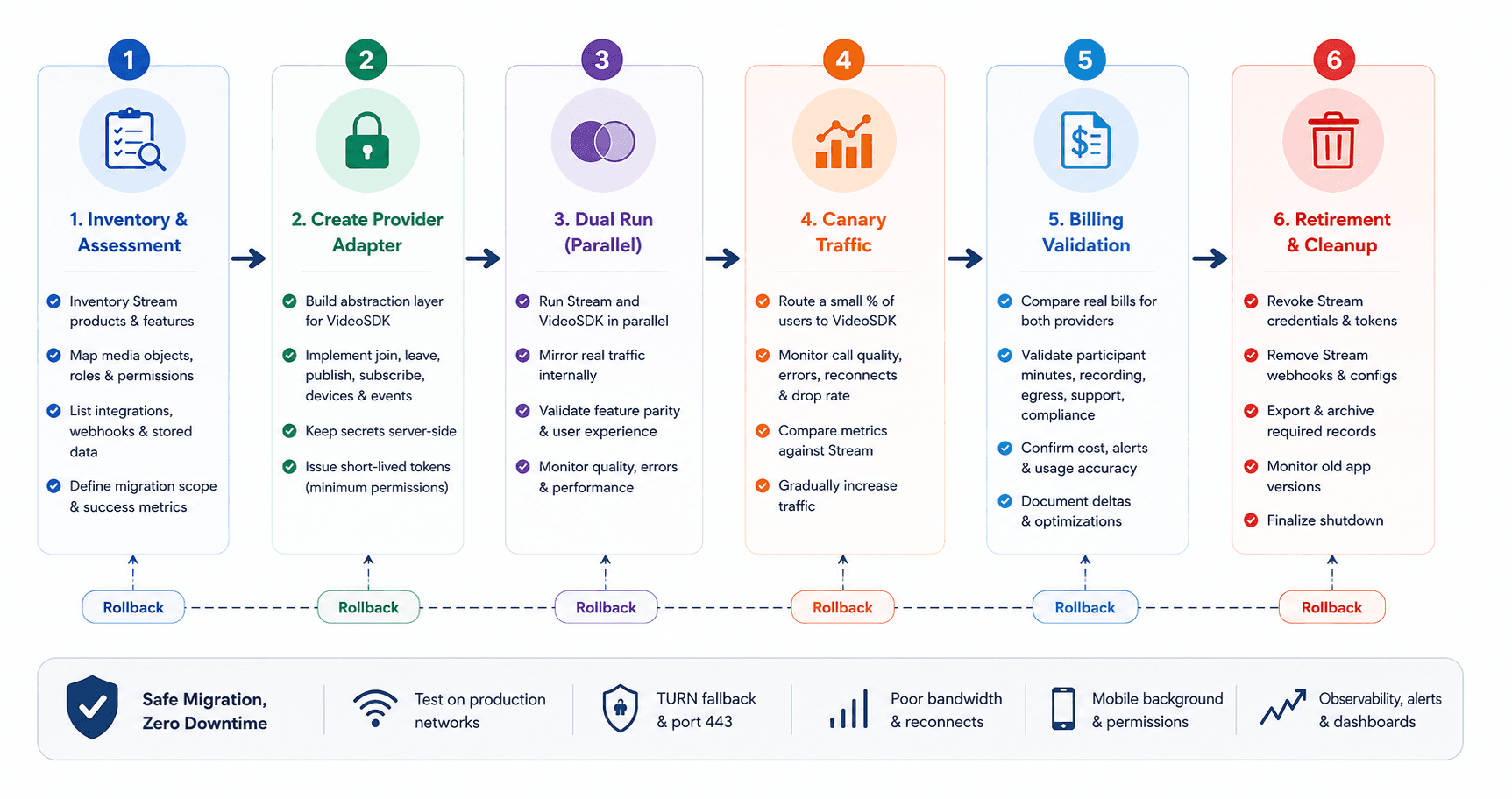
A safe GetStream migration separates product scope, identity, media, stored data, and rollout controls before any client SDK is replaced.
- Inventory Stream products: Record whether the application uses Video, Chat, Feeds, Moderation, push notifications, recording, transcription, or custom webhooks.
- Map media objects: Translate Stream calls, call types, roles, permissions, and members into the destination provider's rooms, sessions, templates, or roles.
- Rebuild authentication: Keep API secrets server-side and issue short-lived tokens with the smallest practical permissions.
- Create a provider adapter: Hide join, leave, publish, subscribe, device, and event methods behind an application interface before switching vendors.
- Plan stored-data migration: Decide whether chat history, feed activity, call records, recordings, and transcripts should move, remain archived, or expire.
- Re-test production networks: Validate TURN fallback, port 443, device permissions, reconnect behaviour, poor bandwidth, and mobile background states.
- Run a canary rollout: Route internal users and a small customer cohort to the new provider while preserving a tested fallback path.
- Compare real bills: Measure media, recording, egress, support, compliance, and engineering overhead during the overlap period.
- Retire Stream carefully: Revoke old credentials, remove unused webhooks, export required records, and watch for clients using older application versions.
This staged pattern prevents a common failure: replacing the media SDK while silently breaking chat identity, push notifications, stored records, or compliance workflows.
Definitions Glossary
These RTC definitions make GetStream alternatives easier to compare because vendors often use different names for the same architectural role.
Participant minute: One connected participant using a session for one minute. Eight people in a 30-minute call create 240 participant minutes.
Room or session: The real-time space where participants publish and receive audio, video, screen-share, and data tracks. Providers use different object names.
SFU: A Selective Forwarding Unit receives media tracks and forwards selected versions to subscribers without composing every participant into one fixed video.
Prebuilt UI Kit: A ready interface for device setup, joining, participant layouts, and call controls. VideoSDK provides a prebuilt quickstart.
Interactive live streaming: A low-latency format where viewers can react or become speakers, unlike higher-latency one-way HLS delivery.
Meeting token: A server-generated credential that authorises a participant to join a room without exposing the provider's API secret.
Key Takeaways
The best GetStream alternative is the provider whose media, client, deployment, and cost model match the application you operate.
- VideoSDK ranks first under this article's combined criteria for SDK breadth, custom and prebuilt RTC, audio rooms, and interactive live streaming.
- LiveKit is the clearest open-source and self-hosted choice, while MirrorFly targets full-source and on-premises ownership across a wider communication suite.
- Agora, Daily, 100ms, Twilio, Vonage, Zoom, and Sendbird become stronger under specific platform, ecosystem, room, or workflow conditions.
- ZEGOCLOUD and Whereby Embedded deserve a proof of concept when UI Kits, effects, or browser-first embedding carry more weight than migration scope.
- GetStream may remain preferable when Chat, Feeds, Moderation, and Video already share identity, data, and operational tooling in production.
- Pricing must include media, resolution rules, recording, transcription, egress, support, compliance, and migration engineering before a vendor is labelled cheaper.
Conclusion
The right GetStream alternatives shortlist should begin with architecture, not brand popularity. VideoSDK is a strong RTC-first starting point when platform coverage, prebuilt calling, custom media, and interactive streaming matter together.
Review the VideoSDK documentation or create a free VideoSDK account to test your real workload before committing. What are you building with VideoSDK? Share the video or voice use case you are evaluating.
Frequently Asked Questions
These direct answers address the most common questions about GetStream alternatives, migration, pricing, self-hosting, and provider scope.
Is GetStream the same as Stream?
Yes, GetStream commonly refers to Stream, the company and platform at getstream.io. Searchers use both names for its chat, activity feeds, moderation, and video products.
What is the best GetStream alternative in 2026?
The best GetStream alternative for broad managed video and voice development is VideoSDK under this article's RTC replacement fit test. LiveKit is stronger for self-hosting, while Agora fits specialised global and game-engine deployments.
Which GetStream alternatives support self-hosting?
LiveKit supports an open-source, self-hosted WebRTC server with separate ingress, egress, and SIP services. MirrorFly sells full-source and on-premises options for organisations wanting chat, calls, and wider deployment control.
Which alternative is closest to stream chat and video together?
Sendbird closely combines persistent chat identity with direct and group calls, although video capacity varies by target SDK and room type. MirrorFly also bundles chat, calls, feeds, SIP, and deployment control.
Are GetStream alternatives cheaper?
Some GetStream alternatives can cost less for a specific traffic pattern, but headline rates are insufficient. Compare media, resolution, recording, transcription, egress, support, compliance, and migration costs.
Does Twilio Video still exist in 2026?
Yes, Twilio Video remains available in 2026. Twilio reversed its earlier retirement plan, maintains current documentation, and continues to offer pay-as-you-go pricing.
Can I migrate from GetStream without downtime?
Yes, a low-downtime migration uses a provider adapter, parallel authentication, canary traffic, feature flags, and an operational fallback. Stored chat, feed, recording, and compliance data need separate migration plans.
Does VideoSDK replace StreamChat and activity feeds?
VideoSDK primarily replaces the real-time video, audio, room, and interactive streaming layer. Persistent chat and activity feeds may require another service or an application-owned data model.