


You built an AI agent. It works locally. Then reality hits.
How do you run it 24/7?
How do you scale it?
How do you secure keys, manage versions, and handle real users?
Productionizing an agent is not just “docker build && run.”
It’s infrastructure, orchestration, secrets, sessions, regions, and reliability.
Agent Cloud removes that entire layer.
With a single CLI workflow, you can package your agent, deploy it globally, run live sessions, and manage everything from versioning to scaling without building your own backend platform.
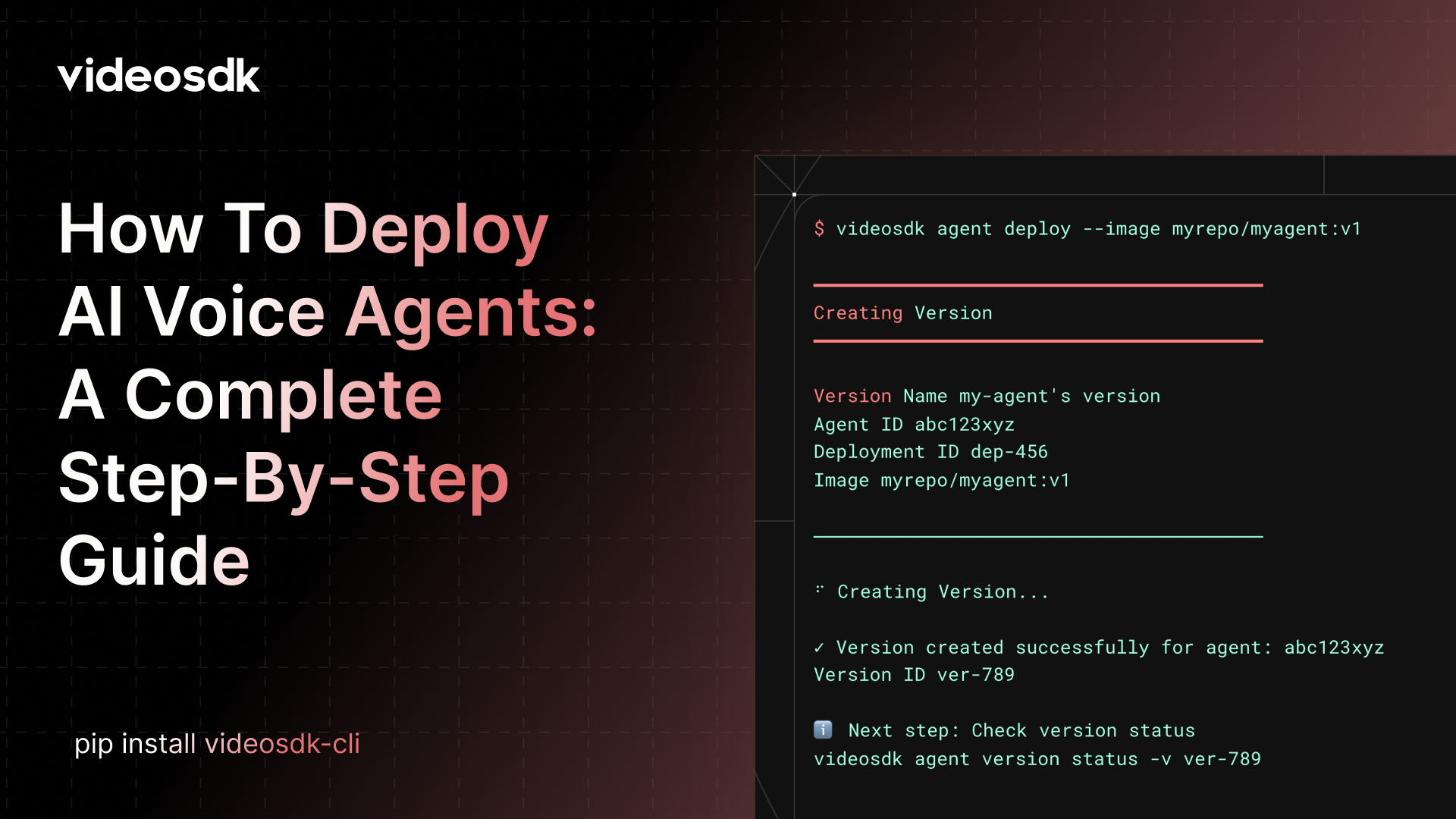
This guide walks through the complete deployment process, from local code to a production-ready agent running in the cloud.
- Build and push your agent container
- Deploy and version your agent
- Monitor and control deployments
- Use the VideoSDK dashboard for low-code management
By the end, your agent will be live and ready to serve users.
Prerequisites
Before starting, make sure you have:
- Docker installed and running
- A VideoSDK account
- An AI agent project with a Dockerfile
1. Install the CLI
To get started with VideoSDK Agent Cloud, you need to install the VideoSDK CLI. There are two ways to install it:
Using pip
You can also install the VideoSDK CLI using pip, the Python package manager.
pip install videosdk-cliUsing curl
This is the quickest way to install the VideoSDK CLI on Linux and macOS.
curl -fsSL https://videosdk.live/install | bash2. Authenticate the CLI
First, connect your local environment to your account.
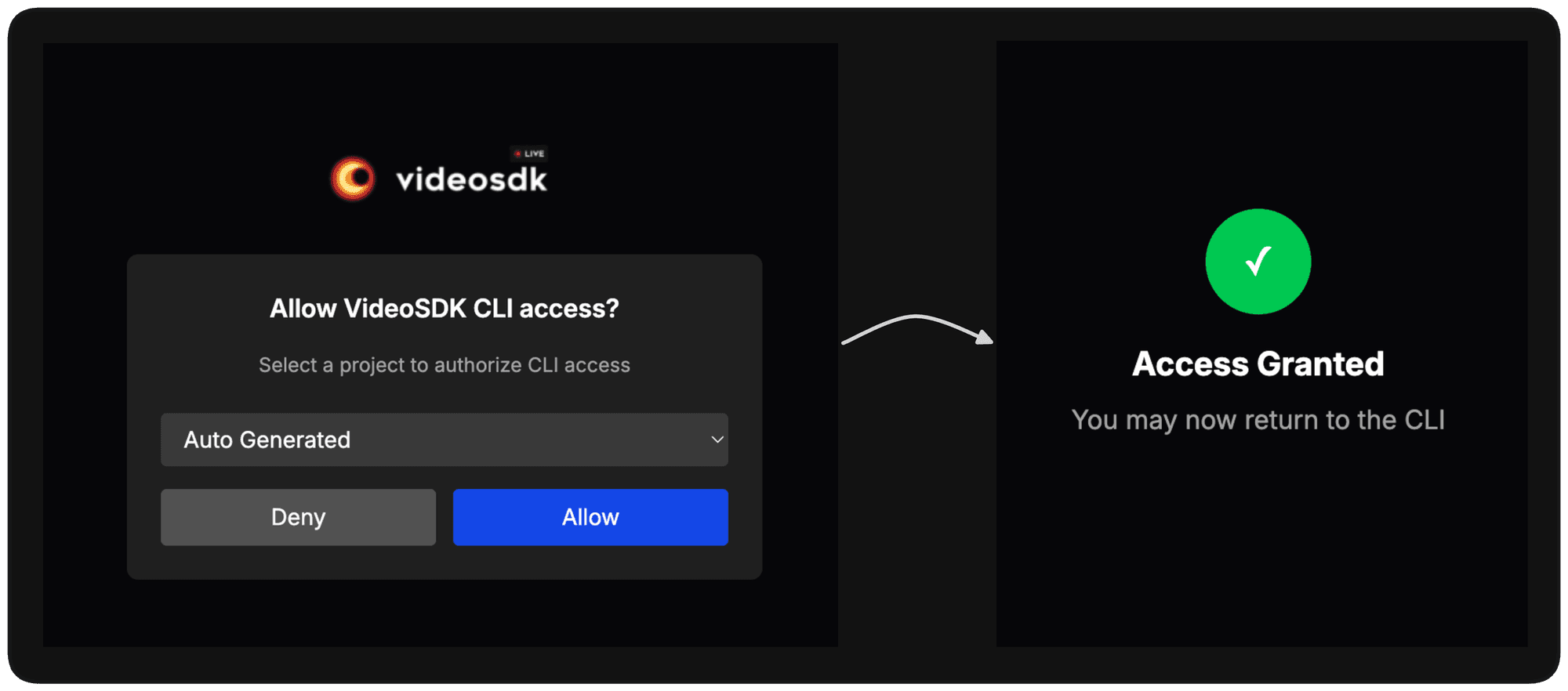
videosdk auth loginThe CLI opens a browser window where you approve the authentication request. Once approved, a secure token is stored locally and reused for future commands.
Initialize your agent
The init command sets up a new agent deployment by creating an agent and a deployment in VideoSDK cloud. It also generates a videosdk.yaml configuration file in your project directory.
videosdk agent init --name my-agent
videosdk.yaml Structure
The generated videosdk.yaml file will look like this:
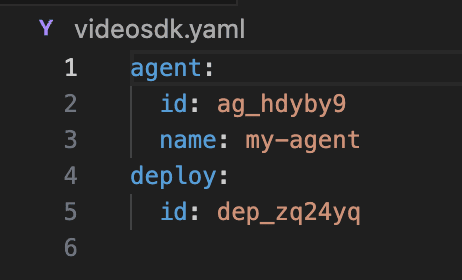
Add this agent_id from the videosdk.yaml file to the code in this section
if __name__ == "__main__":
    job = WorkerJob(entrypoint=start_session, jobctx=make_context,
        options=Options(
            register=True,
            agent_id="your-agent_id"
        )
    )
    job.start()
3. Build Your Agent Container
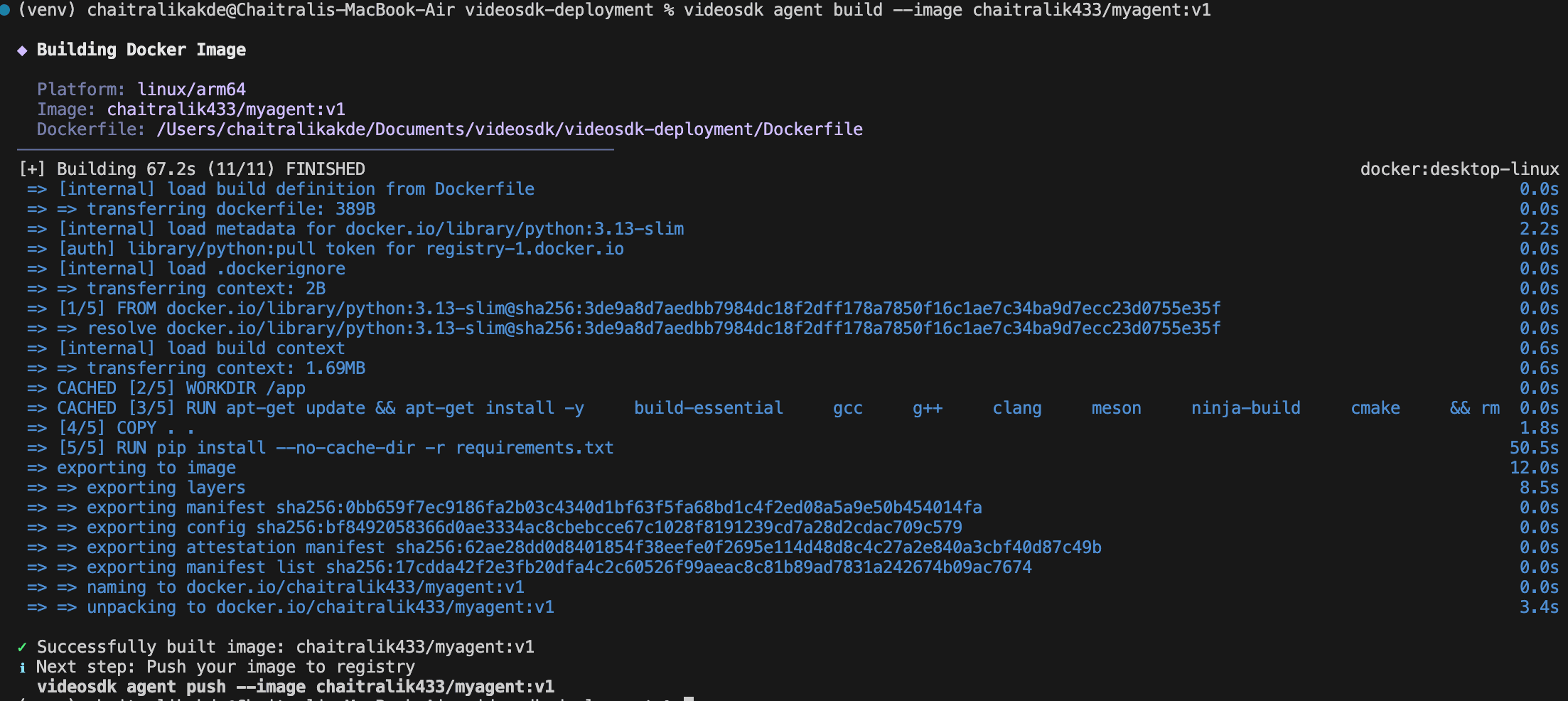
Agent Cloud runs agents as containers. Use the CLI to build a Docker image for your agent.
You need to log in to Docker first. After logging in, you will get your Docker ID. Replace myrepo with your Docker ID and use it in all the commands below.
videosdk agent build --image myrepo/myagent:v1
What Happens
- Cloud Creation: The CLI communicates with VideoSDK cloud to create a new agent and a corresponding deployment.
- Config Generation: A
videosdk.yamlfile is created in your current directory. This file contains the unique IDs for your agent and deployment. - Project Setup: Your local project is now linked to the cloud resources.
4. Push the Image to a Registry
Before deployment, the image must be available in a container registry.
videosdk agent push --image myrepo/myagent:v1Supported registries include Docker Hub, GitHub Container Registry, AWS ECR, Google Container Registry, and Azure.
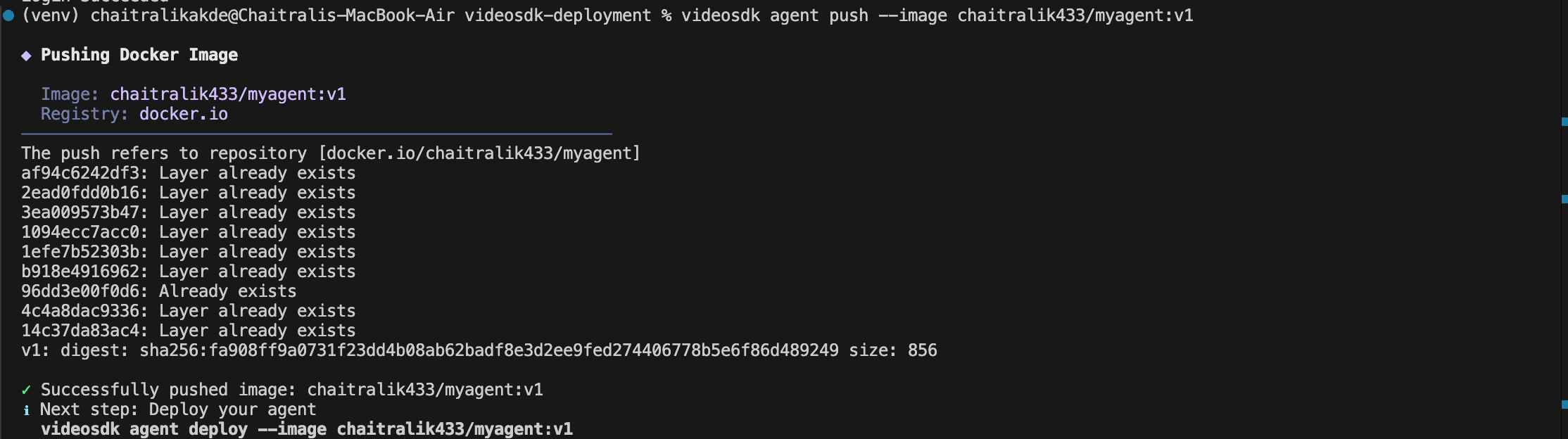
For private registries:
videosdk agent push \
  --image ghcr.io/myorg/myagent:v1 \
  -u username \
  -p token
4. Deploy Your Agent
Create a new version of your agent on VideoSDK cloud.
videosdk agent deploy --image myrepo/myagent:v1
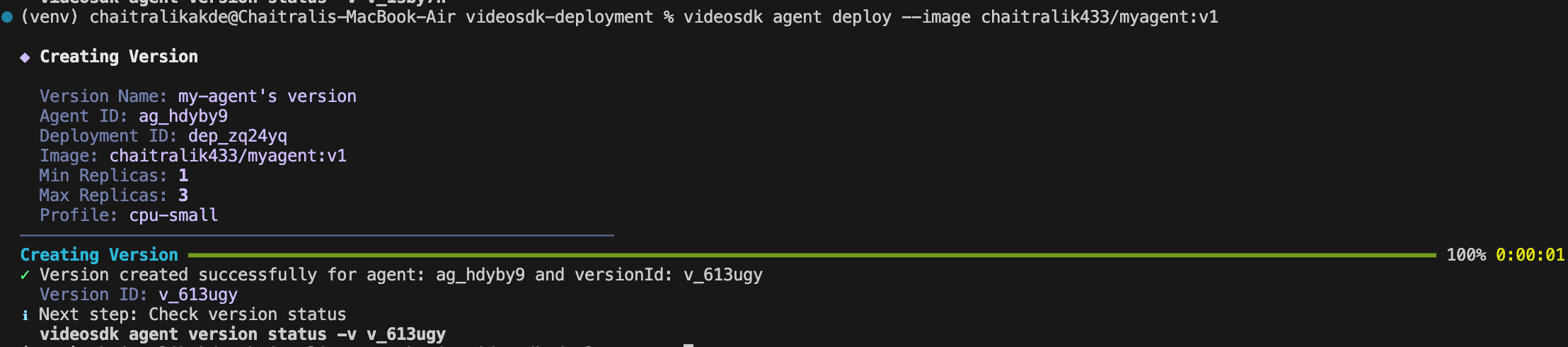
This creates a versioned deployment with configurable compute resources and scaling.
You can customize:
- Replica limits
- Compute profile
- Deployment region
- Secrets
- Version tags
videosdk agent deploy my-version \
  --image myrepo/myagent:v1 \
  --profile cpu-medium \
  --region in002
5. Manage Versions
Each deployment creates a version that can be activated, updated, or rolled back.
List versions:
videosdk agent version list
Activate a version:
videosdk agent version activate -v ver123Update scaling:
videosdk agent version update -v ver123 \
  --min-replica 2 \
  --max-replica 10
Check status:
videosdk agent version status -v ver123
6. Secure Configuration with Secrets
Agents often need API keys or credentials.
Create a secret set from a .env file:
videosdk agent secrets my-secrets create --file .env
Use it during deployment:
videosdk agent deploy \
  --image myrepo/myagent:v1 \
  --env-secret my-secrets
Secrets are injected securely as environment variables at runtime.
7. Start a Live Agent Session
Once deployed, you can run the agent in a room.
videosdk agent session start -v ver123
This launches a live instance of your agent.
You can specify a room:
videosdk agent session start -v ver123 -r support-room
Stop the session:
videosdk agent session stop -r support-room
List sessions:
videosdk agent sessions list
8. Manage Everything from the Dashboard (Low-Code Option)
If you prefer a visual workflow, the VideoSDK dashboard provides full control over deployments.
From the dashboard you can:
- View all agents
- Monitor versions and replicas
- Inspect logs and sessions
- Manage secrets
- Start or stop deployments
- Configure regions and scaling
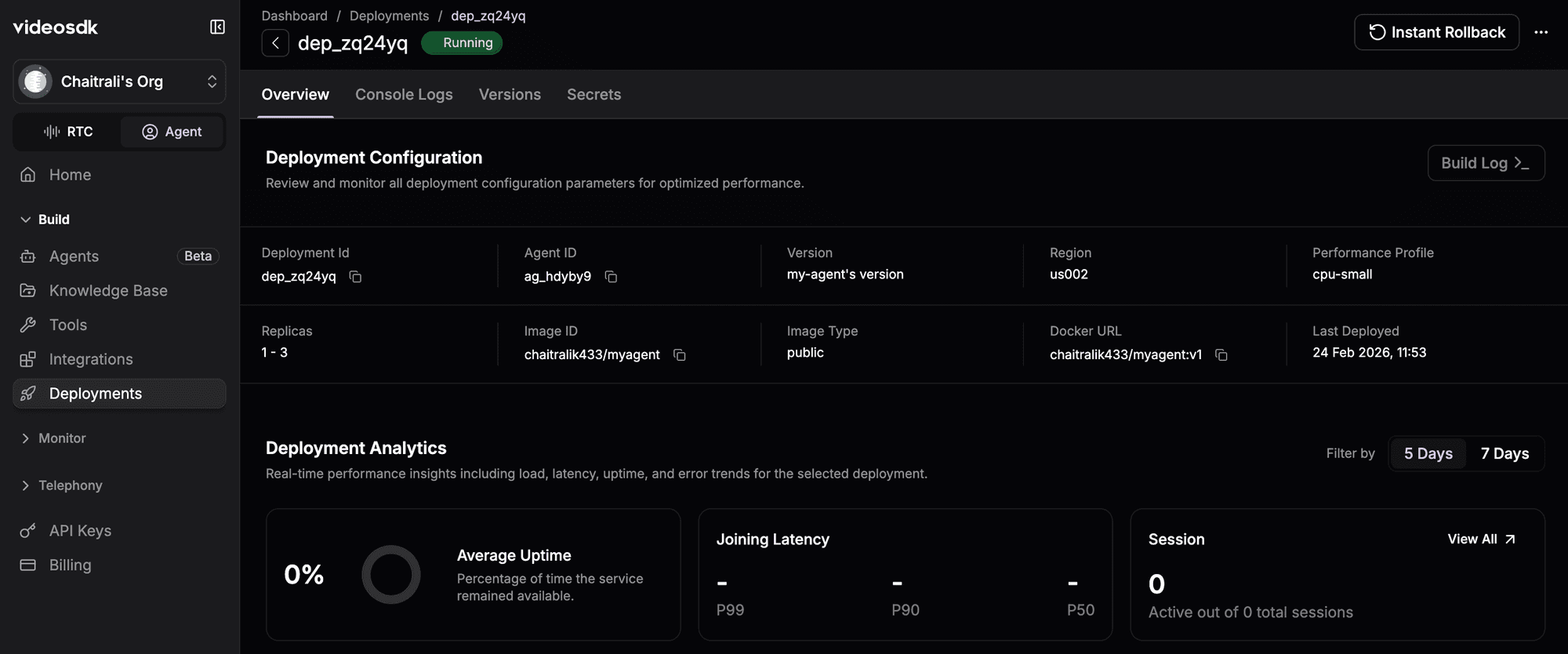
The CLI and dashboard stay fully synchronized changes made in one are reflected in the other.
Why This Workflow Matters
Traditional deployment of real-time AI systems requires stitching together multiple components:
- Container orchestration
- Autoscaling
- Secrets management
- Session routing
- Infrastructure monitoring
- Regional deployment
Agent Cloud abstracts this complexity into a developer-friendly workflow while preserving control and flexibility.
You focus on building intelligence. The platform handles running it reliably.
Final Thoughts
With the VideoSDK CLI, you can go from a local prototype to a production-ready deployment in minutes complete with scaling, versioning, and live sessions.
Whether you prefer CLI automation or dashboard control, Agent Cloud provides a streamlined path to running AI agents in the real world.
Next Steps and Resources
- Explore more about deployments through the docs
- Sign up at VideoSDK - dashboard
- Have feedback or ideas? Comment below or join our Discord to build and ship AI call agents faster with VideoSDK Discord community ↗. We’re excited to learn from your journey and help you build even better AI-powered communication tools!