


Real-time scale. Transparent billing. Total control.
At VideoSDK, our mission has always been to empower developers to build world-class live video experiences without the complexity of infrastructure management. As we head into 2026, we are taking a massive leap forward by making our billing as scalable, transparent, and real-time as our infrastructure.
Today, we are thrilled to announce our new Pricing plans and a completely redesigned Billing Dashboard.
1. The Power of the Prepaid Wallet
We’ve replaced traditional monthly billing cycles with a high-performance Prepaid Wallet system. Instead of waiting for a month-end invoice, you now have complete visibility and control over your spending in real-time.
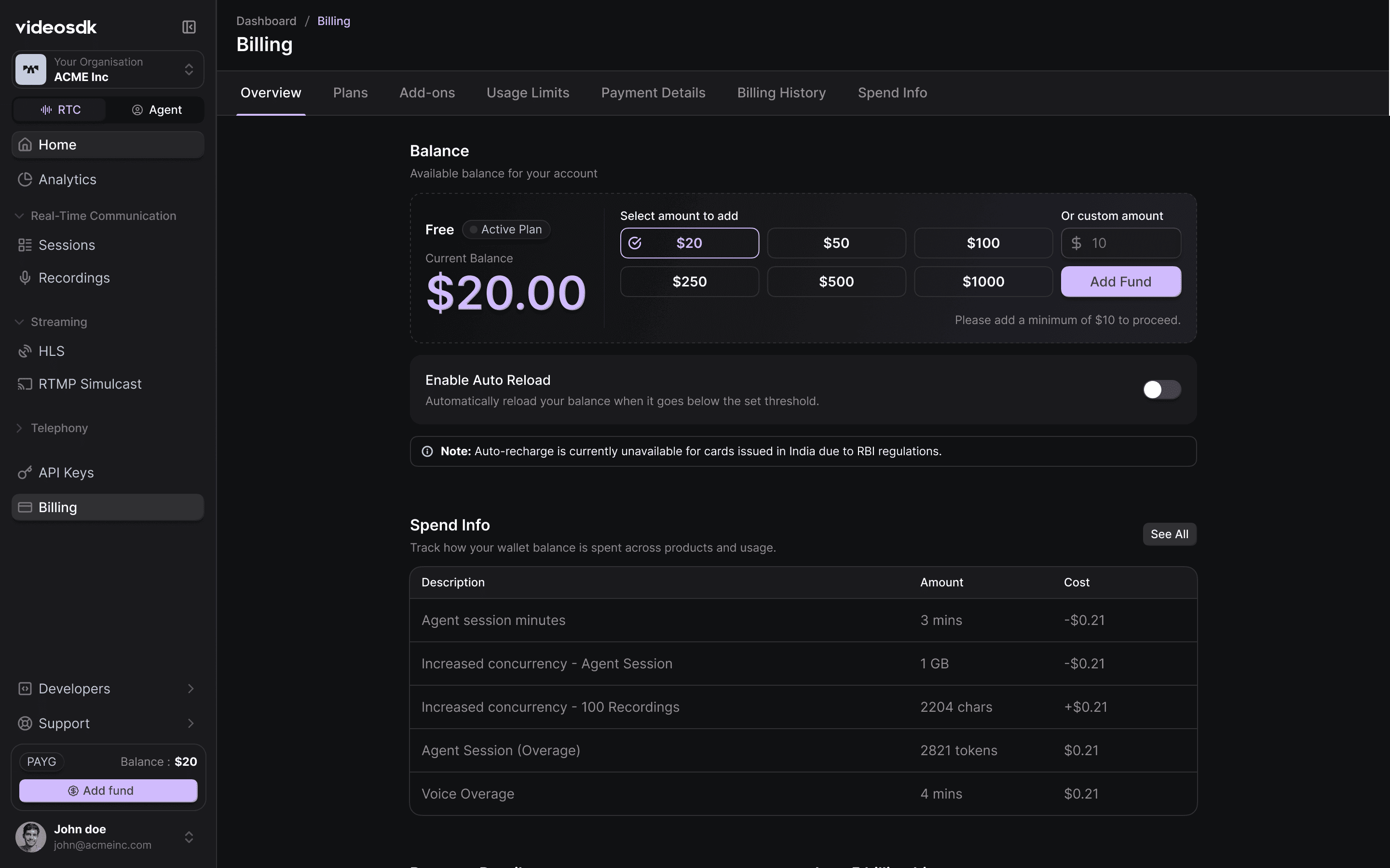
Key Features of the Overview Tab:
- Real-Time Balance: Instantly see your available funds.
- Quick Top-ups: Add funds with one click using preset amounts or custom values.
- Auto-Reload: Never worry about service interruptions. Enable Auto-Reload to automatically top up your wallet when it falls below a threshold you set.
- Spend Summary: A high-level view of your recent usage and costs.
The $20 "Start Building" Balance
We believe every great idea deserves a chance to be built. That’s why starting today, every new account receives a one-time $20 free balance added to their wallet immediately upon signup. No credit card is required to start—just sign up and deploy your first AI Agent or Video Call room instantly.
2. Simplified Plans for Every Stage
Whether you are a solo developer or a global enterprise, our new Plans tab makes it easy to understand your trajectory.
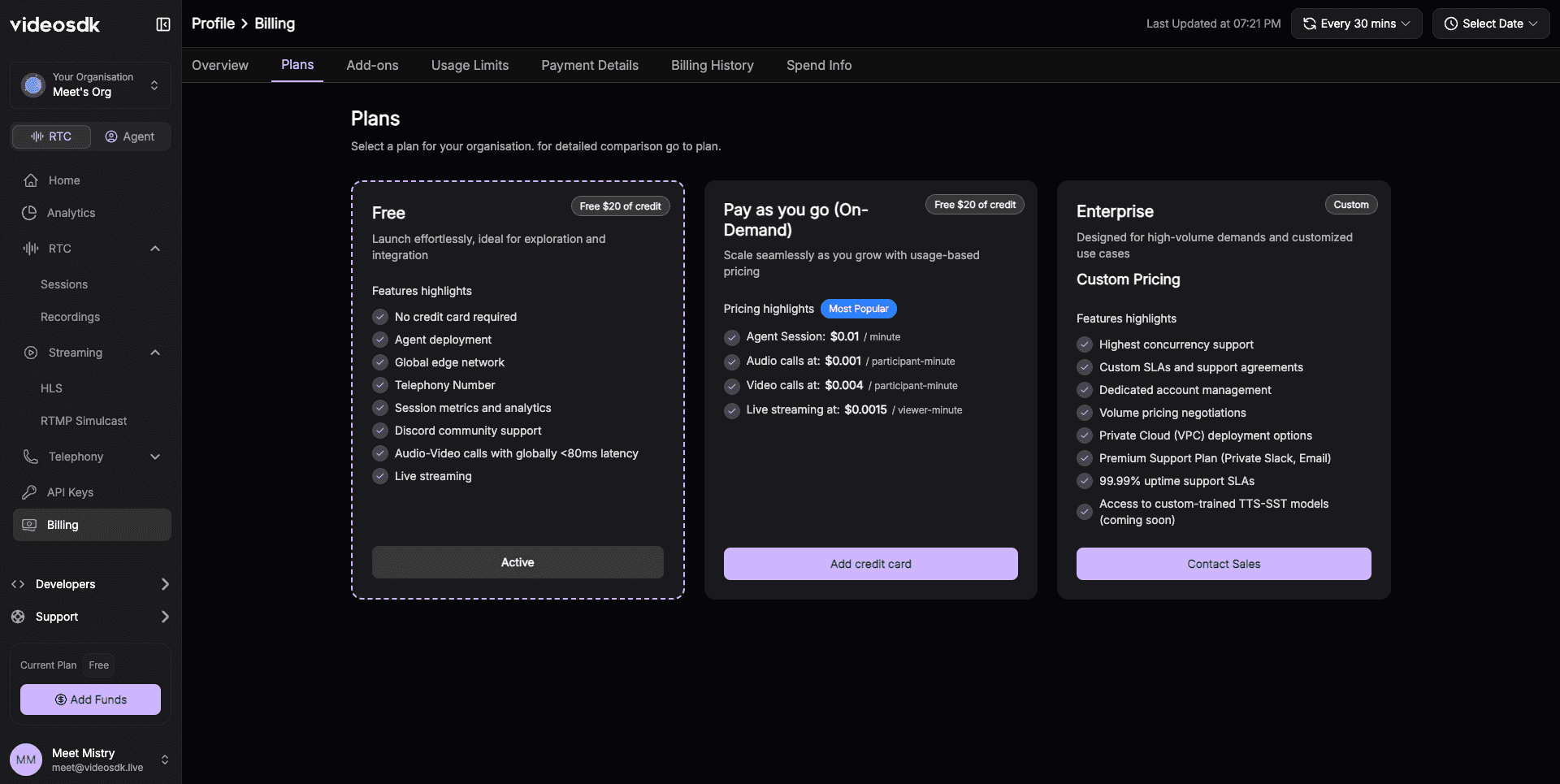
- Free Tier: Perfect for exploration, featuring the $20 free balance and community support.
- Pay-As-You-Go (On-Demand): Our most popular choice for production apps. Scale seamlessly with usage-based pricing and high concurrency.
- Enterprise: For high-volume demands requiring dedicated support, custom SLAs, and private cloud options.
3. Manage Add-ons & Compliance (Beta)
Security and compliance are no longer "manual" processes. Within the new Add-ons tab, you can activate enterprise-grade compliance features with a single click.
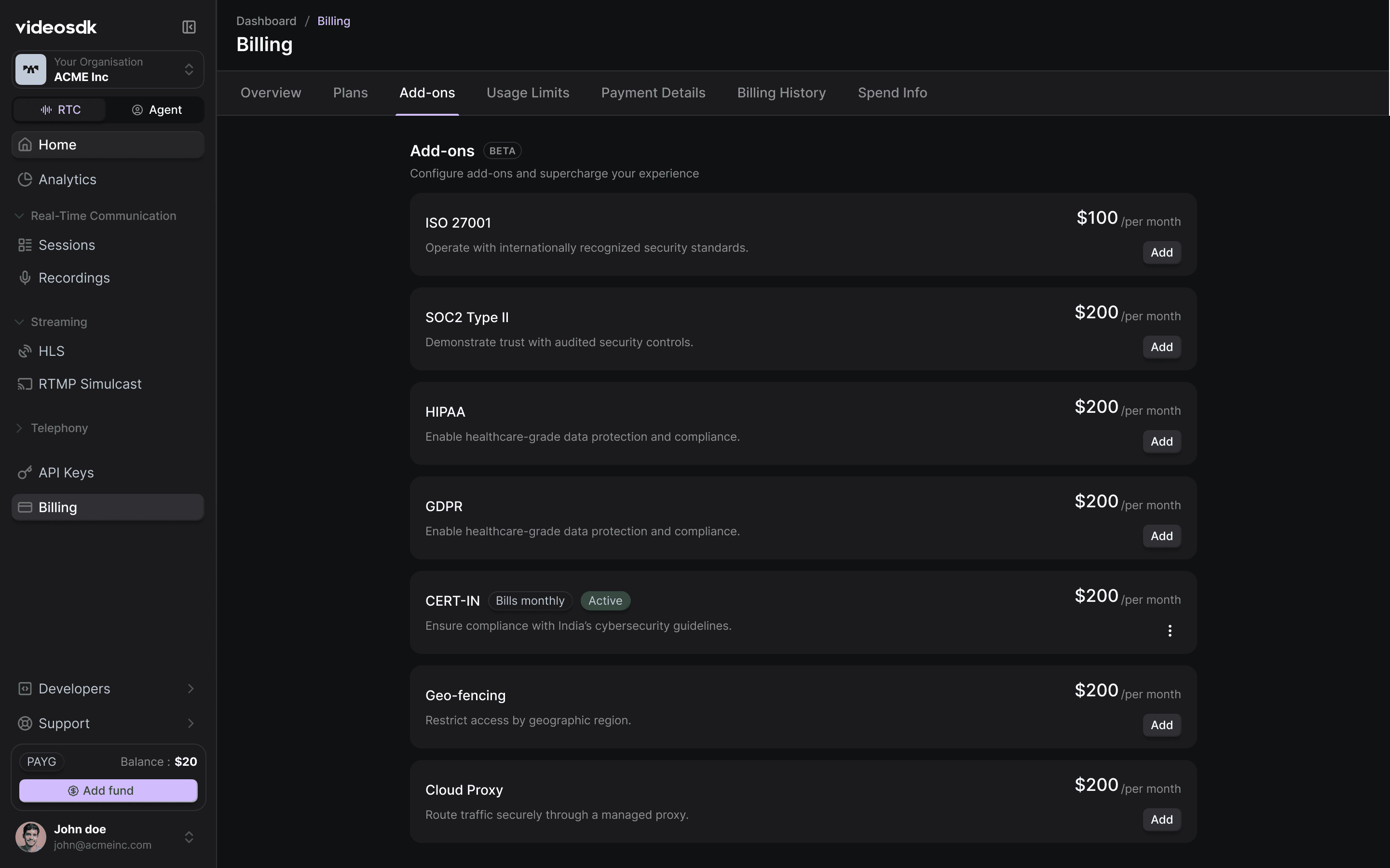
Enable standards like ISO 27001, SOC2 Type II, HIPAA, and GDPR instantly. This tab also hosts powerful network features like Geo-fencing (restricting traffic to specific regions) and Cloud Proxy (routing traffic through managed secure gates).
4. On-Demand Scaling with Usage Limits (Beta)
Gone are the days of emailing support to increase your concurrency limits. The Usage Limits tab allows you to manage your capacity in real-time.
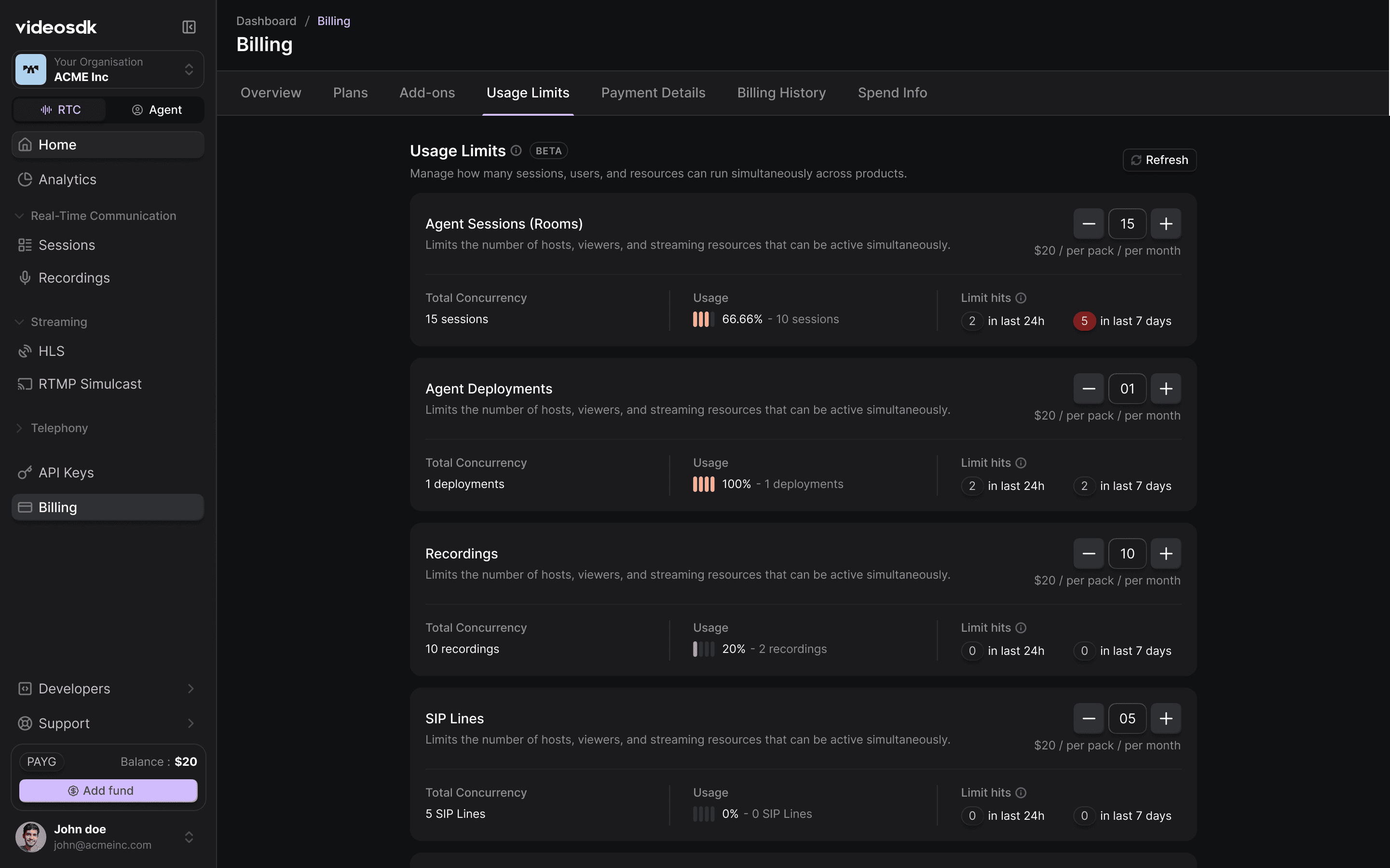
Need to host more Agent Sessions, increase Agent Deployments, or scale your Recordings? Simply purchase Usage Limit Packs. These packs are applied to your account instantly and run on a monthly subscription model, deducted from your wallet balance.
5. Security & Payment Management
Transparency extends to how you manage your data and payments. The Payment Details and Billing History tabs provide a clear audit trail.
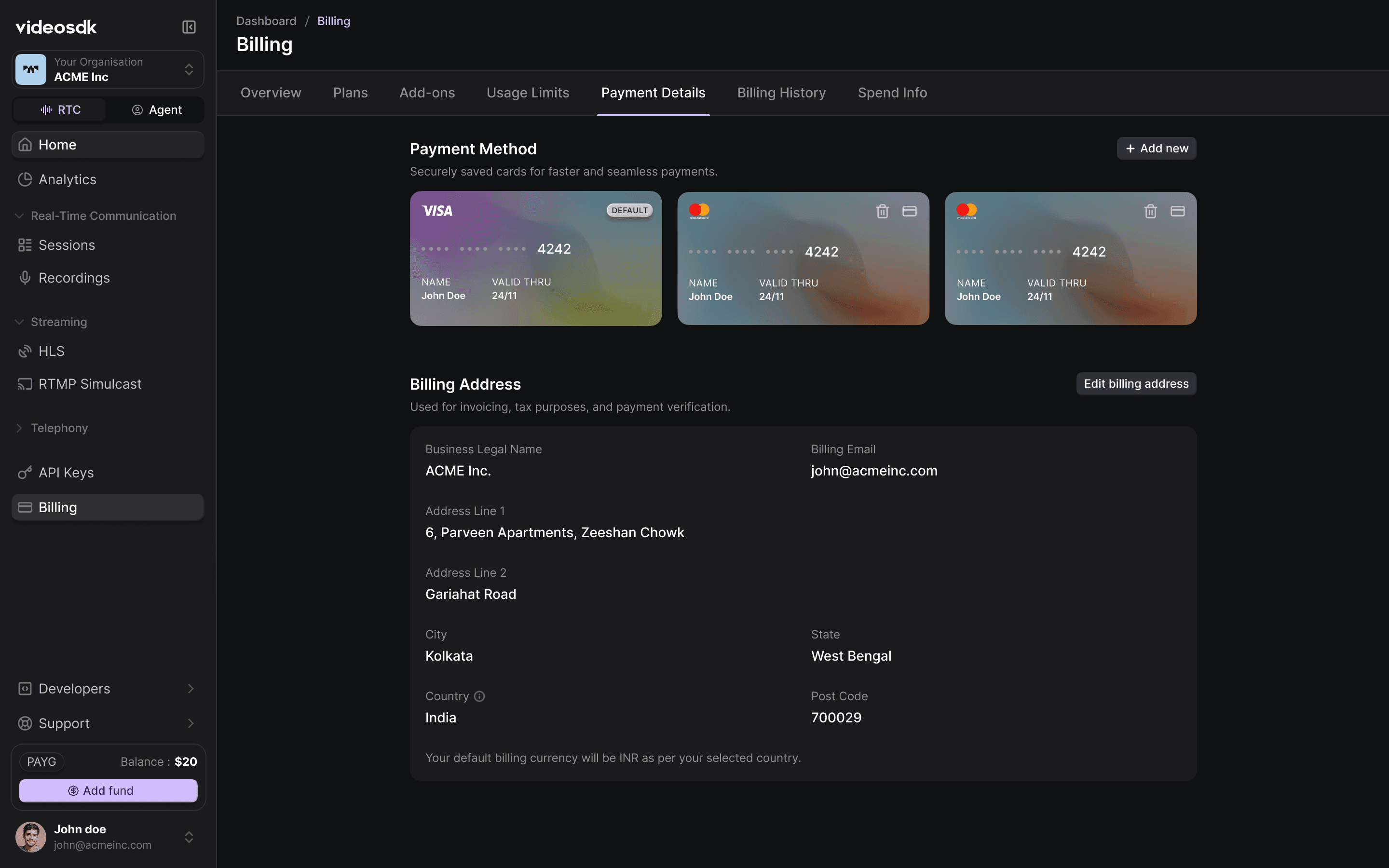
- Secure Payments: Manage multiple credit cards and set default methods for Auto-Reload.
- Verified Billing: Keep your business legal name, address, and VAT/GST details up to date for automated, compliant invoicing.
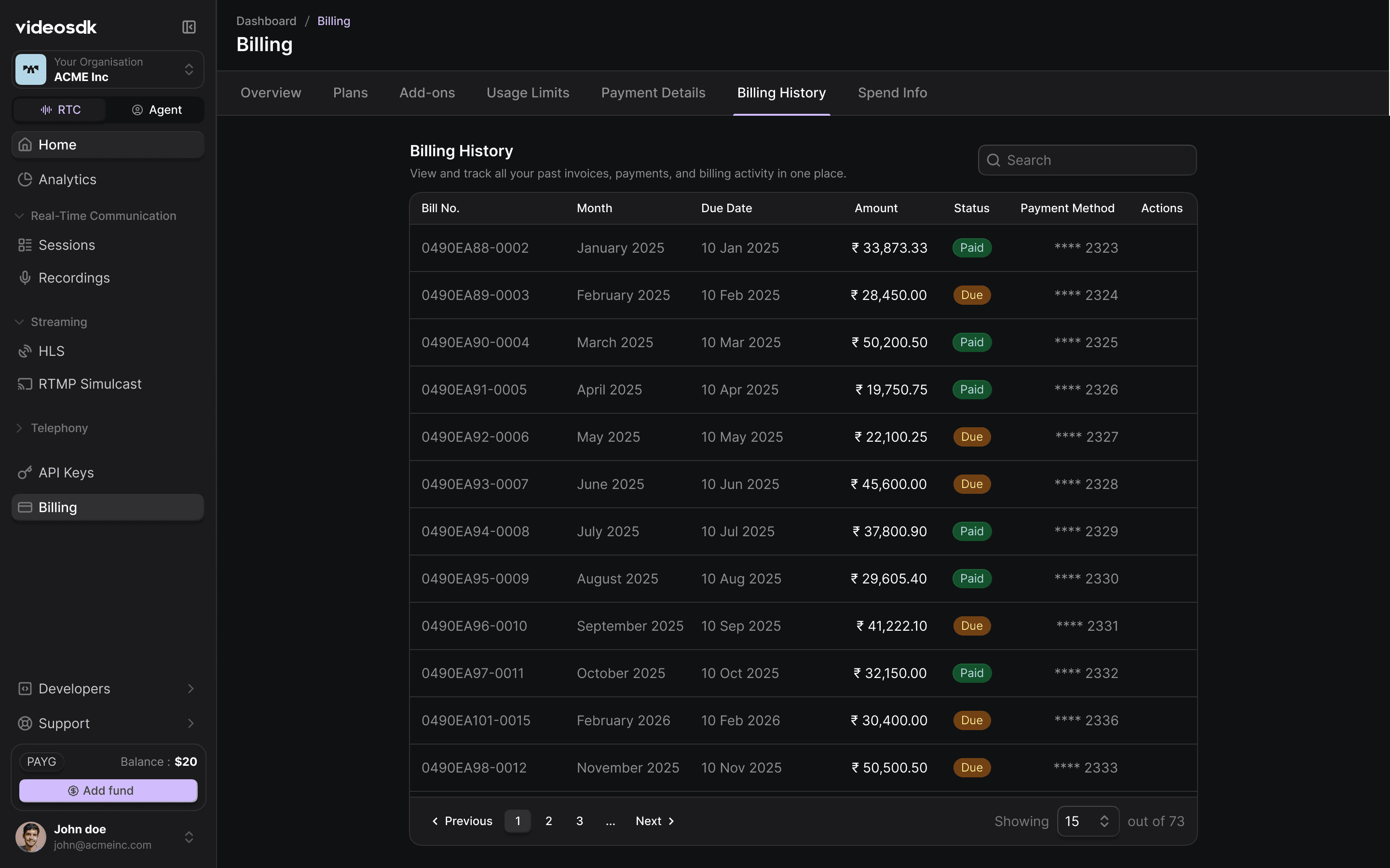
Billing History: Track every transaction, check due dates, and download official PDF invoices for your accounting records.
6. Real-Time Spend Insights (Beta)
Understanding where your money goes is critical for optimization. The Spend Info tab provides a granular breakdown of every cent spent.
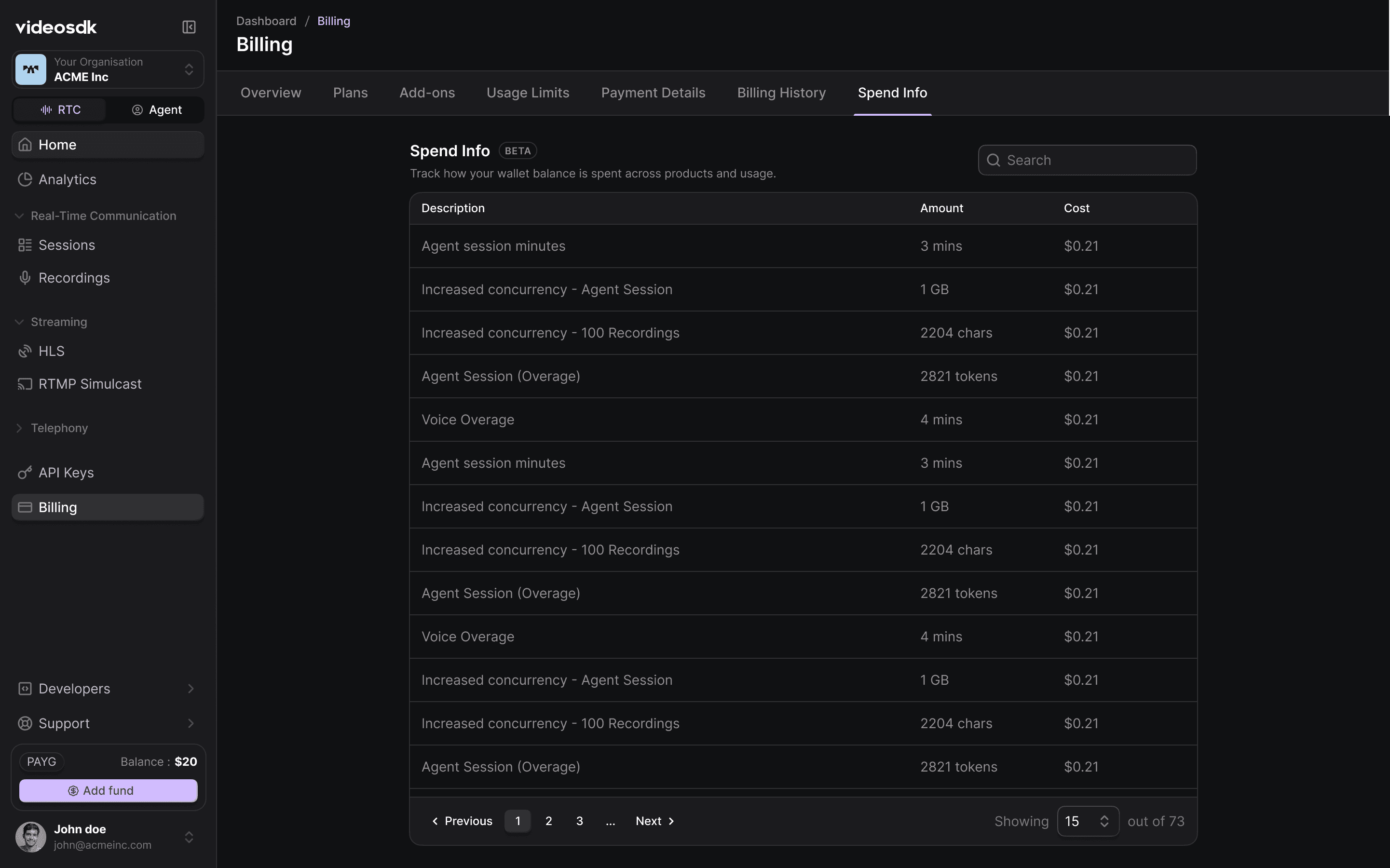
Track costs for:
- Session Minutes: RTC and Agent usage.
- Concurrency Packs: Real-time application of your monthly limit packs.
- Overage Handling: Clear visibility into any usage that exceeds your current prepaid limits.
Ready to Scale in 2026?
The new billing dashboard is live! Log in now to explore the new experience and claim your balance.
Go to My DashboardNote:
Existing Free Users
To help you explore our paid features, we’ve added $20 in free credit to your account.
- If you already see the $20 balance, you’re all set.
- If you don’t see it, your account may be inactive. Simply add your billing details in the dashboard, and the $20 credit will be applied automatically.
What you need to do:
Add your billing information to activate your account and use your free balance. If the credit still doesn't appear, our support team will be happy to help.
Existing PAYG Users
We’ve ensured a smooth transition with no service interruption.
- Your service will continue as usual until 31 January under Pay-As-You-Go (postpaid) billing.
- Your January usage will be billed in February, and the invoice will be sent on 3 February.
- From 3 February onward, all usage will be charged under the new pricing model.
- Your account will move to the Pay-As-You-Go (PAYG) on-demand model (prepaid), where you can add funds to your wallet and manage usage in real time.
What you need to do:
Please add funds to your wallet before 31 January and review your usage limits. If your usage is high, increase your limits to avoid any service disruption.
For a deeper dive into the numbers, check out our Detailed Pricing FAQ.
Happy Building in 2026!
Team VideoSDK