
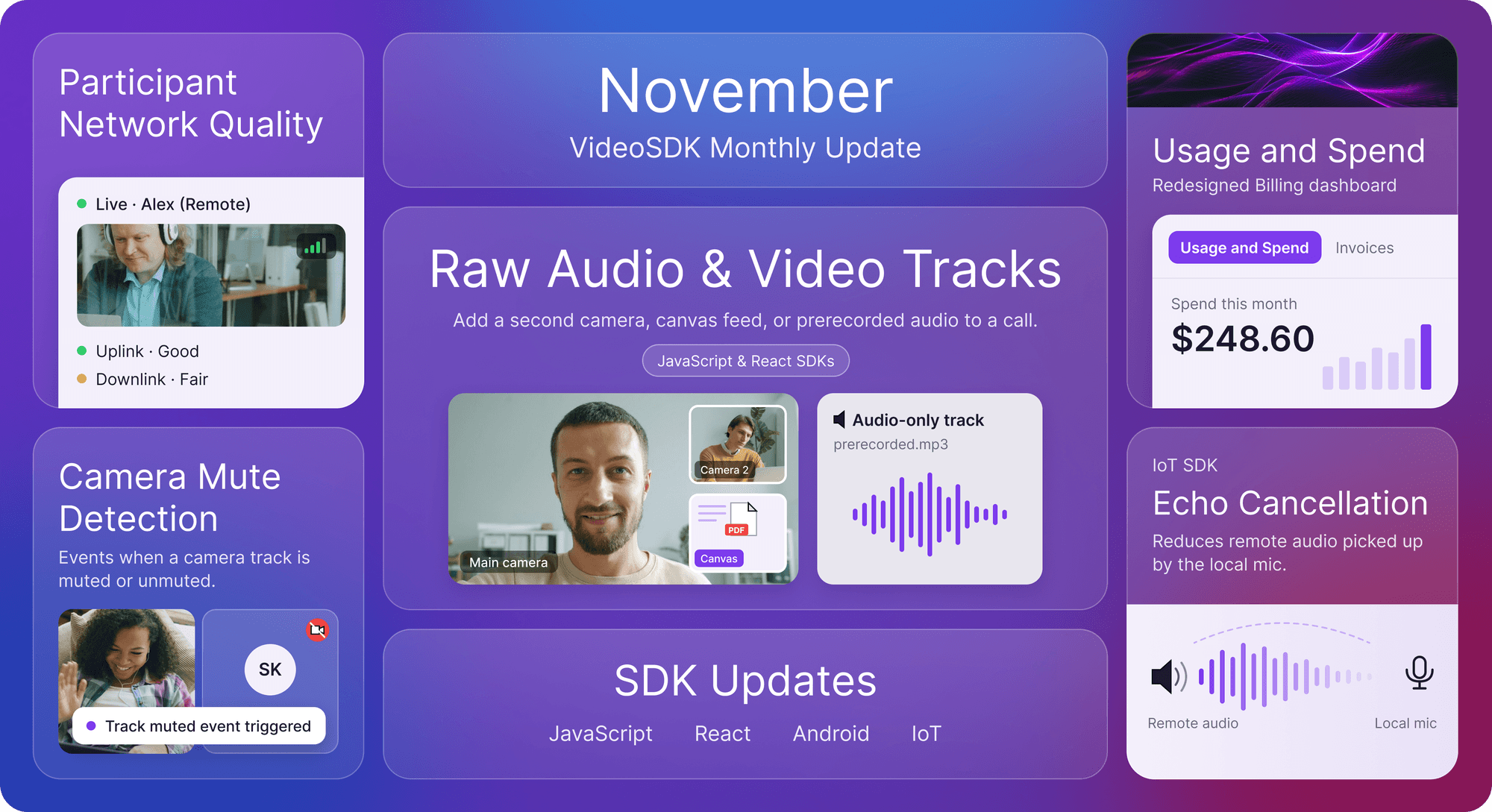


November 2026 Updates: Add more media sources to a call, see how each participant’s connection is performing, and get a clearer view of usage and spend.
A live class can now show the instructor, a second camera pointed at the demo, and a worksheet drawn on a canvas in the same call. Raw Tracks make that possible in our JavaScript and React SDKs. This month also adds participant-level network quality so your app can show how well someone is sending and receiving media. In the dashboard, the redesigned Billing area gives usage and spend a more detailed view.
Publish Raw Audio and Video Tracks
JavaScript SDK v1.3.1 and React SDK v1.3.0 let you publish named audio and video tracks alongside the webcam, microphone, and screen share. Add a second camera for a demo, publish a canvas showing a worksheet, or play a prerecorded audio feed. Your app can render each track by name.
In JavaScript, publish an existing camera track after joining. This publishSecondCamera() helper returns a cleanup function to call when the user turns off the second camera.
The JavaScript SDK leaves the source track running when you unpublish it. Stop it when your app is done with the camera. On the receiving side, use renderVideo() or renderAudio() with the assigned rawTrackName. In React, use publishTrack() from useMeeting() and pass that name to VideoPlayer or AudioPlayer. If your JavaScript app branches on Stream.kind, account for the new rawVideo and rawAudio values.
See the JavaScript publishTrack() reference and the React SDK v1.3.0 release notes.
Monitor Participant Network Quality
If a participant’s video starts breaking up, you can now check how well they’re sending and receiving media separately. JavaScript SDK v1.3.3 and React SDK v1.3.1, released on November 22, expose server-measured network quality for both local and remote participants.
Uplink measures the participant’s send direction. Downlink measures their receive direction. Each direction reports a level, a score from 1 to 5, reasons such as packet loss or jitter, and the underlying metrics. Your app can use those readings to show separate send and receive indicators on a participant tile.
In JavaScript, add a network-quality-changed listener to the participant. The first listener starts the subscription, and removing the last one ends it. The SDK restores active subscriptions after a reconnect or room switch.
In React, pass onNetworkQualityChanged to useParticipant(). The hook subscribes while the component is mounted and cleans up on unmount or when the callback is removed. On both SDKs, the first notification gives you the current quality. Later notifications come when the level or its reasons change. Use getNetworkQuality() to read the current state directly.
See More in Usage and Spend
The Usage and Spend tab now gives you more detail on what you’ve used and what it cost. Start there when you’re reviewing usage and spend together. The other tabs in Billing have also been redesigned.
Open Usage and Spend in the VideoSDK dashboard.
Handle Camera Mute Events
A camera track can become unavailable when someone backgrounds their app, locks their device, or another app takes over the camera. JavaScript SDK v1.3.2 and React SDK v1.3.0 give your app events it can use to explain what happened and update the call UI when the feed comes back.
- The affected participant’s app receives ERROR_WEBCAM_TRACK_MUTED (3084). Remote participants receive pause and resume notifications with the reason trackMuted.
- In JavaScript, handle stream-paused and stream-resumed. In React, pass onStreamPaused and onStreamResumed callbacks to useParticipant().
- In JavaScript, enableWebcam() and replaceWebcamStream() reject an already-muted track before it’s published.
See the JavaScript SDK v1.3.2 release notes.
IoT Echo Cancellation
The IoT SDK adds echo cancellation. When a device plays a remote participant’s voice through its speaker, its local microphone can pick that audio up and send it back into the call. Echo cancellation reduces how much of that returning audio the mic picks up.
Android SDK v2.2.1 Stability Updates
Android SDK v2.2.1 fixes a crash that could occur when joining a meeting on Android 7.1 and older. The release also updates underlying libraries for stability.
See the Android SDK v2.2.1 release notes.
New Videos and Tutorials
Explore how real-time video works and follow a hands-on walkthrough for building a video calling app.
WebRTC Explained: How Video Calling Works
Build a WebRTC Video Calling App with Node.js
- What Is Bitrate? (And How to Optimize It for Video Calls)
- WebRTC vs WebSocket Explained: Which One Should You Use?
Watch the full playlist, Explained: How Real-Time Video Works.
✨ Community Spotlight
SDK Sketches
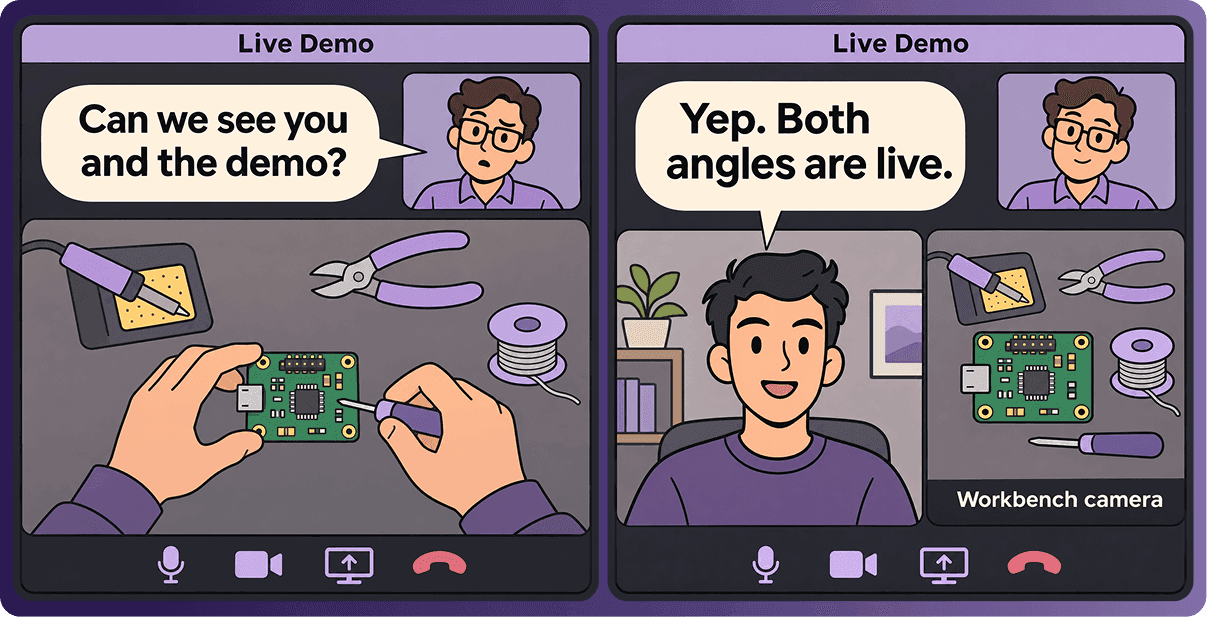
You’re demoing a build and need viewers to see your face and what’s happening on the workbench. One camera keeps you in frame while a named raw track carries the second angle.
Build with November’s Updates
Upgrade your SDK to try raw tracks and participant network quality, or visit Billing to explore the updated Usage and Spend view.
Happy building!
Team VideoSDK