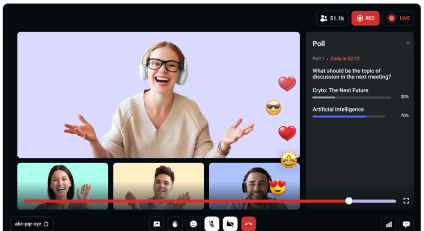
Build realtime AI characters that can listen, speak, see and even take action - all in real time
Build realtime AI characters that can listen, speak, see and even take action - all in real time
Seamlessly integrate OpenAI Speech-to-Speech, enable agents to use your custom tools via Function Calling, and connect over SIP. Video SDK provides the unified layer to build dynamic, real-time conversational AI for any application.
Seamlessly integrate OpenAI Speech-to-Speech, enable agents to use your custom tools via Function Calling, and connect over SIP. Video SDK provides the unified layer to build dynamic, real-time conversational AI for any application.
Trusted by 300+ global business & tech leaders
Trusted by 300+ global business & tech leaders

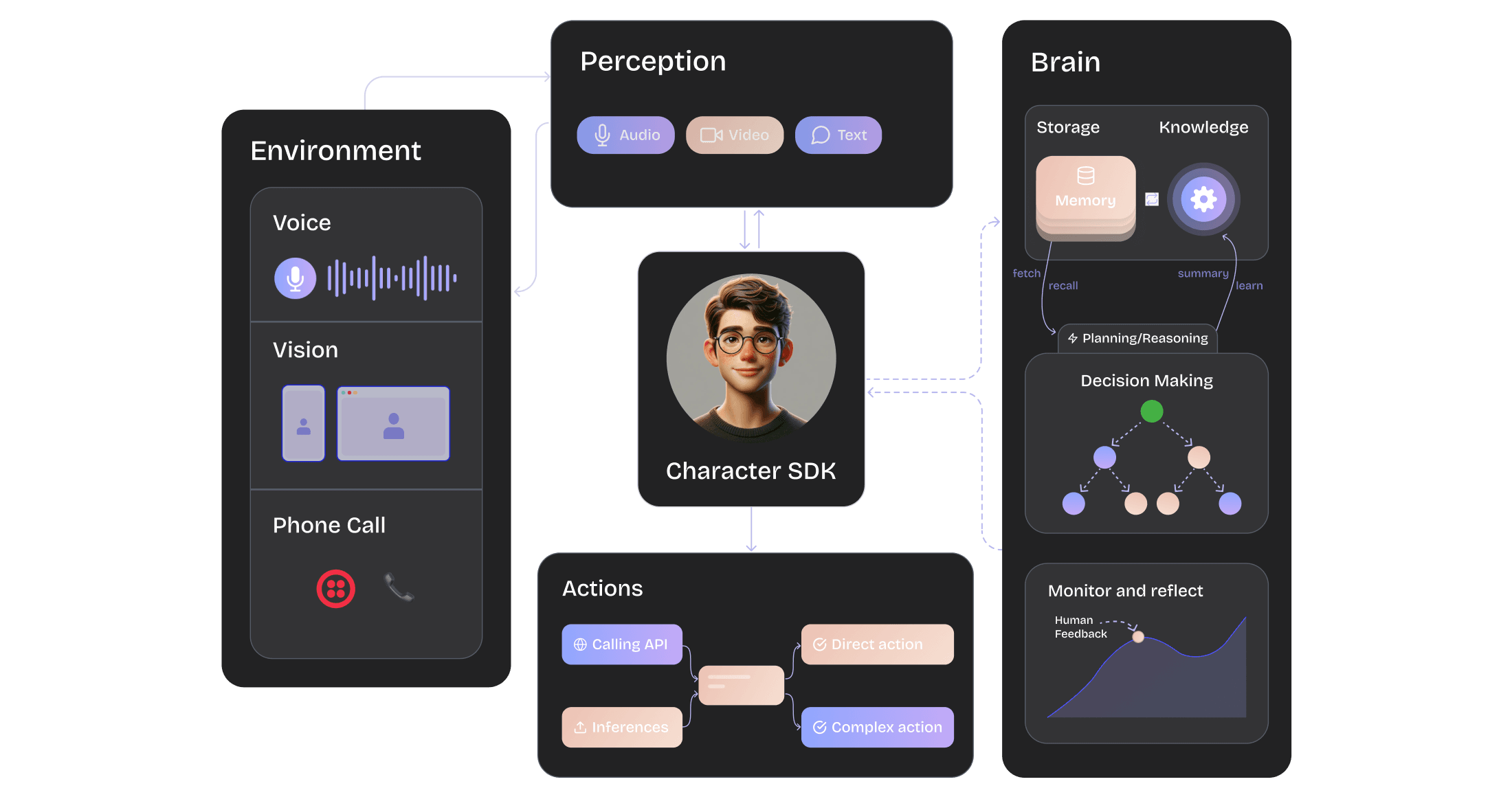
How it works?
Build AI Characters that people can trust
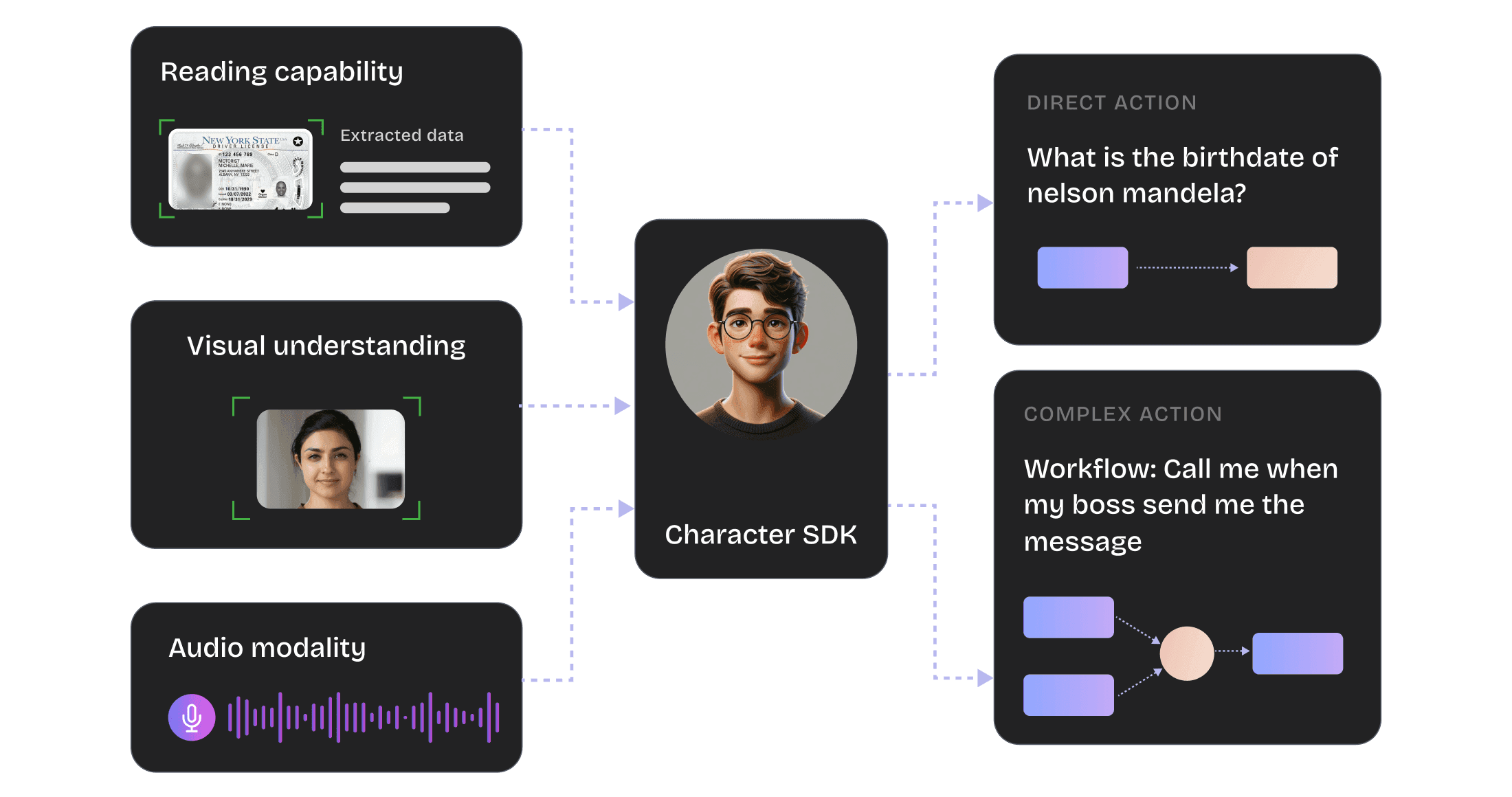
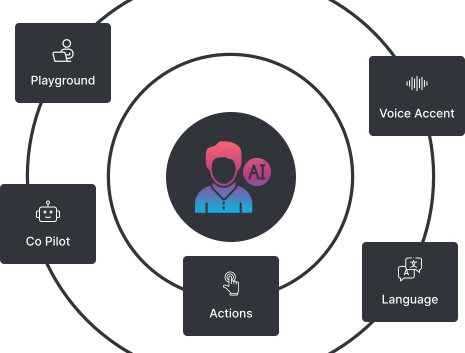
- Real-Time Speech & Vision: Interact seamlessly with AI characters through instant speech and visual recognition.
- Advanced OCR Processing: Accurately read and interpret complex document structures with cutting-edge OCR technology.
- Multilingual Communication: Communicate effortlessly in multiple languages, breaking down global language barriers.
- Adaptive Reasoning: Personalize conversations with AI that can reason and adapt both in real-time and asynchronously.
- Intent-Based Task Automation: Automatically execute tasks based on user intent and actionable insights, enhancing productivity.
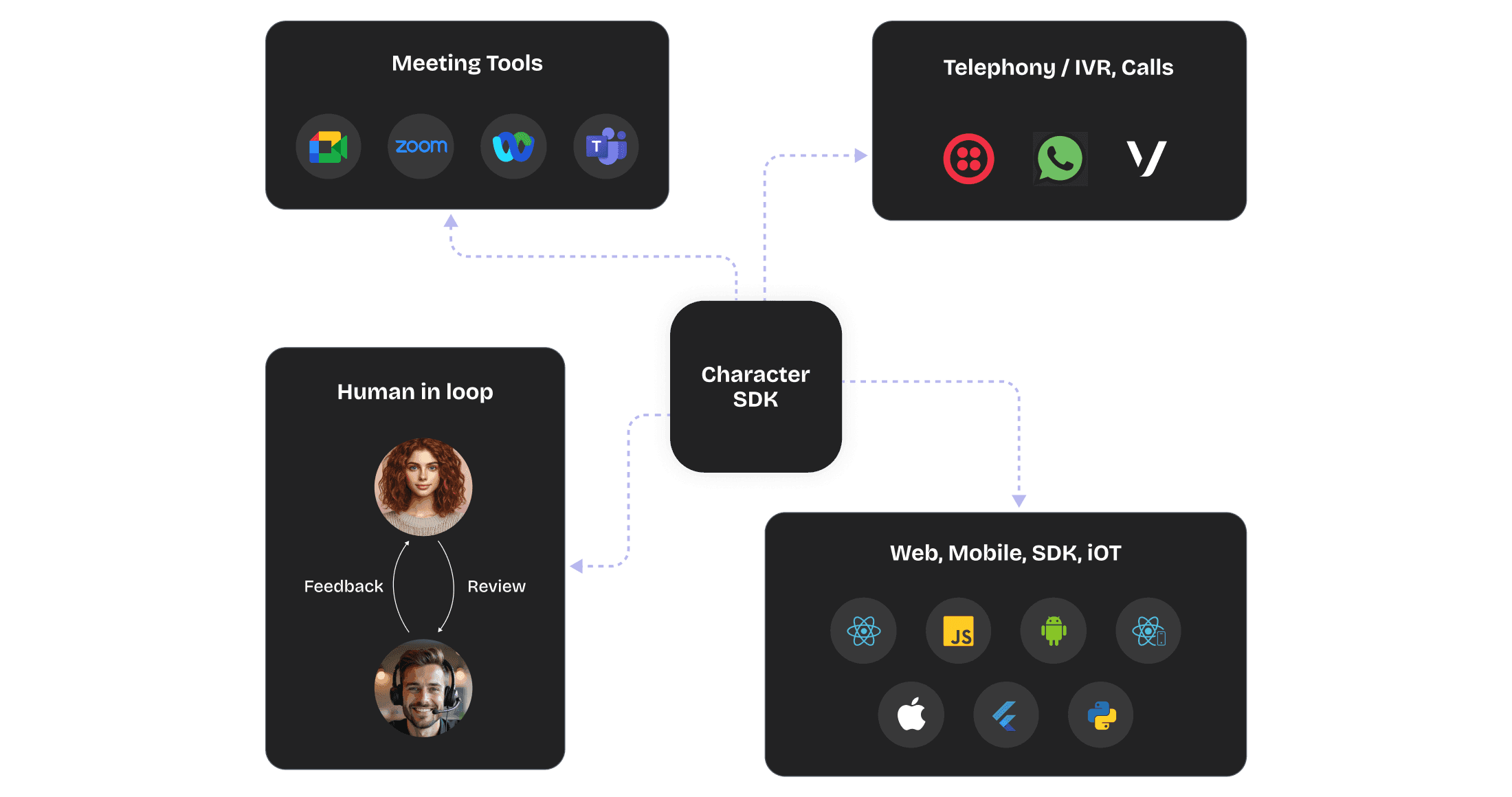
You can set up a character within minute to integrate seamlessly into your workflow.
- In-App Integration: Seamlessly embed AI characters into web, mobile, and IoT applications using SDKs like React, React Native, Flutter, iOS, and Android.
- Telephony & Messaging Integration: Connect with telephony services and messaging platforms such as Twilio, Vonage, and WhatsApp for streamlined communication.
- Meeting Tools Compatibility: Integrate AI characters with leading meeting platforms like Google Meet, Zoom, Microsoft Teams, and WebEx.
- Human Oversight: Easily transfer interactions to human agents to ensure seamless human-in-the-loop operations.
Delight Customers with Personalise AI experience
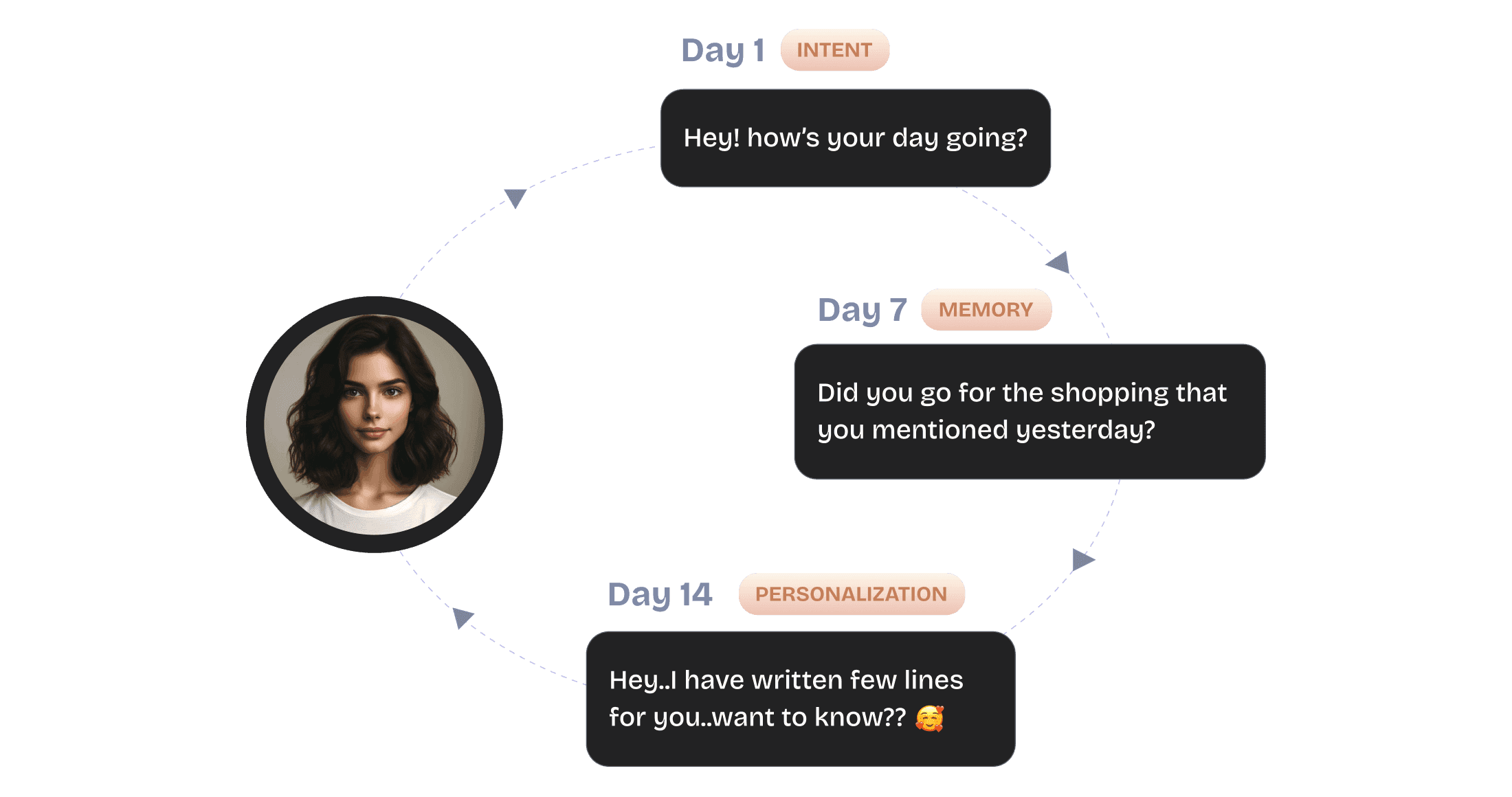
- Conversation Memory: AI characters retain every conversation, leveraging past interactions to enhance future engagements.
- Emotional Intelligence: AI characters develop emotional understanding over time, offering more personalised and empathetic interactions.
- Custom Knowledge Training: Enhance AI capabilities by training with your own documents, audio files, recordings, and more to build a tailored knowledge base.
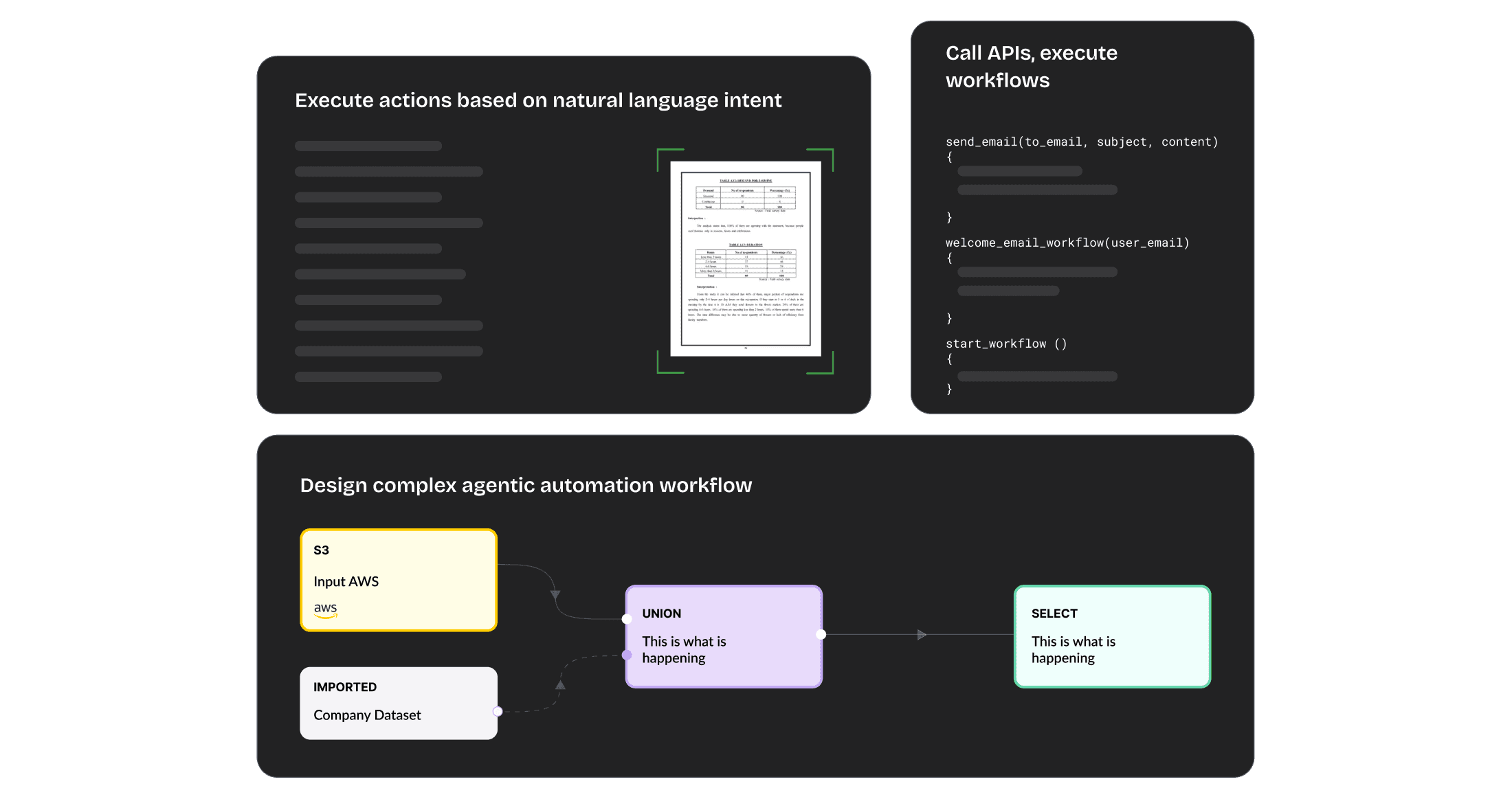
Let AI Handle It: Actions, Workflows, and Seamless Integration
- Natural Language Intent Execution: Execute actions based on user’s natural language intents for intuitive and efficient interactions.
- Complex Workflow Automation: Design and automate sophisticated agentic workflows to streamline complex tasks.
- Function & API Integration: Write functions, call APIs, or execute workflows seamlessly to enhance operational capabilities.
- Stateful Workflow Design: Develop stateful workflows with context, memory, and reasoning to manage tasks intelligently and adaptively.

More Features, More Possibilities

Browser and Cross Device Support

End-to-end Low Latency
Analytics
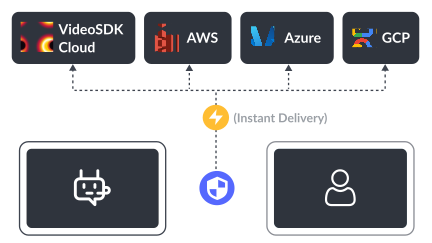
Recording and Logging
Character Studio


DEVELOPER-CENTRIC API
Integrate Real-Time AI characters within a minute
Low-latency global infrastructure
Browser and cross device support
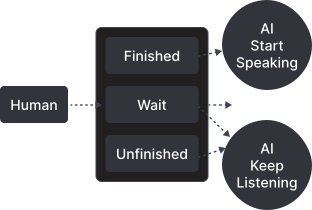
Industry standard turn detection
Human like conversations
end-to-end encryption
1import VideoSDK from "@videosdk.live/js-sdk";
2
3// Configure authentication token
4VideoSDK.config("<Authentication-token>");
5
6// Initialize meeting
7const meeting = VideoSDK.initMeeting({
8  meetingId: "abc-pqr-xyz",
9  name: "John Doe",
10  micEnabled: true,
11  webcamEnabled: true,
12});1import 'package:flutter/material.dart';
2import 'package:videosdk/videosdk.dart';
3
4class MyApp extends StatelessWidget {
5 var token ="<Authentication-token>";
6 // create room
7 Room _room = VideoSDK.createRoom(
8 roomId: 'abc-pqr-xyz',
9 token: token,
10 displayName: "John Doe",
11 micEnabled: true,
12 camEnabled: true,
13 defaultCameraIndex: 1, // Index of MediaDevices will be used to set default camera
14 );
15 }
16}1import { MeetingProvider } from "@videosdk.live/react-sdk";
2
3const App = () => (
4 <MeetingProvider
5 config={{
6 meetingId: "abc-pqr-xyz",
7 name: "John Doe",
8 micEnabled: true,
9 webcamEnabled: true,
10 }}
11 token={"<Authentication-token>"}
12 >
13 // Meeting View
14 </MeetingProvider>
15);1import androidx.appcompat.app.AppCompatActivity;
2import android.os.Bundle;
3import live.videosdk.rtc.android.Meeting;
4import live.videosdk.rtc.android.VideoSDK;
5
6public class MainActivity extends AppCompatActivity {
7
8 @Override
9 protected void onCreate(Bundle savedInstanceState) {
10 super.onCreate(savedInstanceState);
11 setContentView(R.layout.activity_main);
12 final String token = "<Authentication-token>";
13
14 VideoSDK.config(token);
15 Meeting meeting = VideoSDK.initMeeting(
16 MainActivity.this, "abc-pqr-xyz", "John Doe",
17 true, true, null, null, false, null
18 )
19 }
20}1import VideoSDKRTC
2class SessionViewController: UIViewController {
3 private var meeting: Meeting?
4
5 override func viewDidLoad() {
6 super.viewDidLoad()
7
8 // Configure authentication token got earlier
9 VideoSDK.config(token: <Authentication-token>)
10
11 // create a new meeting instance
12 meeting = VideoSDK.initMeeting(
13 meetingId: "abc-pqr-xyz", // required
14 participantName: "John Doe", // required
15 micEnabled: true, // optional, default: true
16 webcamEnabled: true // optional, default: true
17 )
18 }
19}1import asyncio
2from videosdk import MeetingConfig, VideoSDK
3
4loop = asyncio.get_event_loop()
5
6def main():
7 meeting_config = MeetingConfig(
8 meeting_id="abc-pqr-xyz",
9 name="John Doe",
10 mic_enabled=True,
11 webcam_enabled=True,
12 token=<VIDEOSDK_AUTH_TOKEN>
13 )
14
15 # Initialize the meeting
16 meeting = VideoSDK.init_meeting(**meeting_config)
17
18 # Join the meeting
19 meeting.join()
20
21if __name__ == '__main__':
22 main()
23 loop.run_forever()1using live.videosdk;
2
3Meeting meeting = Meeting.GetMeetingObject();
4meeting.Join("YOUR_TOKEN", "MEETING_ID", "John Doe", true, true);
5 

“I still remember when I was trying out the product and connected over discord with Arjun Kava, and he immediately responded. It is one of the things that we found less often. The team is super enthusiastic to make the product as next big thing. Easy integration is the beauty of it. Few lines of code and it's done.”
Ankur Chandra ,
Engineering Manager at Fynd
<2 week
Time to go live
>100k
Increase in engagement
Let’s build together
Start Building With Free $20 Balance | No credit card required to start.