


Virtual classroom software is a real-time application where instructors and learners meet online with video, audio, a shared whiteboard, breakout rooms, polls, and recording. Edtech companies increasingly build it on a video API rather than renting a finished product: platforms such as VideoSDK, Zoom Video SDK, Daily, Agora, and LiveKit supply the rooms, media, whiteboard, recording, and live streaming, billed per participant-minute, so the classroom you ship is your own.
A 1:1 online lesson costs about $0.48 an hour on a per-participant-minute video API. The same lesson on a rented classroom platform costs a monthly seat licence whether the tutor teaches two hours or two hundred. That difference, and the question of who owns the room, the data, and the roadmap, is why most edtech products built since 2020 run on a video API rather than inside someone else's classroom.
If you are building a tutoring marketplace, a cohort-based course platform, a coding bootcamp, a language school app, or a corporate academy, this guide compares the 10 video APIs and SDKs you can build a virtual classroom on, on the features that matter for teaching: whiteboard, breakout rooms, recording, lecture-scale streaming, platform coverage, and price per session. It closes with a decision framework for when building on an API beats buying Zoom or Teams, and when it does not.
What Is Virtual Classroom Software?
Virtual classroom software is defined as an application that reproduces a live classroom over the internet, combining real-time video and audio with teaching tools such as a shared whiteboard, screen sharing, breakout rooms, polls, hand-raising, attendance, and session recording.
Virtual classroom software works by connecting every participant to a media server over WebRTC, then applying a role model on top: instructors present, mute, split the room, and record, while learners speak, write on the board, and answer prompts. The teaching layer is what separates a classroom from a meeting.
There are two ways to get one. You can rent a finished application such as Zoom for Education, Microsoft Teams, or BigBlueButton, where the vendor owns the interface and you get an account. Or you can build on a virtual classroom API, where a provider such as VideoSDK supplies the real-time infrastructure through SDKs and REST endpoints and your application is the classroom. VideoSDK's React SDK, for example, exposes the room through the useMeeting hook and the whiteboard through the useWhiteboard hook, and ships the same capability across 10+ platforms including Flutter, Android, iOS, and Unity. See the VideoSDK React quickstart for the full room setup.
This article is about the second path. The first is covered briefly in the buy-vs-build section, because the honest answer for a school or an internal training team is usually to rent.
Virtual Classroom vs Online Classroom vs Digital Classroom vs LMS
These terms overlap in search but mean different things in an architecture diagram. The table below is the version to keep.
| Term | What it means | Typical example | Where live video fits |
|---|---|---|---|
| Virtual classroom | A live, synchronous session with video plus teaching tools | A VideoSDK-built room, a Zoom class, a BigBlueButton session | Always, it's the defining feature |
| Online classroom | Umbrella term for any internet-delivered class, live or recorded | A Coursera course, a Teams class | Sometimes, depends on the course |
| Digital classroom | A physical classroom augmented with devices and software | A smartboard plus Google Classroom in a school | Rarely, the students are in the room |
| Learning management system (LMS) | Stores courses, assignments, grades and rosters | Moodle, Canvas, Blackboard Learn | Not built in, it launches a separate tool |
| Video API / SDK | Programmable real-time infrastructure you build a classroom on | VideoSDK, Daily, Agora, LiveKit | It is the video layer |
A useful rule: an LMS holds the course, a virtual classroom holds the session, a digital classroom holds the devices, and a video API holds the media. Most edtech products own the first two, integrate the third through LTI, and rent the fourth from one of the providers below.
What Is a Virtual Classroom API?
A virtual classroom API is a programmable service that supplies live video, audio, whiteboard, recording, messaging, and streaming as building blocks so that a developer can assemble a classroom inside their own product.
A virtual classroom API works by giving you three surfaces. A client SDK (React, Flutter, iOS, Android, and so on) that joins a room and renders participant streams. A server-side REST API that creates rooms, mints access tokens, starts recordings, and reports sessions. Webhooks that tell your backend when someone joined, left, or when a recording is ready, so attendance and grades can flow into your LMS.
Compared with rented virtual classroom software, the API route trades setup time for control. You write the scheduling, the roster, the breakout logic, and the LMS integration. In exchange, the room carries your brand, the recordings land in your storage, and your users never see another vendor's login.
What Features to Look For in a Virtual Classroom API
Eight capabilities decide whether a video API can carry a classroom, and only the first two come standard with every provider.
- Multi-party video with adaptive bitrate. Every provider does this. The difference is behaviour at 500 kbps on a phone, which is where students actually are. Ask for simulcast and dynamic resolution switching.
- A whiteboard you can turn on without a second vendor. VideoSDK, 100ms, and Agora ship one; most others expect you to integrate tldraw, Excalidraw, or a paid board. A missing whiteboard adds weeks to a classroom build.
- Breakout rooms as a supported pattern. No API ships a one-line "breakout" flag. Check whether the provider documents moving participants between rooms and whether tokens can carry room scope.
- Recording with the output you need. Composite recording for lecture replay, individual-track recording for review and accessibility, and webhooks that deliver the file to your own bucket.
- Lecture-scale streaming from the same session. A seminar of 25 and a masterclass of 2,000 are different technical problems. Interactive live streaming (low-latency, viewers can be promoted) covers both without an HLS delay. VideoSDK documents 100 hosts and 2,000 real-time viewers per session.
- Live transcription and captions. Accessibility requirements and post-session notes both depend on it. Check whether it is built in or a third-party plugin.
- Platform coverage that matches your roadmap. Web and two mobile SDKs are table stakes. Flutter, Unity, and desktop matter for K-12 apps, simulations, and exam clients.
- Compliance and data location. GDPR, HIPAA where health training is involved, SOC 2, and region pinning for public-sector deals.
A provider that meets six of eight is a serious candidate. One that lacks a whiteboard or lecture-scale streaming will cost you a second vendor, and that second contract is where API projects lose their cost advantage.
Virtual Classroom APIs Compared at a Glance
The table below is the comparison most teams need first; the individual reviews that follow explain each row.
| API / SDK | Published video rate | Free tier | Built-in whiteboard | Interactive live streaming | Best for |
|---|---|---|---|---|---|
| VideoSDK | $0.004 per participant-min HD; $0.001 audio | $20 credit, no card | Yes (useWhiteboard) | Yes, 100 hosts + 2,000 real-time viewers | Multi-platform edtech products wanting classroom features from one SDK |
| Zoom Video SDK | $0.0035 per session-min via Build Platform credits | 10,000 min/month | No (Zoom Whiteboard is separate) | Via Zoom infrastructure | Teams whose buyers want the Zoom name without Zoom's UI |
| Daily | $0.004 per participant-min | 10,000 min/month | No | HLS | Fast prototyping with Daily Prebuilt |
| Agora | $3.99 per 1,000 HD min (about $0.004/min) | 10,000 min/month | Separate paid Interactive Whiteboard | Yes | Very large broadcast scale, China delivery |
| LiveKit | Cloud tiers from free; media about $0.0005/min plus bandwidth | Build tier (5,000 min) | No | Yes | Teams that want open source and may self-host |
| 100ms | $0.004 per participant-min HD; $0.001 audio | 10,000 min/month | Yes | Yes (HLS + interactive) | India-based edtech, live commerce crossovers |
| Twilio Video | $0.004 per participant-min (Group Rooms) | Trial credit | No | No | Existing Twilio customers (decision reversed Oct 2024) |
| Vonage Video API | $0.0041 per participant-min up to 25 publishers | 75,000 trial min | No | Broadcast add-on | Regulated enterprises already on Vonage |
| Amazon Chime SDK | $0.0017 per attendee-min | AWS free tier | No | Media replication add-on | AWS-native teams with their own UI |
| Cloudflare RealtimeKit (ex-Dyte) | Beta; pricing on Cloudflare docs | Beta | Inherited from Dyte | Yes | Teams already on Cloudflare Workers |
Rates are per participant-minute unless noted, taken from each vendor's pricing page in September 2026. Recording, transcription, and streaming are billed separately by every provider.
The row that matters most for cost planning is the free tier column, not the rate column. Six providers cluster at $0.004 per participant-minute; the difference in your first year is what you get before billing starts and how many separate line items (whiteboard, recording, streaming, transcription) you pay after.
The 10 Best Video APIs for Building a Virtual Classroom
1. VideoSDK
VideoSDK is a real-time video, audio, and interactive live streaming platform with SDKs for React, JavaScript, React Native, Flutter, Android, iOS, Unity, C++, IoT, and Python, plus a Prebuilt UI Kit that embeds a working room with one component.
Pricing is pay-as-you-go: HD video at $0.004 per participant-minute, audio at $0.001, HD live streaming at $0.002 per viewer-minute, recording at $0.015 per recorded minute, and real-time transcription at $0.02 per minute, with a $20 credit on signup and no card required. Compliance certifications listed include GDPR, HIPAA, ISO, and SOC-family reports.
Why it is on the list: it is the provider that covers the most of the eight classroom criteria natively. Whiteboard (useWhiteboard), pub/sub for polls and chat (usePubSub), cloud recording, real-time and post-call transcription, and interactive live streaming with changeMode to promote a viewer to a speaker all live in the same SDK, so a classroom build does not need a second vendor for the board or the lecture hall.
Where it falls short: the whiteboard renders in an iframe, which limits deep styling. Breakout rooms are composed from multiple rooms via REST plus your own move-participant logic, not switched on with a flag. LTI (Learning Tools Interoperability) integration is your application code.
Best for: edtech products that need whiteboard, recording, transcription, and lecture-scale streaming from one SDK across web and mobile, and want a Prebuilt option for the MVP. The Prebuilt quickstart gets a room on screen in an afternoon.
2. Zoom Video SDK
Zoom Video SDK exposes Zoom's media infrastructure without the Zoom Meetings interface, so you build your own UI on top. It is sold through the Zoom Build Platform, a metered credit subscription that also covers cloud recording, translation and transcription, and the Cobrowse SDK. Each session minute costs $0.0035, with 10,000 free minutes a month, and recording at $0.01 per minute plus storage.
Why it is on the list: procurement. Universities and enterprises that have already approved Zoom clear a Zoom Video SDK contract faster than any other vendor on this list, and the media quality is the reference point everyone else is compared against.
Where it falls short: there is no native whiteboard in the Video SDK (Zoom Whiteboard is a separate product), no interactive live streaming with viewer promotion in the classroom sense, and the credit model penalises bursty, term-time usage because unused credits do not carry over cleanly.
Best for: teams whose buyers ask for Zoom by name and who are prepared to integrate a whiteboard themselves.
3. Daily
Daily is a pure pay-as-you-go WebRTC API at $0.004 per participant-minute after 10,000 free minutes per month, with automatic volume discounts and no subscription. Daily Prebuilt is one of the fastest embeddable call UIs available, and the React hooks library is mature.
Why it is on the list: time to first working call. For a tutoring MVP, Daily Prebuilt in an iframe is a one-hour job, and the pricing has no minimums.
Where it falls short: no built-in whiteboard, and large sessions go out over HLS rather than an interactive low-latency mode, so a 1,000-viewer lecture has a delay and viewers cannot be promoted on the fly. Daily's recent roadmap emphasis has been voice AI (Pipecat), so check classroom feature velocity.
Best for: prototypes and small-group products where speed to launch outweighs whiteboard and lecture-scale needs.
4. Agora
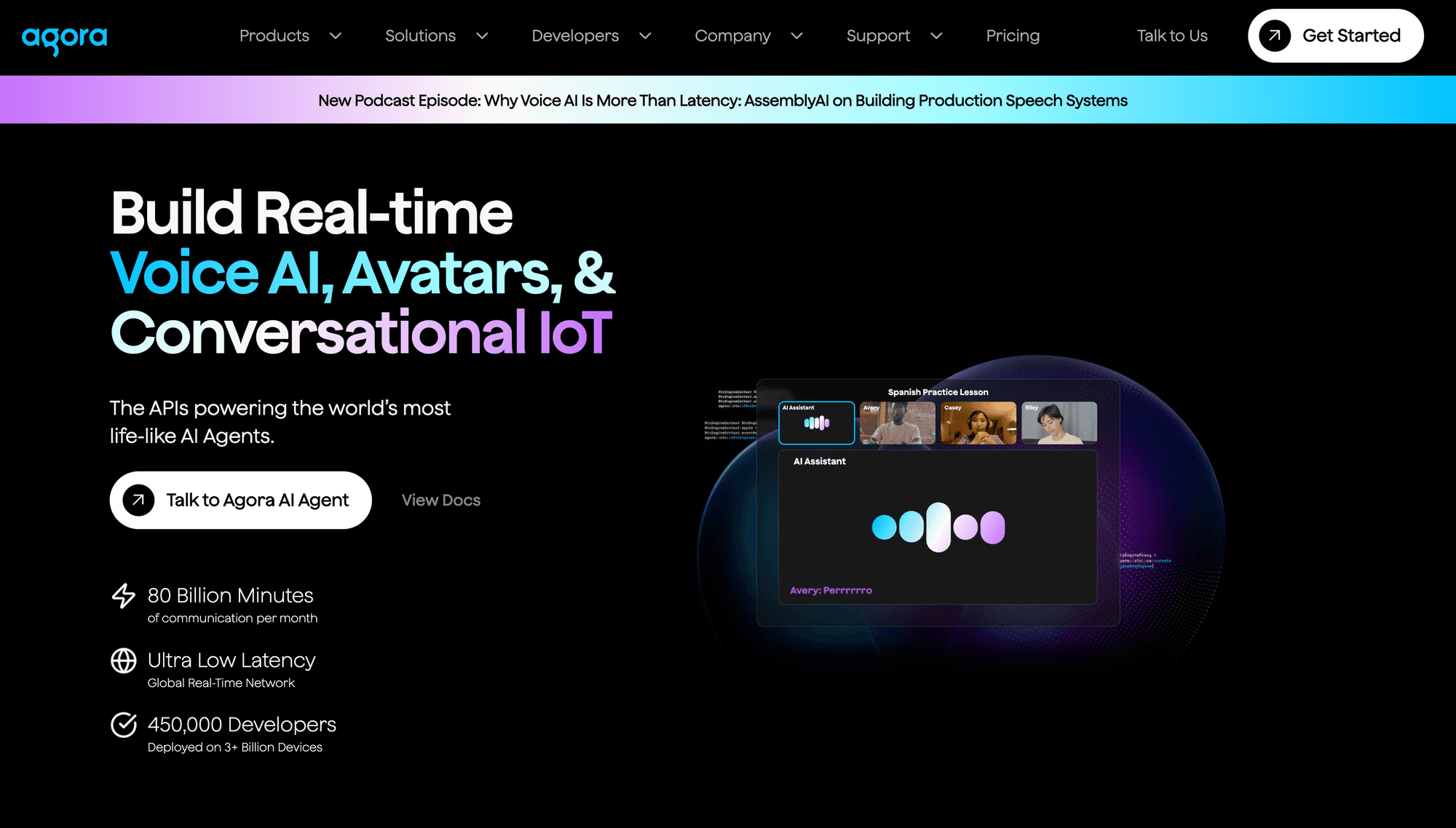
Agora is the largest global real-time network on this list, with video calling at $3.99 per 1,000 HD minutes (about $0.004 per participant-minute), 10,000 free minutes a month, and a separately priced Interactive Whiteboard product built for education.
Why it is on the list: scale and reach. If your masterclasses need tens of thousands of concurrent viewers or your learners are in mainland China, Agora's network is the practical choice, and its Flexible Classroom reference app shows a complete education layout.
Where it falls short: the whiteboard, recording, and streaming are separate SKUs, so a full classroom bill has four or five line items. The SDK surface is large and the learning curve is steeper than the hooks-based SDKs.
Best for: very large broadcast classes, China delivery, and teams with the engineering capacity to assemble multiple Agora products.
5. LiveKit
LiveKit is an open-source WebRTC stack (SFU, server SDKs, client SDKs) with a hosted LiveKit Cloud. Cloud tiers run from a free Build tier (5,000 WebRTC minutes) through Ship at $50 a month and Scale at $500 a month, with media metered at roughly $0.0004 to $0.0005 per minute plus bandwidth after allotments. Self-hosting the open-source server costs only your infrastructure.
Why it is on the list: ownership. Teams with a data-residency requirement or a long-term cost ceiling can run the media layer themselves, and the Apache 2.0 licence removes vendor lock-in.
Where it falls short: no whiteboard, no classroom-specific components, and the cloud pricing meters connection minutes, bandwidth, and agent minutes separately, which is harder to forecast than a single participant-minute rate. Self-hosting means TURN, scaling, and on-call are your problem.
Best for: engineering-heavy teams that want open source and may self-host, and products that combine classroom video with voice AI agents.
6. 100ms
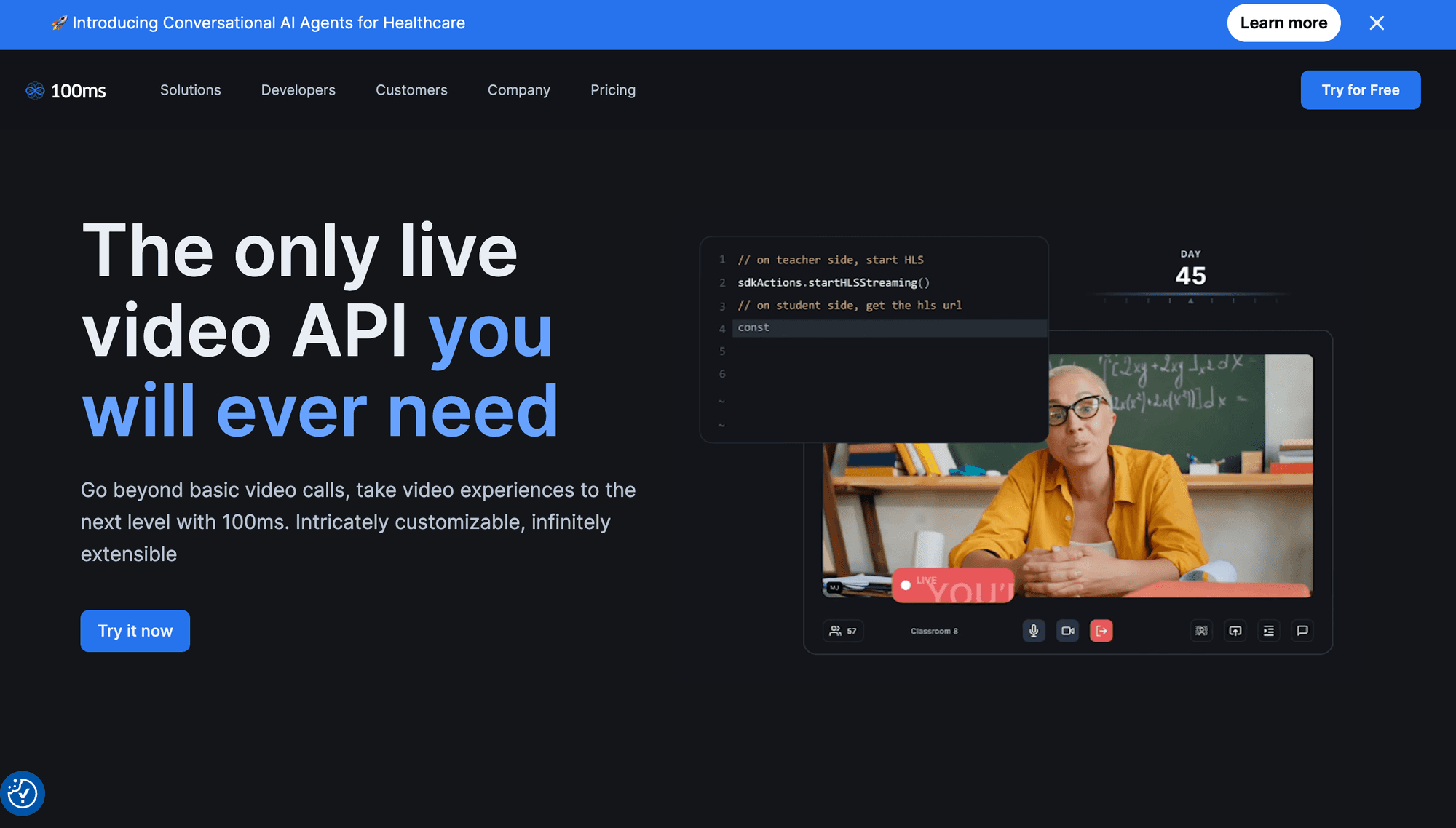
100ms is a video SDK with published rates of $0.004 per participant-minute for HD conferencing and $0.001 for audio, 10,000 free conferencing minutes and 10,000 free streaming minutes a month, and a built-in whiteboard.
Why it is on the list: it ships the whiteboard and both HLS and interactive streaming, which puts it close to VideoSDK on the classroom checklist, and its documentation has an explicit edtech track.
Where it falls short: platform coverage is web, iOS, Android, React Native, and Flutter; there is no Unity or IoT SDK. Public pricing beyond the entry rates requires a sales conversation.
Best for: edtech teams, particularly in India, that want whiteboard and streaming in one SDK and are comfortable with a smaller platform matrix.
7. Twilio Video
Twilio Video is a WebRTC API at $0.004 per participant-minute for Group Rooms, with recordings and compositions billed on top. Twilio announced a sunset in December 2023, then reversed it on October 21, 2024, stating that Video would remain a standalone product with no action required from customers.
Why it is on the list: thousands of existing edtech products still run on it, and for teams already using Twilio for SMS and voice, a single vendor and bill has value.
Where it falls short: no whiteboard, no interactive live streaming, no new classroom features in years, and a sunset scare that many teams will not forget. The reversal keeps the product alive; it does not make it a growth platform.
Best for: existing Twilio customers who need stability more than new capability.
8. Vonage Video API
Vonage Video API (formerly TokBox OpenTok) is priced at $0.0041 per participant-minute for sessions with up to 25 active publishers, rising sharply above that (about $0.019 at 26 to 35 publishers and $0.023 at 36 or more), with a 75,000-minute trial. It is now part of Ericsson.
Why it is on the list: compliance and longevity. Vonage has HIPAA and regional data-centre options that regulated training providers need, and the API has been stable for over a decade.
Where it falls short: the publisher-tier pricing makes large seminars where many students have cameras on expensive, there is no whiteboard, and the SDK feels older than the hooks-based competitors.
Best for: regulated enterprises already on Vonage where most sessions have a small number of active cameras.
9. Amazon Chime SDK
Amazon Chime SDK is AWS's real-time media service, priced at $0.0017 per attendee-minute for WebRTC sessions, billed in six-second increments, with media capture at $0.0125 per minute and media replication for large audiences at $0.0085 per minute per stream.
Why it is on the list: the lowest published per-minute rate on this list, and native integration with the rest of AWS (S3 for recordings, Transcribe for captions, IAM for access).
Where it falls short: it is infrastructure, not a classroom kit. There is no whiteboard, no prebuilt UI beyond a reference React component library, and no interactive viewer promotion; large audiences use replication, which is one-way. Expect to write more code than with any other provider except self-hosted LiveKit.
Best for: AWS-native teams with their own front-end and a preference for consolidating spend on one cloud bill.
10. Cloudflare RealtimeKit (formerly Dyte)
Cloudflare acquired Dyte in April 2025 and relaunched its SDKs as RealtimeKit, currently in beta, alongside Cloudflare's Serverless SFU and TURN service. RealtimeKit carries Dyte's web and mobile SDKs (React, Angular, vanilla JS, iOS, Android, React Native, Flutter) and server-side recording, coordination, and transcription. Pricing is published on the Cloudflare docs and should be checked directly while the product is in beta.
Why it is on the list: Dyte was one of the more complete classroom SDKs before the acquisition, with UI components and a plugin system, and Cloudflare's edge network is a strong media backbone.
Where it falls short: beta status, a pricing model still settling, and the usual acquisition risk that features get reprioritised. Confirm whiteboard and breakout support in the current RealtimeKit docs rather than in old Dyte material.
Best for: teams already building on Cloudflare Workers who can tolerate a beta and want media on the same edge.
Also worth knowing
Three options fall outside the ten but come up in classroom evaluations. Whereby Embedded is a simple iframe API at $0.004 per participant-minute with a $9.99 monthly base and 2,000 free minutes, good for very small teams. Jitsi as a Service prices by monthly active user (free to 25, then $99 for 300 MAU and up), which suits products with many light users. BigBlueButton is open-source virtual classroom software with a full API and a built-in whiteboard, breakouts, and quizzes; it is a finished classroom you host, not an SDK, so it belongs to the buy side of the decision below.
Buy vs Build: When Should You Build a Virtual Classroom With an API?
Build on a video API when the classroom is your product; buy a finished platform when the classroom is a utility you provide to your own staff and students.
That sentence resolves most cases. The edge cases are where money is lost, so here is the longer version.
Signs you should buy an off-the-shelf virtual classroom platform
- You are a school, district, university department, or internal L&D team.
- Teachers choose their own tools and need something familiar tomorrow.
- Your largest session fits inside the vendor's capacity tier.
- You have no engineering team, or the one you have is fully allocated.
- Your differentiation is curriculum and teaching, not software.
In that case Microsoft Teams for Education (free on A1), Google Meet with Classroom, Zoom for Education (from $10 per user per month on annual terms), or self-hosted BigBlueButton will serve you better than anything on the list above.
Signs you should build on a virtual classroom API
- You are an edtech company, tutoring marketplace, cohort-course platform, or corporate academy selling access to your own product.
- Your users must never see another vendor's logo, login, or download prompt.
- You need custom pedagogy in the room: a code editor beside the video, a music notation board, an exam lockdown flow, an AI tutor that joins as a participant.
- Your session shapes range from 1:1 to a 2,000-viewer masterclass and you refuse to run two platforms.
- You need the data: per-participant talk time, join and leave events, recordings in your own storage, through webhooks and REST rather than a CSV export.
- Your unit economics depend on paying for usage, not for seats that sit idle over the summer.
The cost math nobody publishes
Per-seat licensing and per-participant-minute pricing produce very different bills depending on session shape. The figures below use VideoSDK's published HD rate.
The three rates in play
| What's being billed | Rate |
|---|---|
| Audio-only participant | $0.001 per person, per minute |
| Video participant (HD 720p) | $0.004 per person, per minute |
| Live-stream viewer (HD 720p) | $0.002 per viewer, per minute |
What an hour actually costs
| What you're running | People in the room | One hour costs | How that's calculated | Same thing on a per-seat platform |
|---|---|---|---|---|
| 1:1 tutoring | 2 | $0.48 | 2 × 60 min × $0.004 | $14.16/mo per tutor, used or not |
| Seminar with breakouts | 25 | $6.00 | 25 × 60 min × $0.004 | $14.16/mo per teacher (Zoom Pro, 100-participant cap) |
| Large lecture | 200 | $48.00 | 200 × 60 min × $0.004 | $18.33/mo per teacher (Business, 300-participant cap) |
| Live-streamed masterclass | 3 hosts + 2,000 viewers | $240.72 | Hosts: 3 × 60 × $0.004 = $0.72 Viewers: 2,000 × 60 × $0.002 = $240.00 | ≈$1,032/mo (3 seats + 3,000-attendee webinar tier) |
| Audio-only study room | 10 | $0.60 | 10 × 60 min × $0.001 | $14.16/mo per host, no audio discount |
Comparison prices are Zoom list prices as of September 2026, billed annually. Month-to-month is higher: Pro $15.99, Business $21.99.
Read the table honestly. A single teacher running five seminars a week is cheaper on a $10 per month Zoom licence than on any API. The API wins when there are thousands of tutors with uneven usage, when idle seats would otherwise be paid for, or when your customers pay you and the video cost is a cost-of-goods line you pass through. Teams that migrate from per-seat classroom vendors to a usage-based API generally do it for product control first and cost second, and should model both before deciding.
How a Virtual Classroom Maps onto the VideoSDK API
The eight classroom features from the checklist map onto specific VideoSDK building blocks, which is the clearest way to see what an API build actually involves.
| Classroom feature | VideoSDK building block | Where it lives |
|---|---|---|
| Live video and audio, adaptive bitrate | Rooms over WebRTC with network-adaptive streaming | useMeeting, useParticipant hooks |
| Whiteboard | Shared whiteboard session per room | useWhiteboard: startWhiteboard, stopWhiteboard, whiteboardUrl |
| Breakout rooms | Multiple rooms created via REST; participants moved between them | POST /v2/rooms plus SDK join and leave |
| Polls, Q&A, chat | Pub/Sub messaging with topics | usePubSub hook |
| Recording, individual or composite | Cloud recording with webhooks to your storage | startRecording, stopRecording |
| Live captions and post-session notes | Real-time and post-call transcription, prompt-based summary | Transcription API |
| Lecture-hall scale | Interactive live streaming, 100 hosts and 2,000 real-time viewers, viewer promoted with changeMode | Constants.modes.SEND_AND_RECV and RECV_ONLY |
| Analytics and roster | Session and participant events | Webhooks, REST session endpoints |
Every building block in the table is documented in the VideoSDK REST API reference and the per-platform SDK guides. The same mapping exercise against any other provider on the list tells you quickly where a second vendor will be needed.
A Decision Framework for Choosing a Virtual Classroom API
Answer five questions in order and the list of ten shrinks to one or two candidates.
- Is the classroom your product or your utility?
If utility: rent Teams, Meet, Zoom for Education, or BigBlueButton and stop here. If product: continue. - Do you need whiteboard and lecture-scale streaming from one SDK?
Yes: VideoSDK or 100ms.
No, you will integrate a board yourself: Daily, Zoom Video SDK, LiveKit, or Chime remain in play. - Which platforms are on your two-year roadmap?
Unity, IoT, or desktop C++: VideoSDK. Web plus iOS and Android only: any provider. - Do you have a hard data-residency or self-hosting requirement?
Yes: LiveKit self-hosted, or a provider with region pinning (Vonage, Agora, VideoSDK enterprise). No: hosted cloud on any. - Does procurement already have a preferred vendor?
Zoom approved: Zoom Video SDK. AWS committed spend: Chime SDK. Twilio or Vonage already contracted: stay, but budget for a whiteboard integration. Otherwise: pick on the classroom checklist, which favours VideoSDK for feature coverage and Agora for extreme scale.
If you reached question 5 with two candidates left, run the same one-week spike on both: token server, room, whiteboard, recording to your bucket, and a 200-viewer stream. The provider that needs fewer external pieces to pass the spike is the one to sign.
Definitions Glossary
Virtual classroom: A live online session where an instructor and learners interact through video, audio, a whiteboard, and collaboration tools in real time. A VideoSDK room with the whiteboard started is a virtual classroom; a recorded lecture is not.
Virtual classroom API: A programmable service that supplies the video, audio, whiteboard, recording, and streaming for a classroom you build and brand. VideoSDK exposes this through SDKs on 10+ platforms and a REST API for rooms and recordings.
Interactive live streaming (ILS): A low-latency broadcast mode where viewers can be promoted to speakers. VideoSDK documents ILS at up to 100 hosts and 2,000 real-time viewers per session, switched with changeMode.Participant-minute: The unit most video APIs bill on: one participant connected for one minute. A 60-minute class with 25 people is 1,500 participant-minutes.
Breakout room: A sub-session where a subset of learners work together, with the instructor able to move between rooms. On an API it is built from multiple rooms and a move-participant call.
LTI 1.3: The Learning Tools Interoperability standard that lets a classroom launch from an LMS with single sign-on, roster access, and grade passback. Rented platforms ship it; on an API, you implement it in your application.
Key Takeaways
- Virtual classroom software is a live video session plus teaching tools, and on the API route those tools (whiteboard, breakouts, recording, lecture-scale streaming) are what separate providers, because the video itself is priced within 10 percent across most of them.
- Six of the ten APIs cluster at about $0.004 per participant-minute; the real cost differences are the free tier, how many separate line items a full classroom needs, and whether large sessions require a second product.
- VideoSDK covers the most classroom features from one SDK, with whiteboard, pub/sub, recording, transcription, and interactive live streaming to 2,000 real-time viewers across 10+ platforms and a $20 free credit; Agora wins at extreme scale, LiveKit for self-hosting, and Zoom Video SDK where procurement wants the Zoom name.
- Build on an API when the classroom is your product; rent Teams, Meet, Zoom for Education, or BigBlueButton when it is a utility for your own staff and students.
- Model the cost by session shape before deciding: a seat licence beats any API for one teacher, and a per-participant-minute API beats seat licences when usage is uneven and the video cost can be passed through to your customers.
Conclusion
The virtual classroom software decision splits cleanly once you ask whether the classroom is your product or your utility. Utilities are rented. Products are built, and the ten APIs above are the infrastructure they are built on. Choose on the classroom checklist rather than the per-minute rate, because the rate is nearly the same everywhere and the missing whiteboard or the second streaming vendor is where budgets actually go.
If you are on the build side, the fastest way to test the idea is a VideoSDK room with the whiteboard turned on: sign up at VideoSDK, use the $20 credit, and follow the React quickstart. The VideoSDK GitHub has sample apps for React, Flutter, and Android, and the Discord community is where classroom-specific questions get answered.
What are you building with VideoSDK?
Watch this video for better understanding!
Frequently Asked Questions
What is a virtual classroom?
A virtual classroom is an online space where a teacher and students meet at the same time and interact through live video, audio, chat, a shared whiteboard, and tools such as polls and breakout rooms. It reproduces a physical classroom's real-time interaction over the internet. Virtual classrooms run either on rented platforms such as Zoom for Education or BigBlueButton, or inside custom applications built on a video API such as VideoSDK.
What is virtual classroom software?
Virtual classroom software is the application that provides a virtual classroom: real-time video and audio plus teaching features including whiteboard, screen sharing, breakout rooms, polls, attendance, and recording. It differs from video conferencing software by adding an instructor role model and learning tools, and from a learning management system by handling the live session rather than storing courses and grades. It can be a finished product you rent or an application you build on a virtual classroom API such as VideoSDK, Daily, or Agora.
What is a virtual class?
A virtual class is a single scheduled teaching session delivered live over the internet through virtual classroom software. It has a start time, an instructor, enrolled learners, and usually a recording afterwards. A virtual class is the event; the virtual classroom is the environment it runs in.
What is virtual training?
Virtual training is instructor-led training delivered remotely in real time, typically to employees or professional learners rather than school students. It uses the same virtual classroom software as education, with more emphasis on attendance tracking, assessments, and LMS reporting for compliance. Corporate academies that sell training often build their own rooms on APIs such as VideoSDK so that learners stay inside the branded product and completion data flows straight into the LMS.
What are virtual classes?
Virtual classes are live online lessons where learners and an instructor participate simultaneously from different locations. They differ from self-paced online courses, which are pre-recorded, and from hybrid classes, where some learners are physically present. Virtual classes range from 1:1 tutoring to lectures of several hundred participants and, with interactive live streaming, masterclasses with thousands of real-time viewers.
What is the best virtual classroom software for schools?
The best virtual classroom software for schools is usually the one bundled with the suite the school already licenses: Microsoft Teams for Education on Microsoft 365, Google Meet with Classroom on Google Workspace, or Zoom for Education where Zoom is standard. Schools with IT staff and data-residency requirements often choose BigBlueButton because it is open source. Schools rarely need a video API; that route is for companies building an education product.
What is the difference between a virtual classroom and a digital classroom?
The main difference is location. A virtual classroom is fully online, with teacher and students joining remotely through live video. A digital classroom is a physical room equipped with devices, interactive displays, and software such as an LMS. A school can have a digital classroom without any virtual classroom software, and a fully remote school has virtual classrooms without a digital classroom.
How much does it cost to build a virtual classroom with an API?
Building a virtual classroom on an API costs engineering time plus usage. On VideoSDK, HD video is priced at $0.004 per participant-minute, so a one-hour 1:1 lesson costs about $0.48 and a 25-person seminar about $6.00, with recording, transcription, and live streaming billed separately per minute, and a $20 credit on a new account. Daily, 100ms, Twilio, and Agora publish rates within 10 percent of that figure. The engineering cost is the larger number: budget for token generation, room scheduling, breakout logic, LMS integration, and reconnection handling on top of the SDK.
Which video API is best for a virtual classroom?
The best video API for a virtual classroom depends on which classroom features you need built in. VideoSDK covers the widest set natively (whiteboard, pub/sub, recording, transcription, and interactive live streaming to 2,000 real-time viewers) across 10+ platforms. Agora is the better fit for extreme broadcast scale or China delivery, LiveKit for teams that want to self-host, and Zoom Video SDK where the buyer requires the Zoom name. Daily and Amazon Chime SDK are strong infrastructure choices if you are prepared to integrate a whiteboard yourself.