
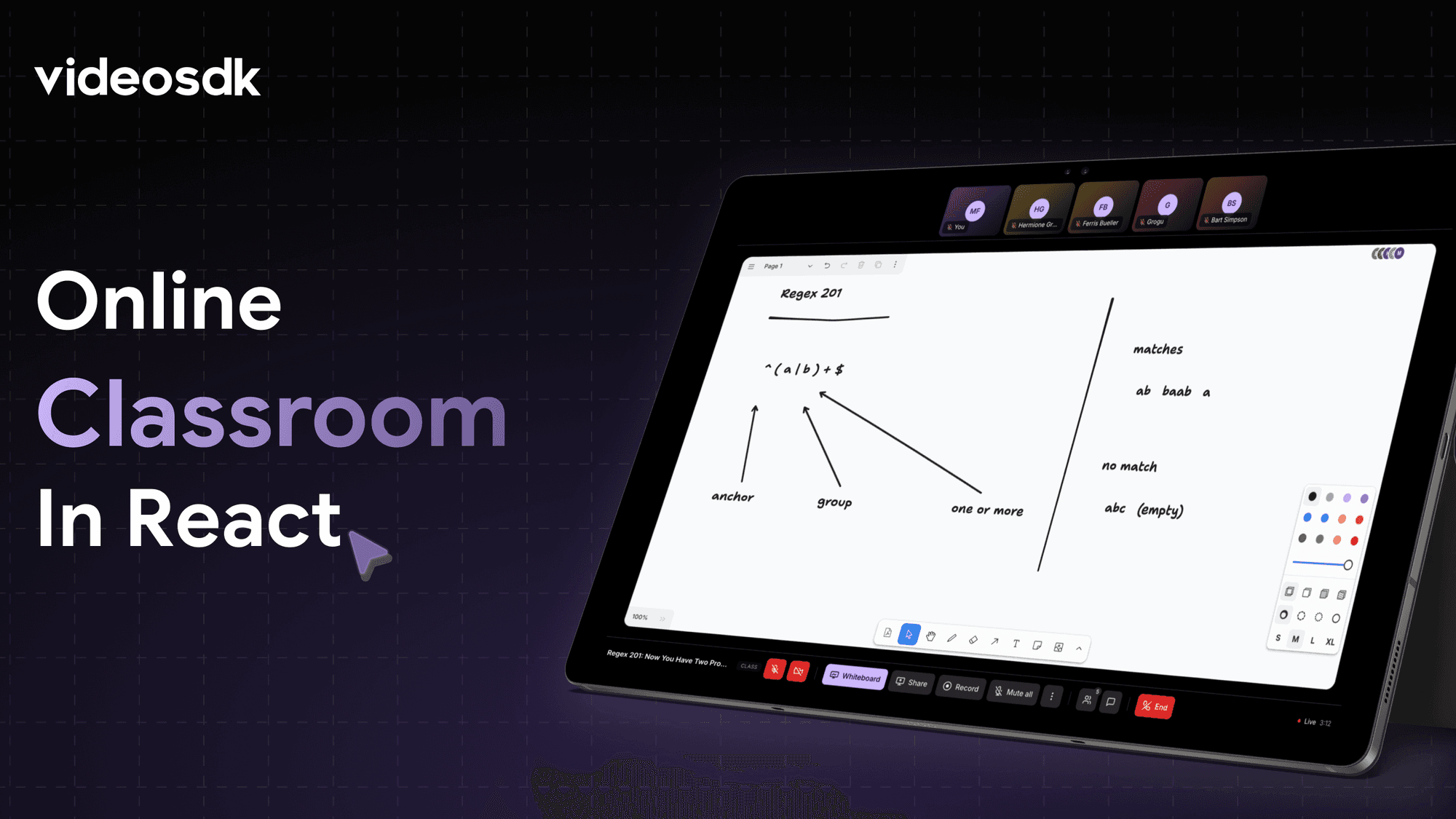


Most video call tutorials end with a grid of faces and a mute button. A classroom needs more than that. It needs a surface everyone looks at together - a whiteboard the teacher draws on, that every student sees update in real time, sitting at the center of the screen instead of a side panel.
This guide builds that: Classroom, an online classroom app in React with a shared whiteboard, role-based permissions, and cloud recording. It's built on VideoSDK for the video, audio, whiteboard sync, and pub/sub messaging.
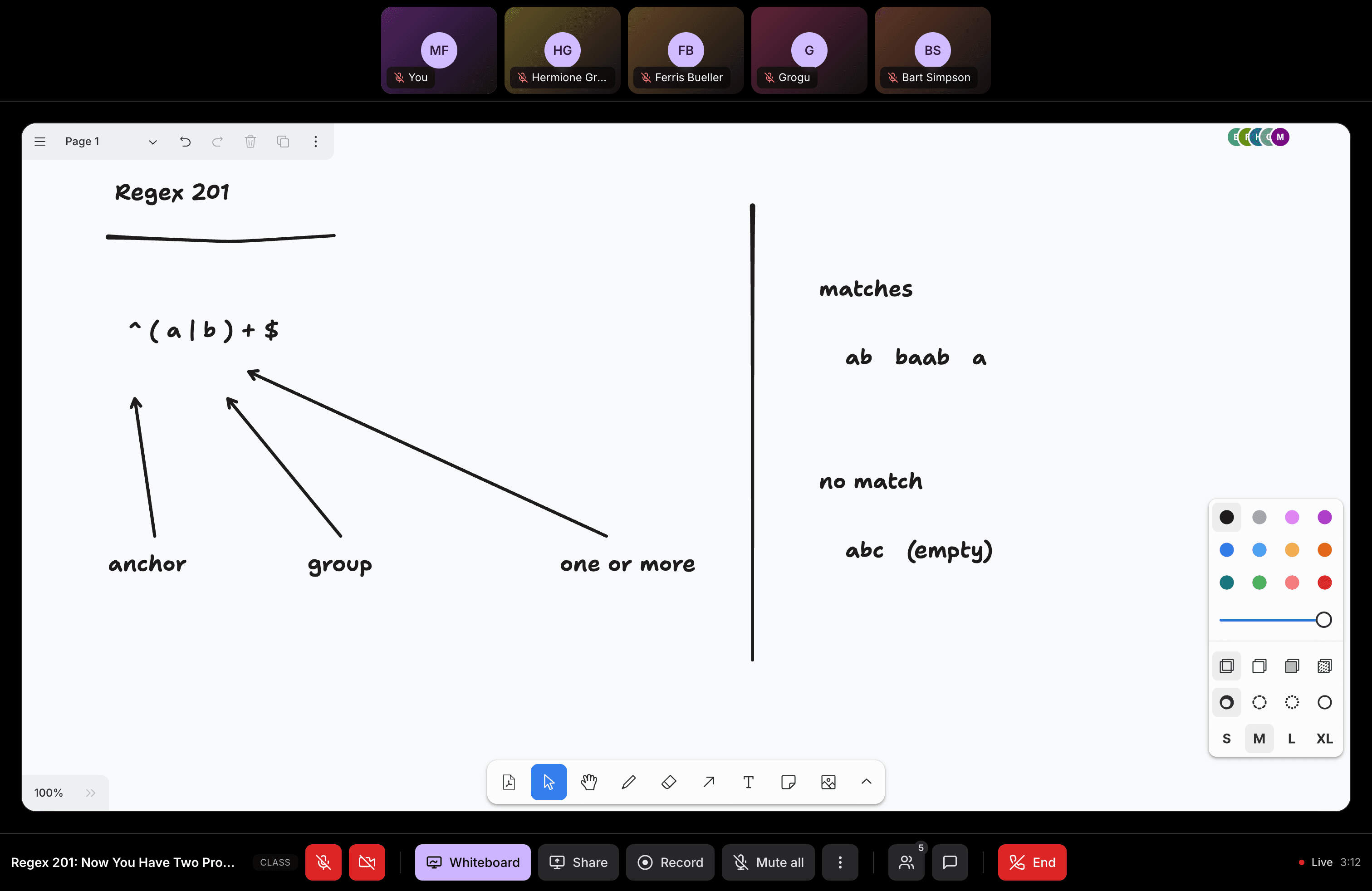
Prefer watching the build instead? The full video walkthrough is on YouTube:
What you'll build
By the end, you'll have a room where:
- A teacher and a student get different permissions. The server decides, not the client.
- The teacher draws on a shared whiteboard. Every participant sees it update live.
- The room runs in one of two layouts, Class or Lecture, chosen when it's created.
- Chat, hand-raising, and moderation follow a clear rule: some things the client just honors, one thing the server actually enforces.
- A class recording captures the board, not just the video tiles.
Prerequisites
| Requirement | Version | Check command |
|---|---|---|
| Node.js | 18+ | node --version |
| pnpm | 8+ | pnpm --version |
| A VideoSDK account | - | Sign up on the VideoSDK dashboard and grab an API key and secret |
| A Supabase project | - | Used here for auth and room ownership |
You should be comfortable with React hooks, useEffect, and calling a JSON API from a serverless function. No prior VideoSDK experience needed. The Supabase side is small - one table plus auth - and the repo's README walks through setting it up.
Clone the repo to follow along with a working copy:
git clone https://github.com/videosdk-live/classroom
cd classroom
pnpm install
Add your VideoSDK and Supabase credentials to a .env file (see .env.example in the repo for the exact names). Then run the frontend and the API routes together. Token minting lives in a serverless function, so you need both:
pnpm dev:api
Checkpoint: open http://localhost:3000. You should see the app's home screen. pnpm dev alone also starts the app, but without /api routes. Fine for UI work, but you won't be able to join a room.
Step 1: How the token decides who's the teacher
Before any video renders, the app has to answer one question: is this person the teacher, or a student? Get this wrong on the client, and any student can mute the teacher.
Classroom answers it on the server. When a browser asks to join a room, a Vercel serverless function checks who owns that room in the database. It mints a VideoSDK token with permissions that match:
const TEACHER: readonly Permission[] = ['allow_join', 'allow_mod']
const STUDENT: readonly Permission[] = ['ask_join']

const { data: room } = await db
  .from('rooms')
  .select('room_id, owner_id, title, mode, ended_at')
  .eq('room_id', roomId)
  .maybeSingle()

const isOwner = room.owner_id === user.id

const token = signMeetingToken({
  apiKey: env.videosdkApiKey,
  secret: env.videosdkSecret,
  permissions: isOwner ? TEACHER : STUDENT,
  roomId: room.room_id,
  participantId: user.id,
  ttlSeconds: TTL_SECONDS,
})
Look at what's never read here. No role field. No query string. Nothing from the request body except the room id. The room's owner in the database decides who becomes the teacher. Everything else, like which buttons render or what the UI calls the person, is just decoration on top of that. The real enforcement lives in the permissions array baked into the signed token.
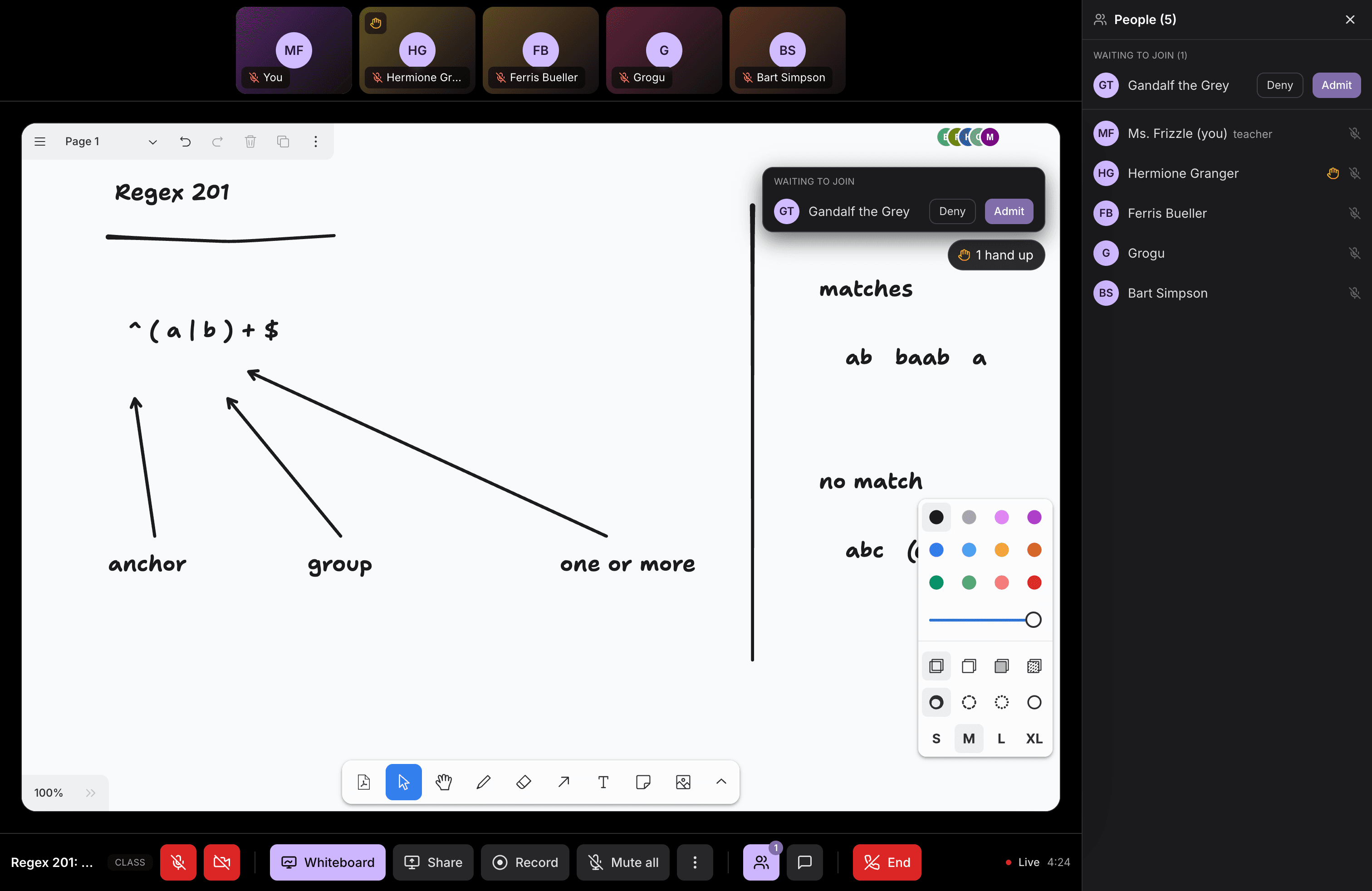
That split matters for the "ask to join" flow too. A student's token only carries ask_join. The SDK holds them at a connecting state and fires an entry-request event to whoever holds allow_mod - the teacher. A student can't get into a class that isn't running. And a student can't get in without the teacher's client approving them.
Checkpoint: create a room as the teacher, then open the same room link in a second browser signed in as a different account. The second browser should land in a waiting state instead of joining directly, and the teacher's window should show an entry request. If it joins straight through, the second browser is probably still signed in as the room's owner - isOwner only comes out false when owner_id doesn't match the caller.
Step 2: How the whiteboard works
This is the part that makes the app a classroom instead of a call. VideoSDK ships a collaborative whiteboard as a React hook, and the entire surface area is three members:
import { useWhiteboard } from "@videosdk.live/react-sdk";

const { startWhiteboard, stopWhiteboard, whiteboardUrl } = useWhiteboard();

{whiteboardUrl && <iframe src={whiteboardUrl} title="Whiteboard" />}
No config object. No canvas library to wire up. No separate socket connection to manage. Call startWhiteboard(), get a URL back, drop it in an iframe. Everyone in the room who renders that iframe sees the same board update live. The sync happens on VideoSDK's side, not yours.
In Classroom, that hook lives behind a small bridge component. The rest of the app never touches the SDK directly:
export function WhiteboardBridge({ store }: { store: RoomStore }) {
  const { startWhiteboard, stopWhiteboard, whiteboardUrl } = useWhiteboard()

  useEffect(() => {
    store.setWhiteboard({ url: whiteboardUrl ?? null })
  }, [store, whiteboardUrl])

  useEffect(() => {
    const existing = store.getActions()
    if (!existing) return

    store.setActions({
      ...existing,
      startWhiteboard: async () => {
        store.setWhiteboard({ inFlight: true, error: null })
        try {
          await startWhiteboard()
        } finally {
          store.setWhiteboard({ inFlight: false })
        }
      },
      stopWhiteboard: async () => {
        store.setWhiteboard({ inFlight: true, error: null })
        try {
          await stopWhiteboard()
        } finally {
          store.setWhiteboard({ inFlight: false })
        }
      },
    })
  }, [store, startWhiteboard, stopWhiteboard])

  return null
}
That's it for wiring. Rendering the board is just an iframe pointed at whiteboardUrl. It sits inside the app's own layout so it reads as part of the classroom, not an embedded widget:
{boardOn ? (
  <iframe
    src={boardSrc(url, canDraw)}
    title="Whiteboard"
    className="h-full w-full border-0"
    allow="clipboard-write"
  />
) : (
  <div className="flex h-full w-full flex-col items-center justify-center gap-2 text-center">
    <span>The board is not open yet</span>
    <span>{canDraw ? 'Opening it for the class.' : 'Your teacher starts it for the class.'}</span>
  </div>
)}
One detail worth knowing before you check the whiteboard docs: useWhiteboard itself carries no permission concept. No role, no read-only flag. If you want students to watch without drawing, append drawOnWhiteboard=false to the board's own URL:
export function boardSrc(url: string, canDraw: boolean): string {
  if (canDraw) return url
  const next = new URL(url)
  next.searchParams.set('drawOnWhiteboard', 'false')
  return next.toString()
}
Read-only mode refuses every stroke and hides the toolbar. It keeps the zoom controls working, though, so a student who fell behind can still zoom out and find where the teacher scrolled to.
Checkpoint: as the teacher, click "Start whiteboard." The iframe should load a blank board within a couple of seconds. Draw a line, then check the student's browser. The same line should appear there within a second, and the student shouldn't be able to draw on it.
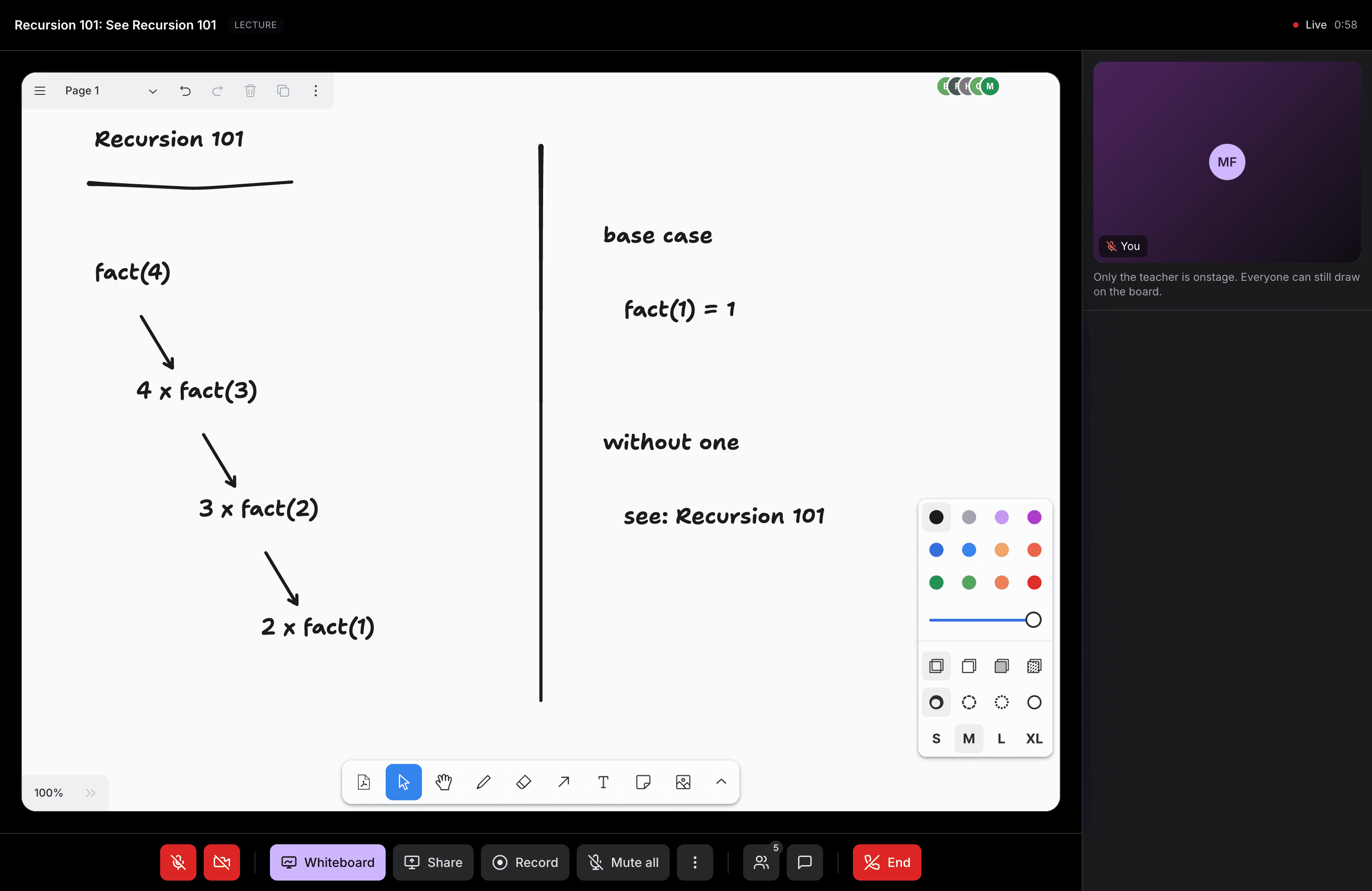
Step 3: One room, two shapes
Not every class looks the same. A small seminar wants everyone visible and equal. A lecture wants the teacher up front with students listed below, promotable onstage when they have a question. Classroom supports both as a single choice made when the room is created. It's stored alongside the room and returned by the same session endpoint that mints the token. There's no mid-class switch - changing the room's shape mid-session means announcing new rules to everyone at once, and that's a bigger UX problem than the toggle itself.
In both modes, the pen stays with the teacher. Promoting a student in Lecture mode changes their layout position and requests their microphone. It doesn't hand them drawing rights. The request goes through the SDK's own consent flow, not a forced action:
// Muting takes effect immediately.
disableMic()

// Unmuting only ever requests - the student must accept it.
enableMic() // fires onMicRequested on the student's client
A teacher can silence a mic instantly but can't force one open. That's why the control in the UI says "Ask to unmute" instead of "Unmute."
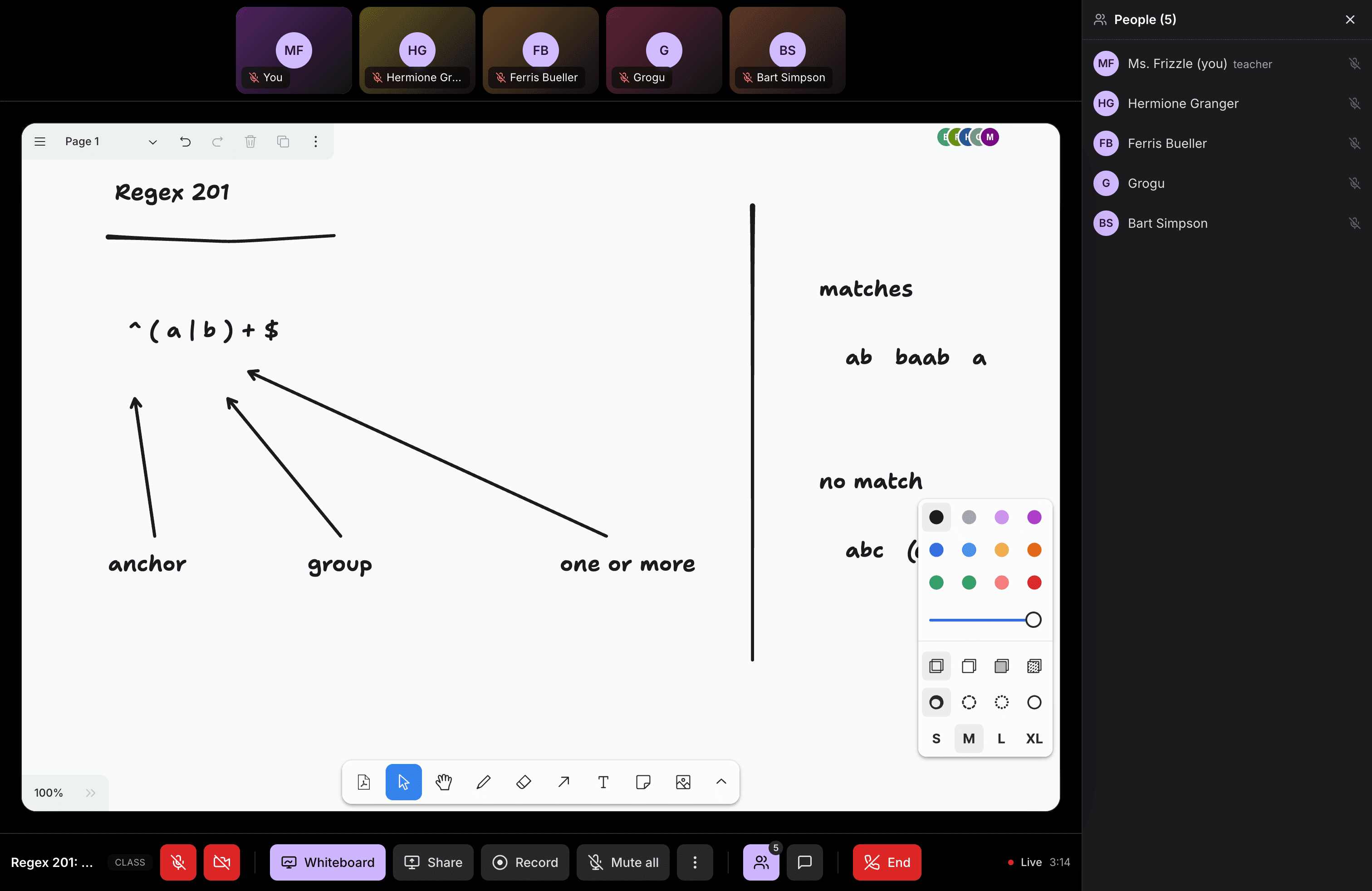
Checkpoint: create one room in each mode and join both as a student. In Class mode the student's video tile sits in the rail above the board with everyone else's. In Lecture mode the student appears in the list below the stage, and moves onstage only after the teacher promotes them.
Class Mode:
Lecture Mode:
Step 4: How classroom controls work
Read this step closely if you're building anything with room-wide toggles. It's easy to assume more security than actually exists.
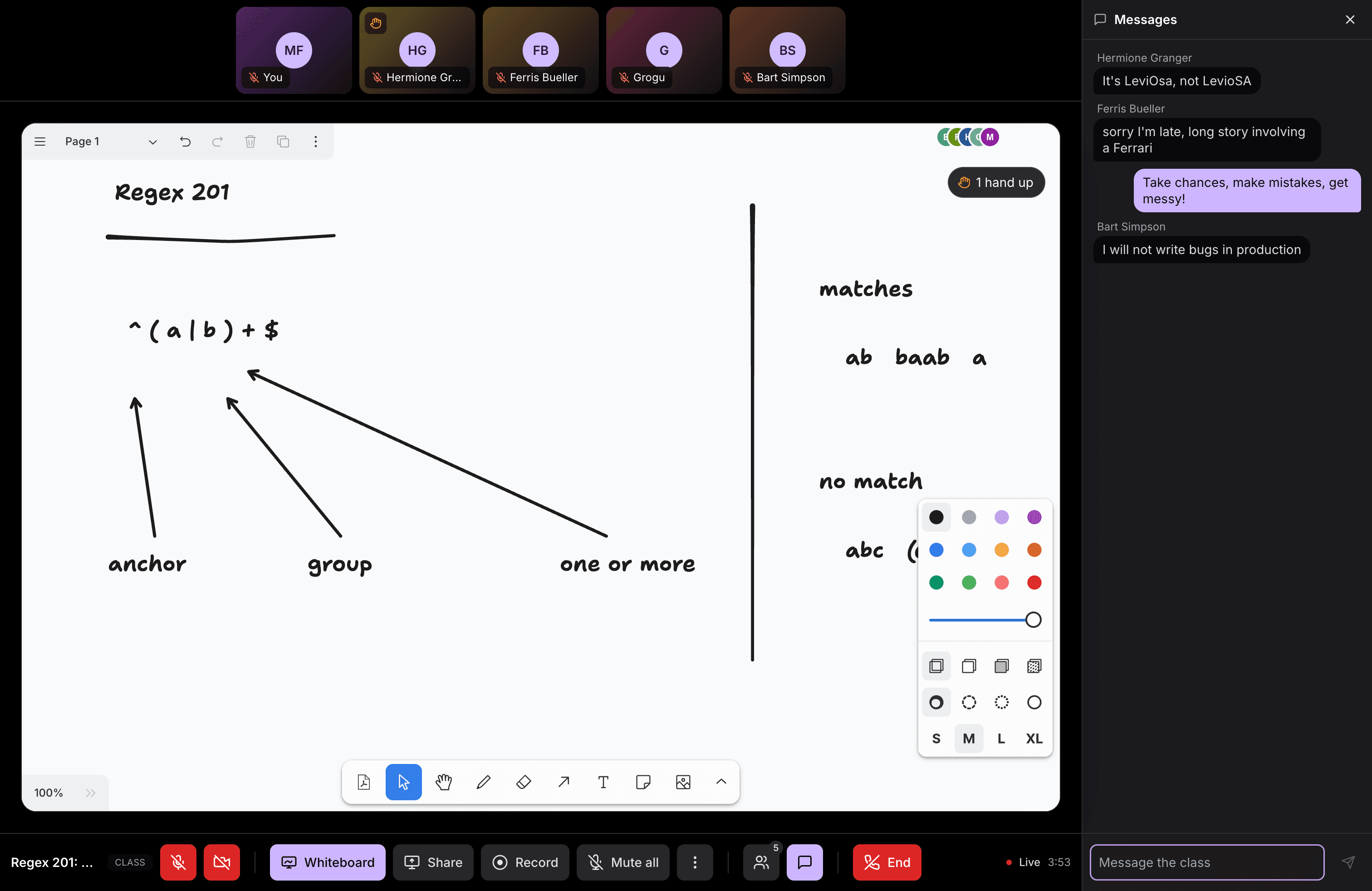
Chat-disabled, hand-raise-disabled, and the list of promoted students aren't stored on a server that gatekeeps them. They ride a persisted pub/sub message. Every client in the room receives it and honors it on its own:
export function encodeControls(next: ClassControls): string {
  return JSON.stringify({
    v: 1,
    chat: next.chatEnabled,
    hands: next.handsEnabled,
    promoted: next.promoted,
  })
}

export function foldControls(
  messages: readonly RoomMessage[],
  teacherId: string | null,
): ClassControls {
  if (!teacherId) return DEFAULT_CONTROLS
  for (let i = messages.length - 1; i >= 0; i--) {
    const m = messages[i]
    if (m.senderId !== teacherId) continue
    const parsed = parseControls(m.text)
    if (parsed) return parsed
  }
  return DEFAULT_CONTROLS
}
foldControls walks the message history backward and takes the latest full snapshot published by the teacher's participant id. Every client does that fold locally. Two things follow from that. A forged control message from a student changes nothing, because every client's fold ignores messages that don't come from the teacher's id. But the fold itself is client code - nothing on the server rejects a chat message just because the topic says chat is off, so a modified client could skip the check entirely. The publish goes through a small bridge around VideoSDK's usePubSub:
export function PubSubBridge({ topic, store, persist }) {
  const { publish } = usePubSub(topic, {
    onMessageReceived(message) {
      store.appendMessages(topic, [normalisePubSubMessage(message, topic)])
    },
    onOldMessagesReceived(messages) {
      store.appendMessages(topic, (messages ?? []).map((m) => normalisePubSubMessage(m, topic)))
    },
  })

  useEffect(
    () => store.registerPublisher(topic, async (text, payload) => {
      await publish(text, { persist }, payload)
    }),
    [store, topic, persist],
  )

  return null
}
persist: true is what lets a student who joins mid-class see the current chat/hands state right away, instead of a blank slate. VideoSDK replays persisted pub/sub history to new joiners automatically.
So what actually stops a student from muting the teacher or removing another student? Nothing about pub/sub. The one real permission boundary in the whole app is allow_mod versus ask_join, inside the signed token from Step 1. Moderation actions like removing a participant go through the SDK's own participant methods, and those check that permission on the server before they take effect.
The screen-share control follows the same pattern. Any token holder can technically call enableScreenShare, but only the teacher's UI exposes the button. When it runs, the screen share covers the whiteboard stage instead of replacing it in the DOM. Unmounting the board's iframe would reload it, and reloading a live-synced board mid-class is a worse experience than a temporary overlay.
None of this is a workaround. It's a pattern most real-time apps land on: cheap, low-latency broadcast state for anything cosmetic, and a small number of server-verified checks for anything that actually needs to hold.
Checkpoint: as the teacher, turn chat off. The student's chat input should disable within a second. Then reload the student's browser and rejoin. The chat input should come back still disabled - that's persist: true doing its job, replaying the teacher's last control message to the fresh session.
Step 5: Recording the class, board included
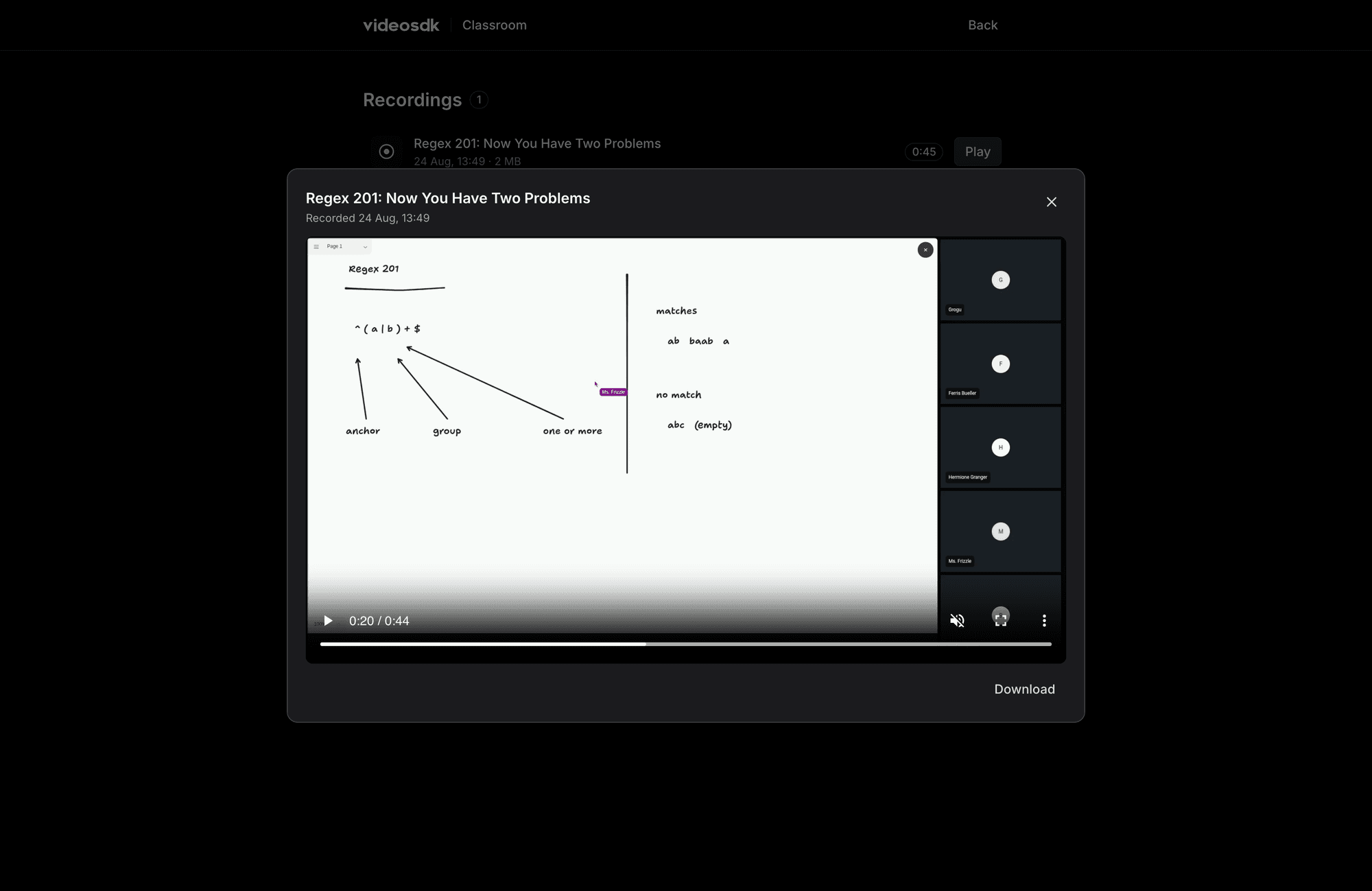
A video-only recording misses the point. The whiteboard is where the actual teaching happened. VideoSDK's cloud recording composites everything in the room, board included, so a recorded class plays back with the same ink and the same live cursors students watched during the session.
Starting one is a single call, but read the signature carefully before you copy it:
const RECORDING_CONFIG = {
  layout: { type: 'SPOTLIGHT', priority: 'PIN' },
  theme: 'DARK',
  mode: 'video-and-audio',
  quality: 'high',
  orientation: 'landscape',
} as const

// startRecording(webhookUrl, awsDirPath, config, transcription) - all four
// arguments are positional. Skipping the two leading nulls and passing the
// config first silently sends it as the webhook URL instead.
startRecording(null, null, RECORDING_CONFIG)
That's an easy trap. startRecording(RECORDING_CONFIG) compiles, runs, and produces a recording. But your config object gets read as a URL string, and every layout setting silently falls back to default. The two null arguments ahead of the config aren't filler. They're what makes the third argument land where you meant it to.
The SPOTLIGHT layout keeps the composite focused on the board and the active speaker, instead of tiling every participant into a grid. That's what you want when the board is the reason anyone's watching the recording back.
Checkpoint: start a recording, draw on the board for a few seconds, then stop it and end the class. Once VideoSDK finishes processing, the recording shows up in the recordings list on the home screen. Play it back - you should see the board with your strokes, not just a grid of video tiles.
Step 6: Building and deploying
Locally, the app runs as a Vite frontend with Vercel serverless functions on one origin. That's why pnpm dev:api is the command to reach for, not pnpm dev alone - the API key handling for token minting and room creation only works through those functions.
The build step runs a bundle check that fails if a server-only secret ends up inlined into the shipped JavaScript. That covers the VideoSDK API key, the VideoSDK secret, and the Supabase service role key:
pnpm build
Any environment variable without a VITE_ prefix stays server-side. The check exists so that boundary can't quietly slip. Ship it on Vercel and it deploys the same way any Vite app does - the functions in api/ become serverless routes automatically.
Checkpoint: after pnpm build, the command should exit cleanly. If it fails on the bundle-secrets check, search dist/ for the flagged variable name. That means a secret got read somewhere in client code instead of an api/ function.
What you built
- A token-minting endpoint that decides teacher versus student from room ownership in the database, never from the client
- A shared whiteboard wired through
useWhiteboard, with a read-only mode for students via a URL parameter - Two room layouts chosen at creation time, with a promote flow that requests rather than forces a student's microphone
- Classroom controls split cleanly between client-honored broadcast state and one real server-enforced permission
- Cloud recording that composites the whiteboard into the output, not just the video tiles
Next steps
The full source is on GitHub, including pieces this guide skipped over, like the entry-request lobby UI and the Supabase schema. If you want to go deeper on the whiteboard hook itself, the whiteboard documentation covers the API this guide only used a slice of. And the VideoSDK dashboard is where you generate the API key and secret this guide's token-minting step depends on.
Troubleshooting
The teacher's board never opens
startWhiteboard() called in the same render as the meeting-joined event is sometimes accepted and silently dropped by the SDK. No error, no onError - the board just never appears. Classroom works around this by retrying up to five times, waiting for each attempt to resolve before trying the next, and stopping the moment the board opens or the teacher closes it deliberately. If you're seeing this in your own code, an auto-start on join needs the same retry, not a single call.
startRecording runs but the layout is wrong
Check argument order. startRecording(webhookUrl, awsDirPath, config, transcription) is positional, and all four arguments are optional. Passing your config object as the first argument sends it as the webhook URL string, and the recording falls back to a default grid layout with no error.
A student can still see a "disabled" control working for them
That's expected, not a bug - see Step 4. Chat and hand-raise toggles are broadcast state the client honors, not a server-side permission. If you need real enforcement, gate the action itself behind allow_mod in the token, the way Classroom does for removing a participant.
Build fails on the bundle-secrets check
A value without a VITE_ prefix got referenced from client-side code. Move that read into an api/ function. Anything without the VITE_ prefix is meant to stay server-only, and Vite won't stop you from importing it into the bundle by accident.