
Build with VideoSDK’s AI Agents and Get $20 Free Balance!
Integrate voice into your apps with VideoSDK's AI Agents. Connect your chosen LLMs & TTS. Build once, deploy across all platforms.
Start BuildingOverview
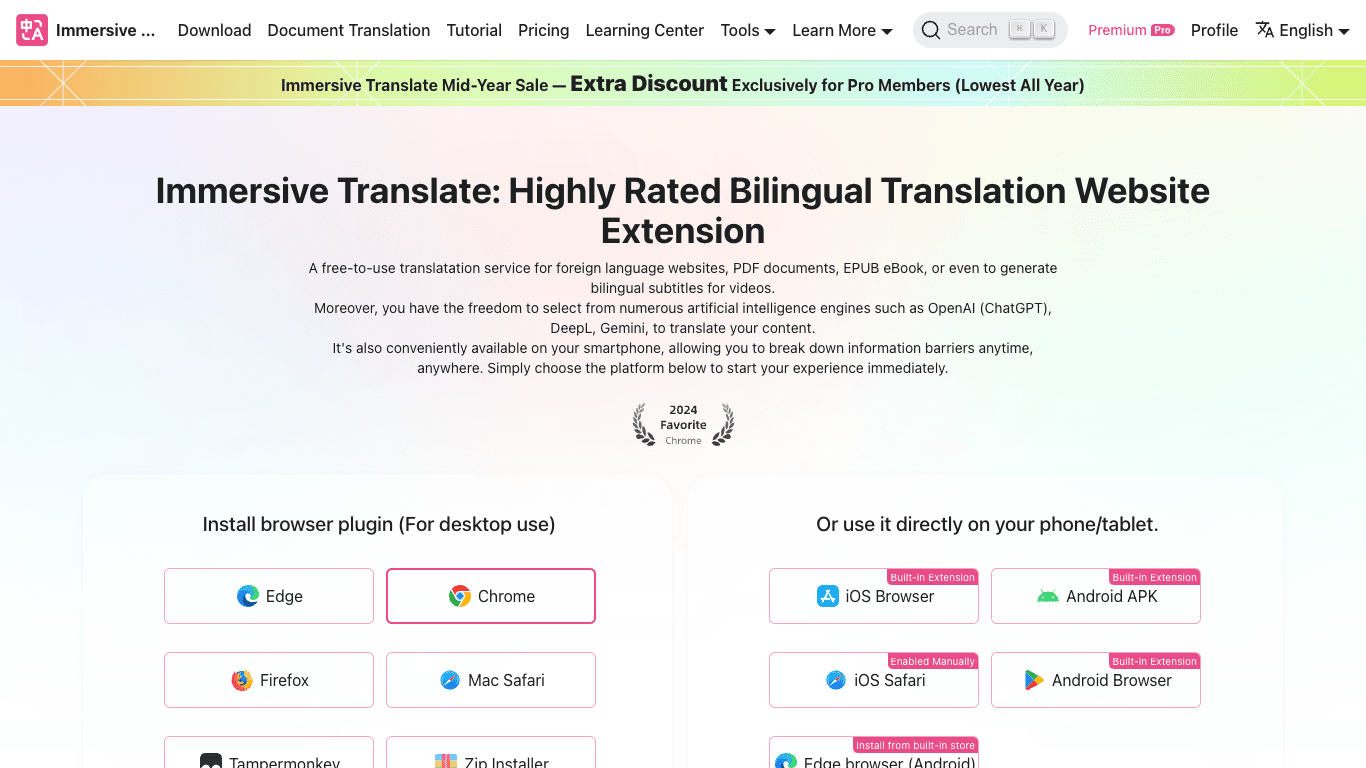
Immersivetranslate is a free, AI-powered browser extension and mobile app offering advanced bilingual translation services. Recognized as the standard for 'bilingual contrastive translation,' it empowers users to seamlessly access and translate foreign language websites, PDF documents, EPUB eBooks, and generate bilingual subtitles for videos. Launched in 2023, it has helped over 10 million users overcome language barriers with access to more than 10 industry-leading AI translation engines such as OpenAI (ChatGPT), DeepL, and Google Translate. Immersivetranslate operates across all major browsers (Edge, Chrome, Firefox, Safari) and mobile platforms (iOS, Android), promoting information equity and global knowledge acquisition.
How It Works
- Installation:
- Install the Immersivetranslate extension from browser stores (Edge, Chrome, Firefox, Mac Safari) or use the built-in extensions on mobile (iOS, Android). Manual installation via Tampermonkey or Zip installer is also supported for desktop.
- Webpage Translation:
- Click the Immersivetranslate icon or use right-click context menu, or press Alt+A/Option+A to enable bilingual display. The extension smartly translates main content areas, preserving original page layout.
- Document Translation:
- Click the toolbar icon and select 'More' for PDF/EPUB/subtitle translation features.
- Mouse Hover Translation:
- Hover over any paragraph and press a shortcut key (e.g., Ctrl) to instantly view the translation below the original text.
- Input Box Translation:
- Type in any input box and triple-press the space bar to translate the text into your target language instantly.
Use Cases
Bilingual Video Subtitle Translation
Automatically generate bilingual subtitles on major video platforms such as YouTube and Netflix to enhance comprehension and facilitate language learning.
Academic and Document Reading
Translate PDFs and EPUB eBooks for side-by-side bilingual reading, supporting researchers, students, and professionals accessing foreign literature.
Barrier-Free Web Browsing
Browse international websites with instant, context-aware bilingual translation, unlocking global information without language limits.
Features & Benefits
- Bilingual Webpage Translation: Side-by-side bilingual reading with minimal layout disruption
- Bilingual Video Subtitle Translation: Real-time bilingual subtitles on 60+ major video platforms
- PDF Document Translation: Retains layout; download bilingual or translated-only PDFs
- EPUB eBook Translation: One-click bilingual/single-language EPUB conversion for e-reader compatibility
- Image Translation: Integrates OCR and Inpaint for natural translation of images on webpages
- AI Context Translation: Context-aware and terminology-focused translations (Pro, Beta)
- Support for 10+ AI Translation Engines: Options include OpenAI, DeepL, Gemini, Google, Microsoft, and more
- Mouse Hover Translation: Instant paragraph translations for context retention
- Input Box Translation: Quick triple-space shortcut for instant translation in input fields
- All-Platform Support: Browser extensions and mobile apps for seamless cross-device use
- Cloud Sync Settings: Sync settings across devices (Pro)
- YouTube Subtitles Export: Export bilingual subtitles (Pro)
- Comic Translation: One-click comic translations (Pro)
Target Audience
- Individuals aiming to overcome language barriers and access global information
- Students and researchers needing foreign language literature, PDFs, and academic papers
- Professionals working with multilingual business documents or international communications
- Language learners seeking to develop listening, speaking, reading, and writing skills through immersive content
- Users of mainstream browsers (Chrome, Edge, Firefox, Safari) and mobile platforms (iOS, Android)
- Anyone browsing foreign language websites, watching international videos, or engaging with foreign documents and e-books
Pricing
Free Plan:
- Web page translation (unlimited)
- PDF translation (unlimited)
- BabelDOC retains layout PDF translation
- YouTube Bilingual Subtitles (unlimited)
- Input box translation (unlimited)
- Bilingual E-book creation (unlimited)
- Offline image translation (unlimited)
- Microsoft/Google Translate/Free services included
Pro Membership:
- $4.90/month (annual billing at $58.79/year)
- $9.99/month (monthly billing)
- 3-day free trial for annual, 1-day free trial for monthly
- Access to DeepSeek, Zhipu 4 Plus, OpenAI, Gemini, Claude, DeepL
- Advanced features: PDF Pro, comic and image translation, YouTube subtitles export, cloud sync
- 20 million monthly token translation allowance (can purchase more as needed)
- Use on up to 8 devices simultaneously
- Payment supported via Alipay, UnionPay, Visa, MasterCard, Stripe
FAQs
What are the advantages of using DeepL Translation?
DeepL offers industry-leading machine translation accuracy based on neural AI, significantly outperforming competitors, especially between English and Chinese.
What are the advantages and disadvantages of using OpenAI for translation?
OpenAI's GPT has superior context and terminology handling but is slower and may have some content/security restrictions. It’s not dedicated solely to translation.
Can I use Immersive Translate for free?
Yes, the free package has no restrictions on core features. For those seeking extra translation engines, low-cost Pro plans are available.
How do I use the Immersive Translate extension after installing it?
Pin the extension to your browser toolbar. Translate a page via right-click menu, Alt+A/Option+A shortcut, or the extension icon. For document translation (PDF, EPUB, subtitles), access these via the 'More' menu in the extension.
Is the DeepL/OpenAI translation service for Pro members unlimited?
No, Pro members receive a monthly allowance of up to 20 million tokens. More can be added via quota packs.
Can I get a refund?
Refunds are possible within 24 hours for monthly and 72 hours for annual plans (if not substantially used). Contact support for details.
Build with VideoSDK’s AI Agents and Get $20 Free Balance!
Integrate voice into your apps with VideoSDK's AI Agents. Connect your chosen LLMs & TTS. Build once, deploy across all platforms.
Start Building